View jobs on Simplify’s Job Board
Read a job’s requirements and company information, then choose how to save or apply.
Last updated About 3 hours ago
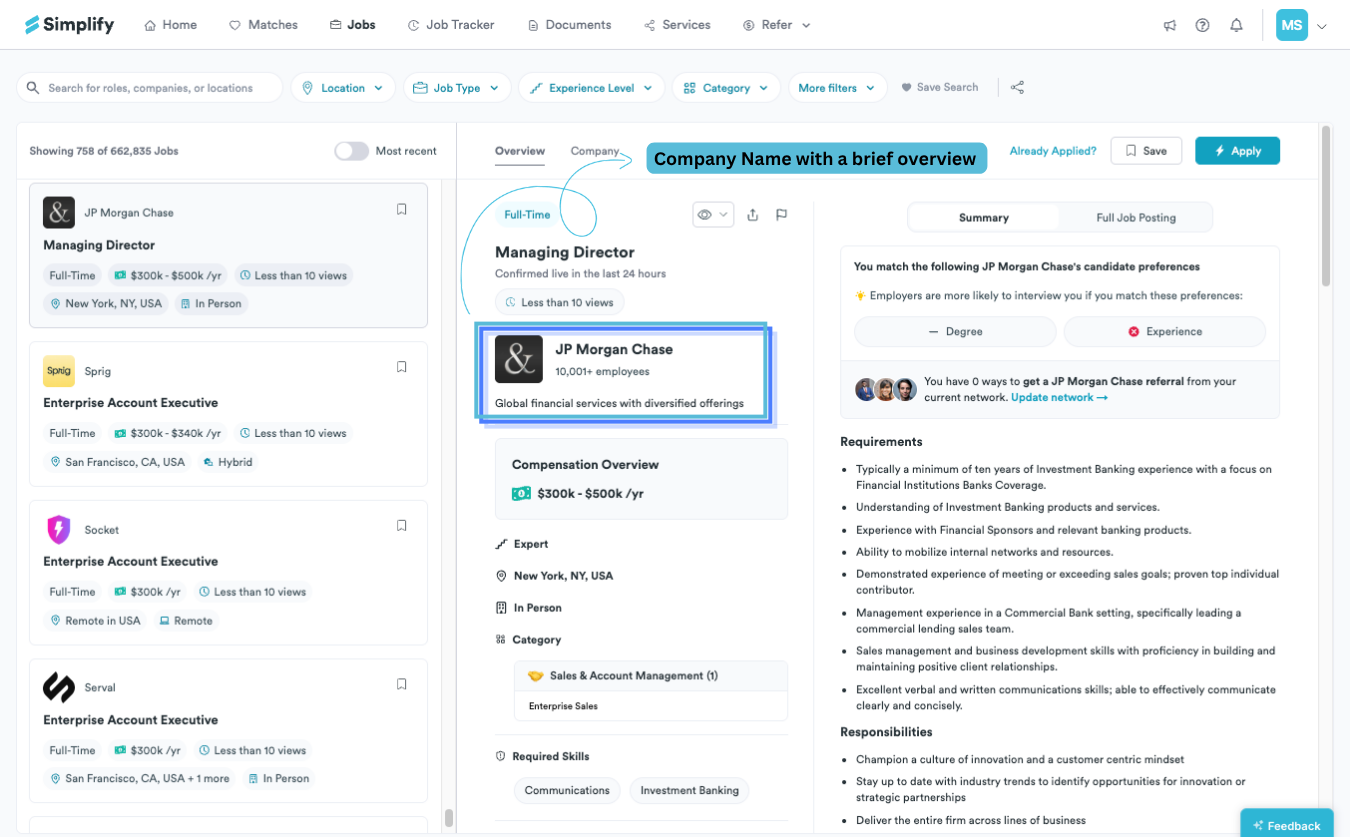
Select a job in the Job Board results to open its details. Read the full posting and company information, then choose Save, Apply, or Autopilot where offered. Check the employer’s posting for current requirements, location restrictions, and application availability.
Read the role and choose an action
The Overview tab shows the job summary, requirements, responsibilities, skills, location, and compensation where available. Switch to Full Job Posting to read the full description. We separate those sections so you can scan the role first and then check the details that matter to your application.
Research the company
Open Company for the employer’s description and available details such as size, funding, benefits, and sponsorship history. Some company pages include Simplify’s take and links to other roles.
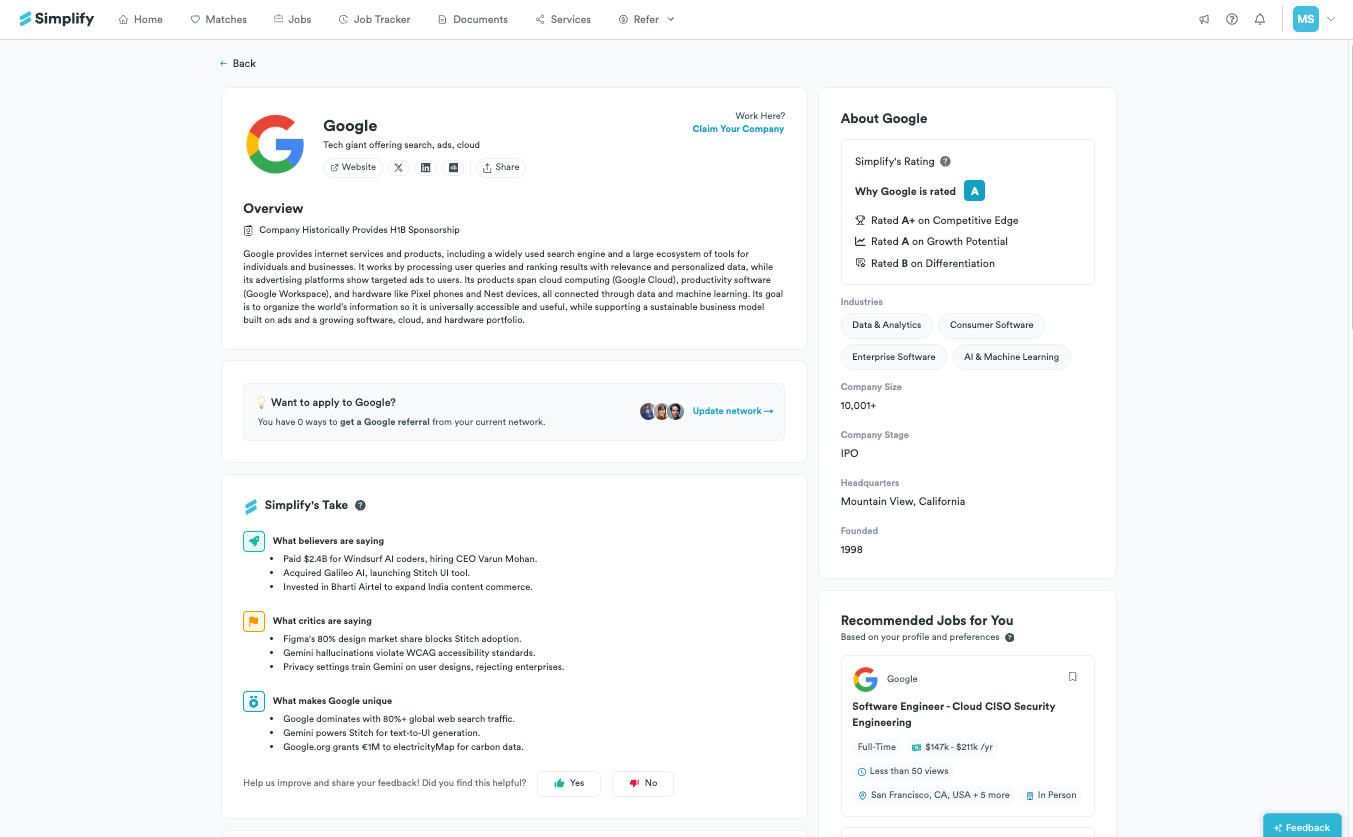
Company information can help you decide what to investigate, but it does not replace the current posting or direct employer confirmation. Historical sponsorship does not guarantee sponsorship for this role, and company-level information may not describe every team or location.
Understand match and resume feedback
A job may compare your profile with stated preferences such as degree or experience. In Matches, Why This Job is a Match explains the recommendation. Keyword matching compares the selected resume with the job description.
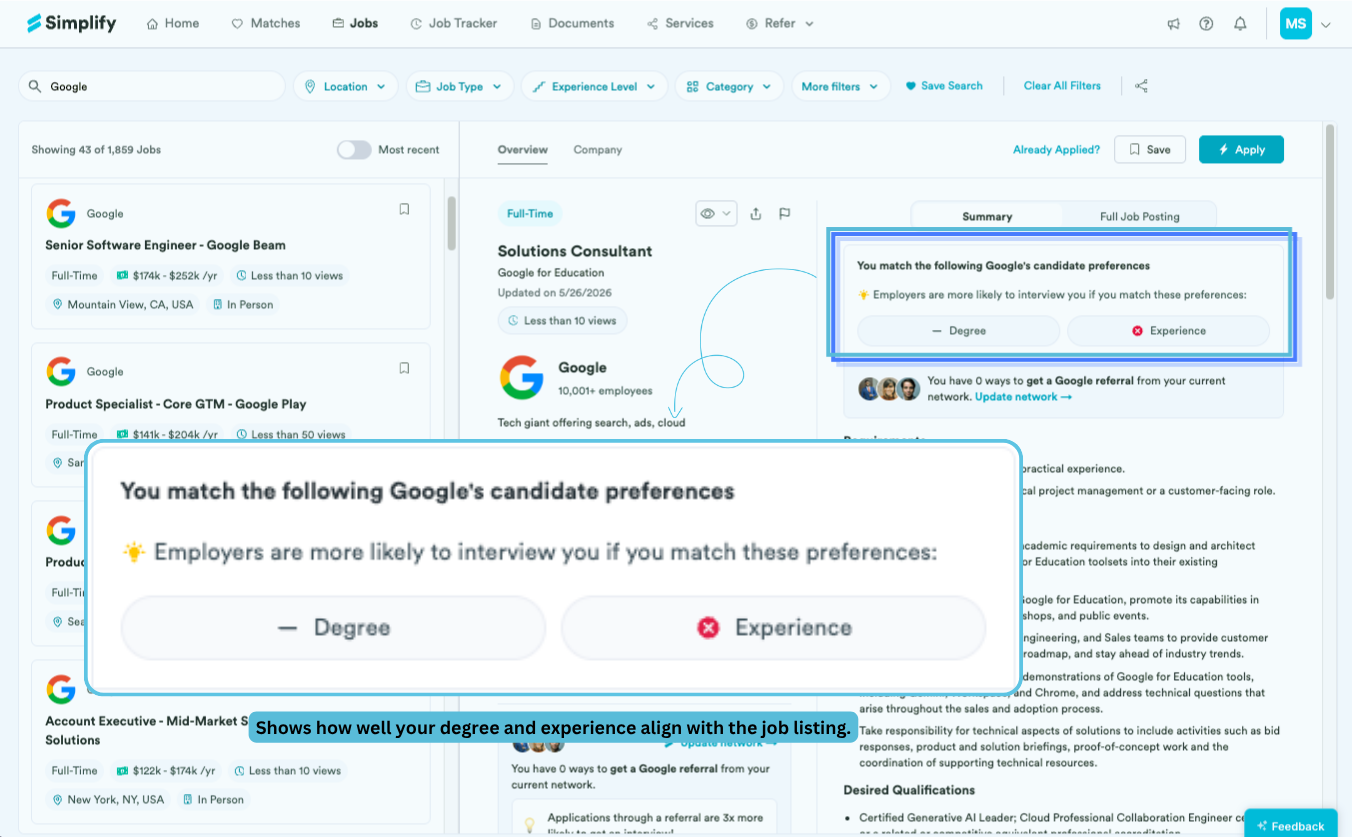
These are different signals. A preference comparison is not an employer decision, and keyword coverage does not establish that you meet every requirement. Use the missing terms and full description to decide whether to clarify relevant experience in your resume. Do not add a skill only to increase a score.
Read analytics in their stated scope
Simplify+ can show additional job analytics where data is available. Read the label and period beside each figure. Simplify activity is not a complete count of everyone applying through the employer or other sites, and a small sample does not establish your chances of being hired.
Check the current application
A recently checked or live indicator describes when Simplify last checked the listing. Jobs can change or close afterward. Open the employer’s application for the latest requirements and availability. If a link fails or the listing is wrong, report the specific issue with the flag icon.
Use the document and application guides when you are ready to apply, and keep the tracker status current afterward. Saving or marking a job does not send materials to the employer.
Related articles
Was this helpful?
Still need help? Share an idea