Manage Copilot autofill settings
Control AI answers, multipage autofill, and which fields Copilot fills.
Last updated About 2 hours ago
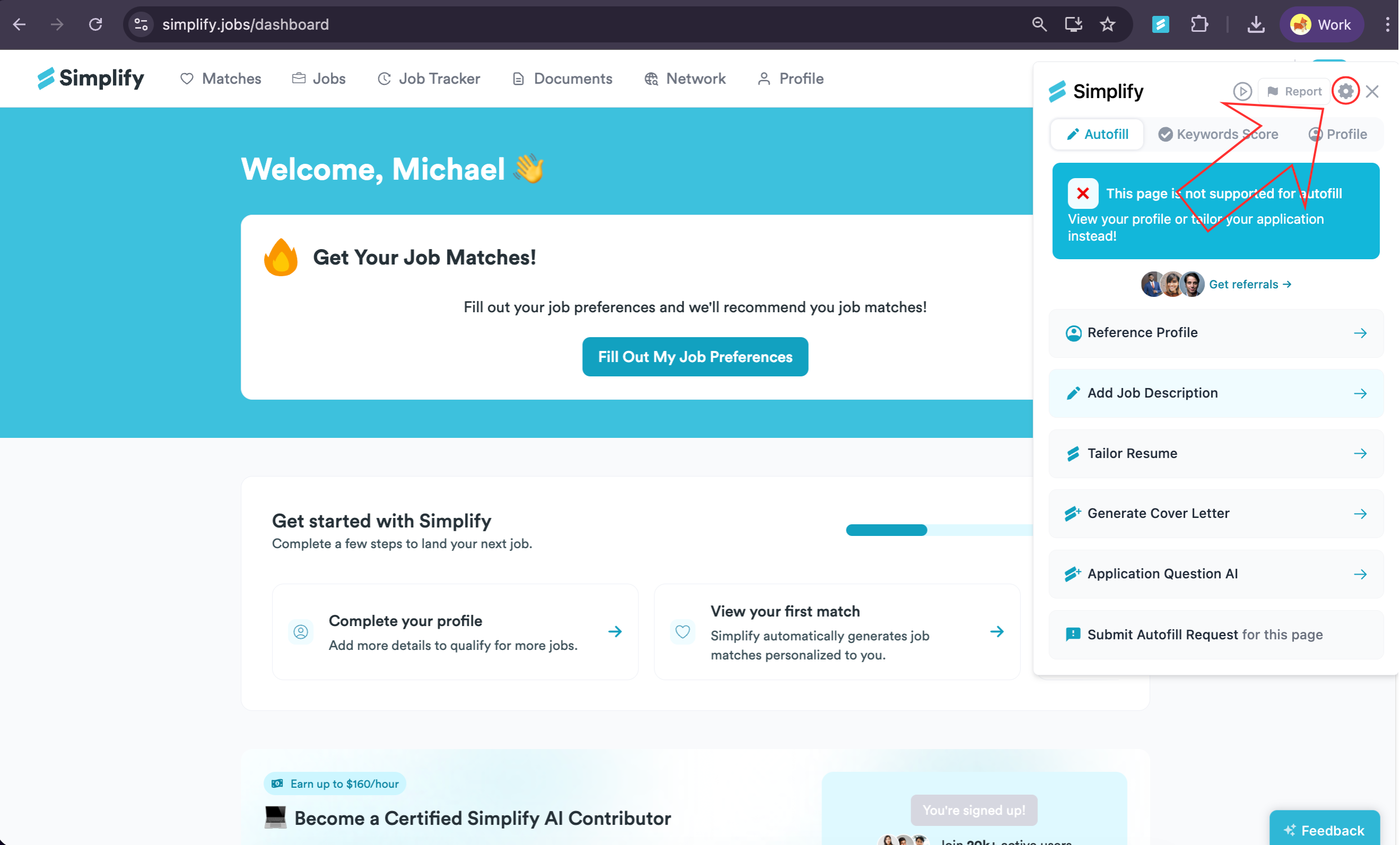
Open Copilot and choose the gear icon to change autofill settings. You can control AI-generated answers, continuous filling across supported application pages, and individual fields. These settings do not make Copilot submit applications; you still review the form and click the final Submit button.
Open Copilot settings
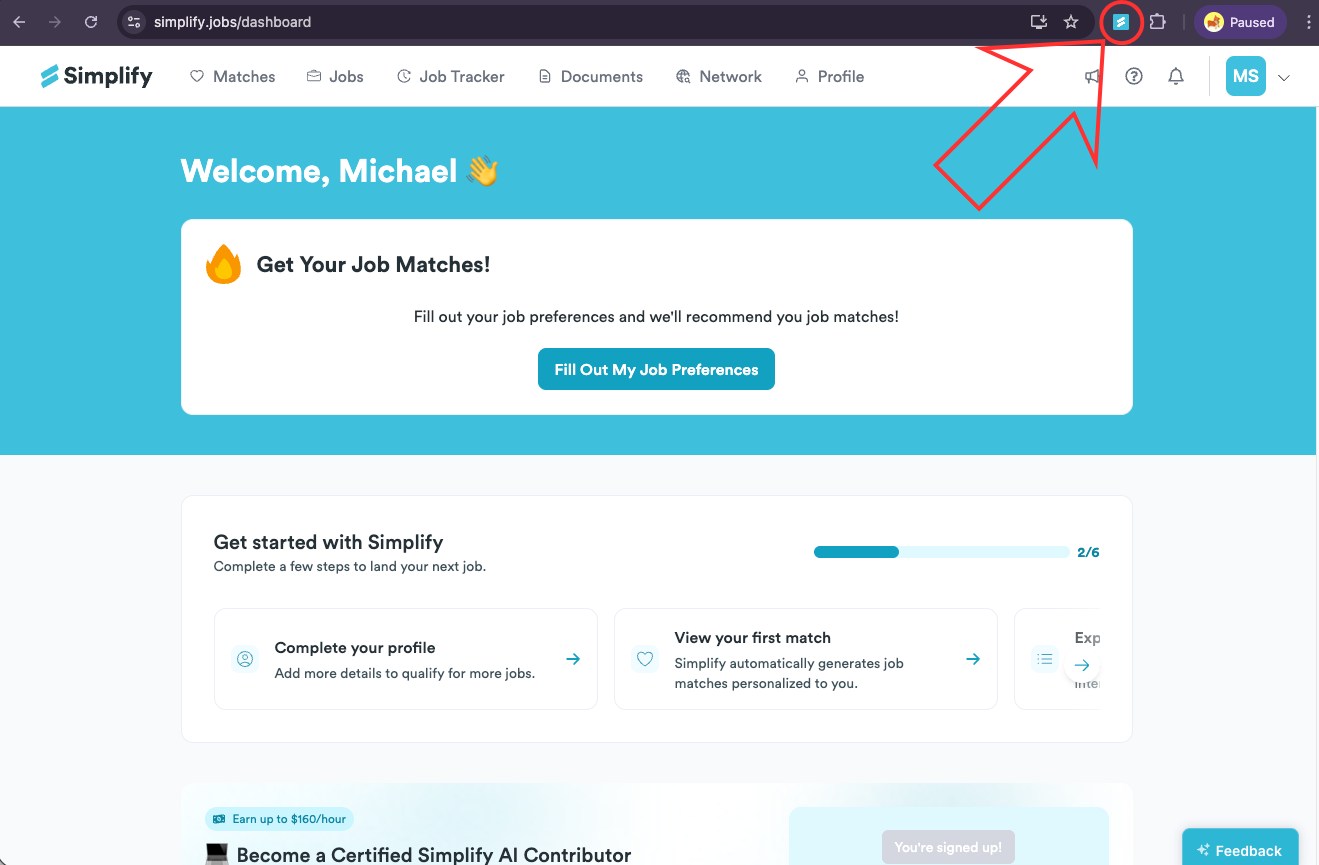
Select the Simplify icon in your browser toolbar. Pin it to the toolbar if you want easier access.
Choose the gear icon in the top-right of the Copilot panel.
AI answers and keyword extraction
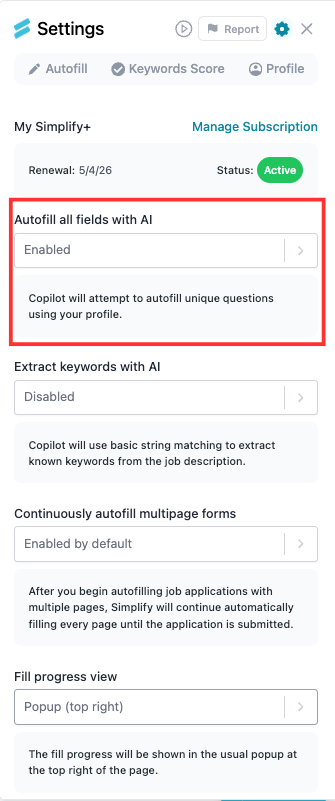
Autofill all fields with AI lets Simplify+ use your profile to draft answers to unique application questions. When it is disabled, Copilot does not attempt those AI answers automatically. You can still review the questions and write answers yourself.
Extract keywords with AI controls the keyword extraction method used to compare the job description with your resume. When disabled, the setting shown in the screenshot uses basic matching. If the extracted terms look wrong, check the job description Copilot is using and report the keyword issue.
Continuous multipage autofill
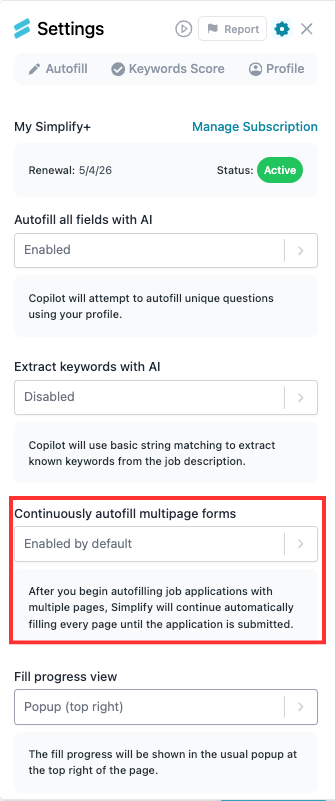
When Continuously autofill multipage forms is enabled, Copilot continues filling supported pages after you start. When disabled, start autofill on each page yourself. In either case, check the form and submit it yourself.
Choose which fields to fill
Under Fields to autofill, turn off any fields you prefer to enter yourself. Options include contact information, location, documents, education, experience, demographic details, and work authorization. Group controls can affect several fields, so check the individual choices afterward.
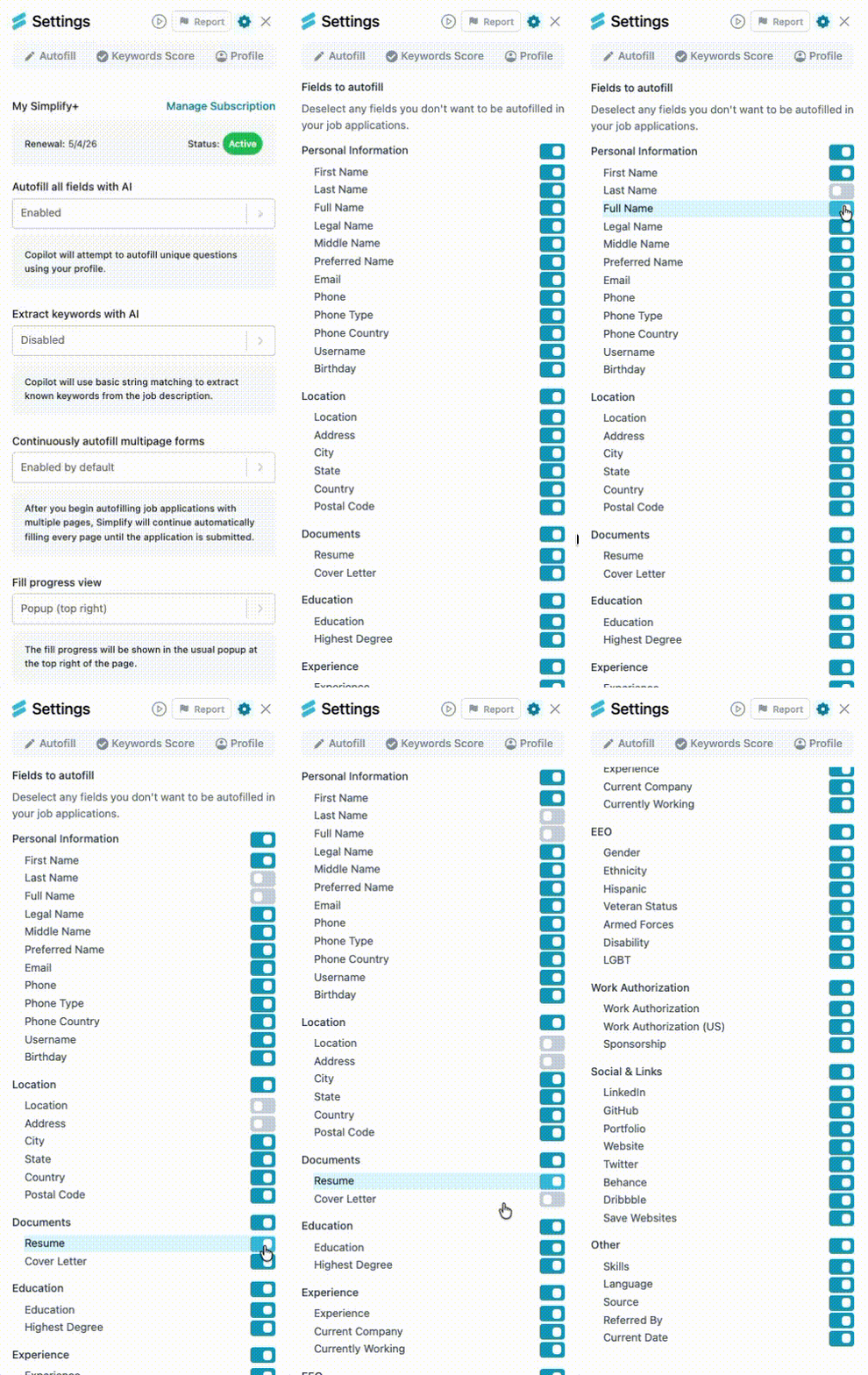
Turning off a field’s autofill does not delete that information from your Simplify profile. Edit the profile itself when the saved information is wrong. If a field stays empty unexpectedly, check both its toggle and the corresponding profile entry.
Related articles
Was this helpful?
Still need help? Share an idea