Use Copilot with Simplify+
Use paid AI tools for resume tailoring, cover letters, and application answers in Copilot.
Last updated About 2 hours ago
Simplify+ adds AI resume tailoring, cover letter generation, and application answers to Copilot. Basic autofill remains free. Open Copilot on a supported application, choose the document or question you want help with, and review the generated content before submitting the application yourself.
Find the AI actions
Open the employer’s application and then Copilot. Check the Resume and job description in the panel. Depending on the form, the available sections include Resume, Cover Letter, Unique Questions, and common autofill fields.
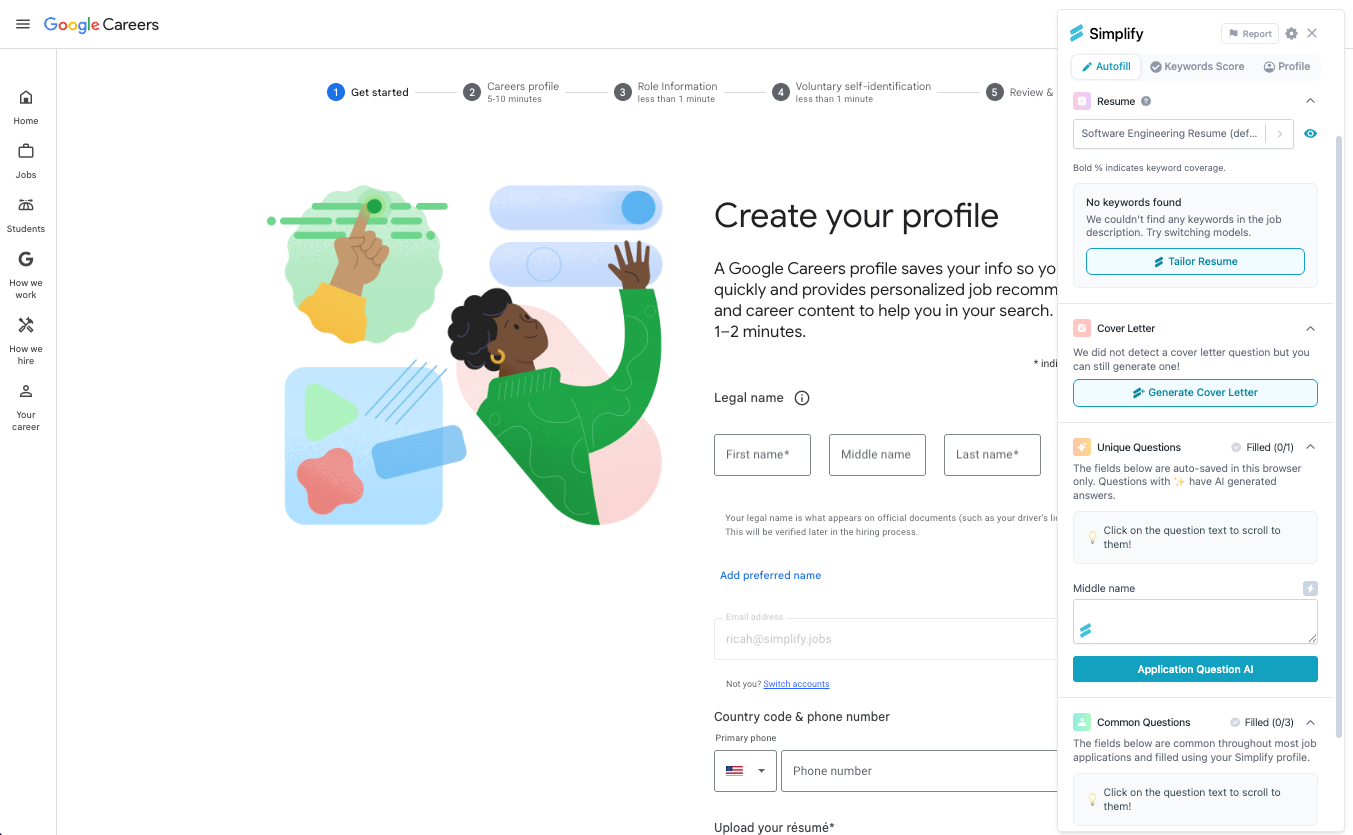
Tailor your resume
Free users can review keyword matching. With Simplify+, choose Tailor Resume to create or open a version for the target job in Resume Builder. Use the full-resume or individual-section AI actions, inspect the proposed changes, and apply the ones you want.
An imported PDF or Word file can become the source for a new editable builder resume. The tailored version is separate from that source file. Select the completed version in Copilot before filling the application.
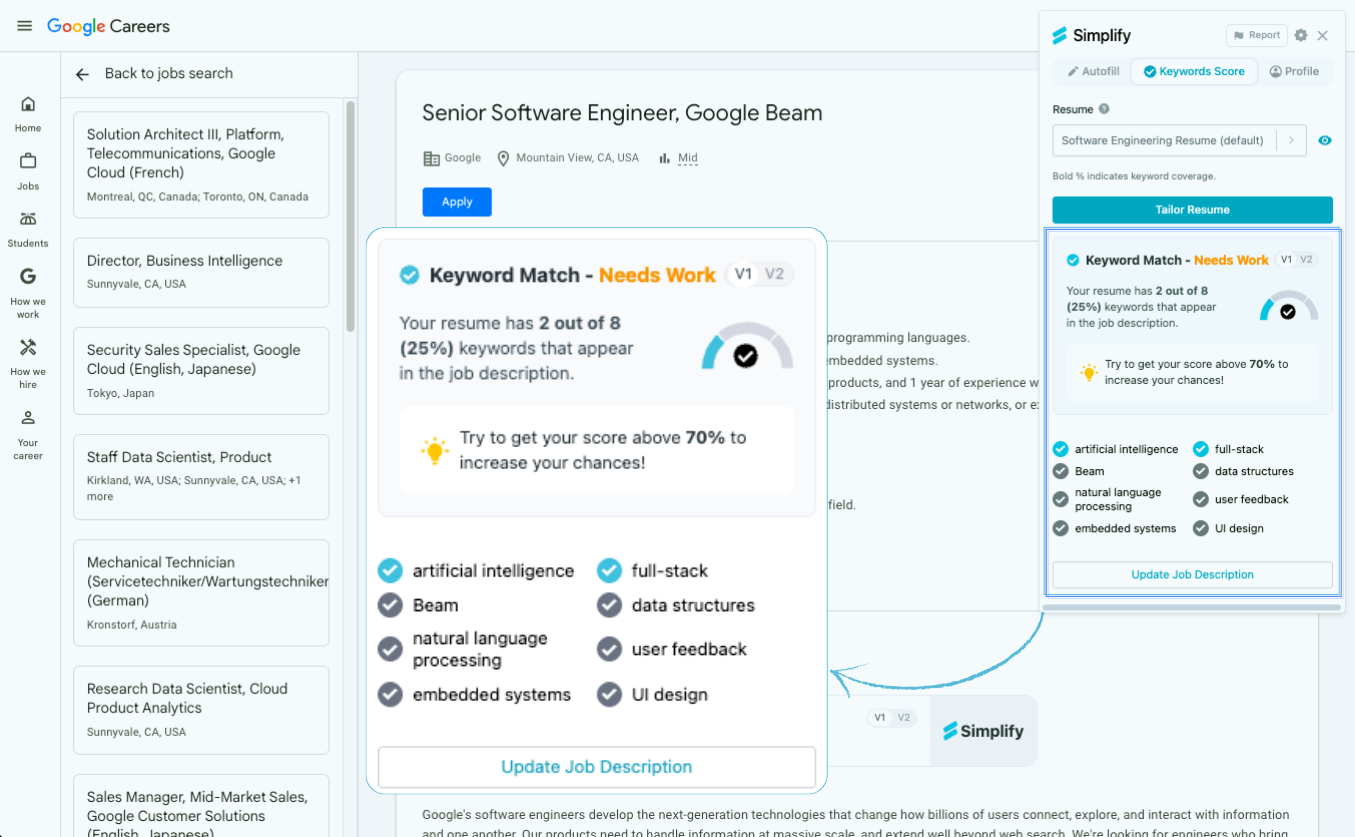
The screenshot shows keyword coverage, including an older 70% suggestion. That is not an employer’s threshold. Resume Builder’s broader Resume Score also checks content and formatting where available; neither number predicts a hiring decision.
Generate a cover letter or written answer
Use Generate Cover Letter for a letter, or a question’s Application Question AI action for an answer. Check the target job and provide specific instructions or examples, then review the draft before filling or attaching it.
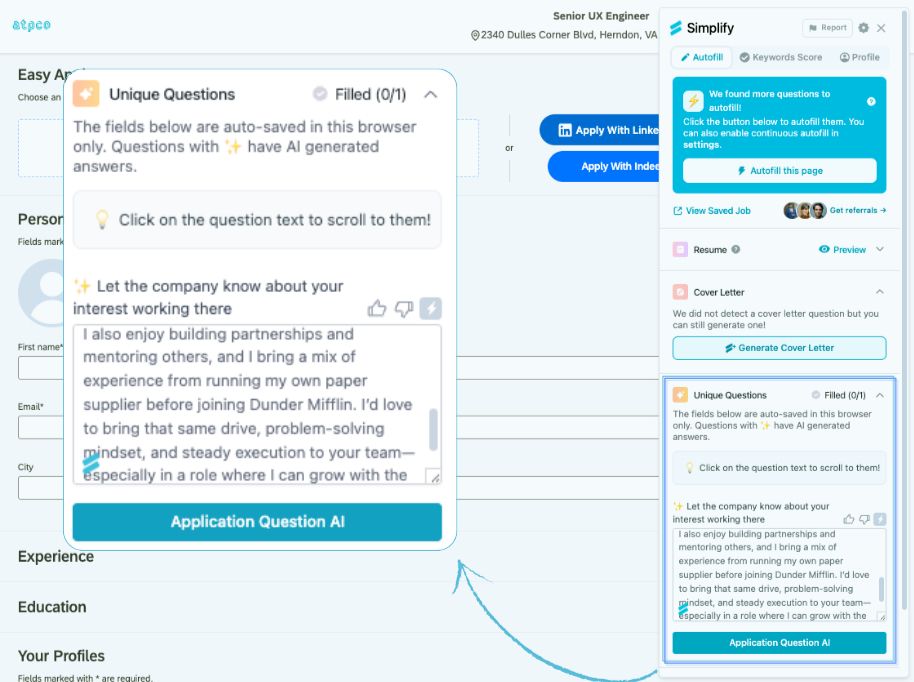
Saved answers can be reused when the exact same question appears again. Review the current company name and other details even when the wording matches. Generated content can require corrections, so check the employer’s final form and attached files before submitting.
Adjust settings and check access
Open Copilot’s gear icon for settings such as automatic AI answers and which fields to fill. Resume Builder’s AI Settings control tailoring preferences. If a paid action is unavailable, check that Copilot is signed in to the account with the active Simplify+ subscription.
Copilot’s AI tools still use the manual-review application flow. Continuous multipage filling does not submit the form for you. Autopilot is included with Simplify+ as a separate choice for supported jobs and submits without a review step.
Related articles
Was this helpful?
Still need help? Share an idea