Report a job posting
Report incorrect information, expired jobs, broken links, scams, or other listing issues.
Last updated About 2 hours ago
Open the job on Simplify and choose the flag icon to report a listing problem. Select the issue, add details, and submit the report. Include what is wrong and, when available, the employer’s correct posting URL.
Report the listing
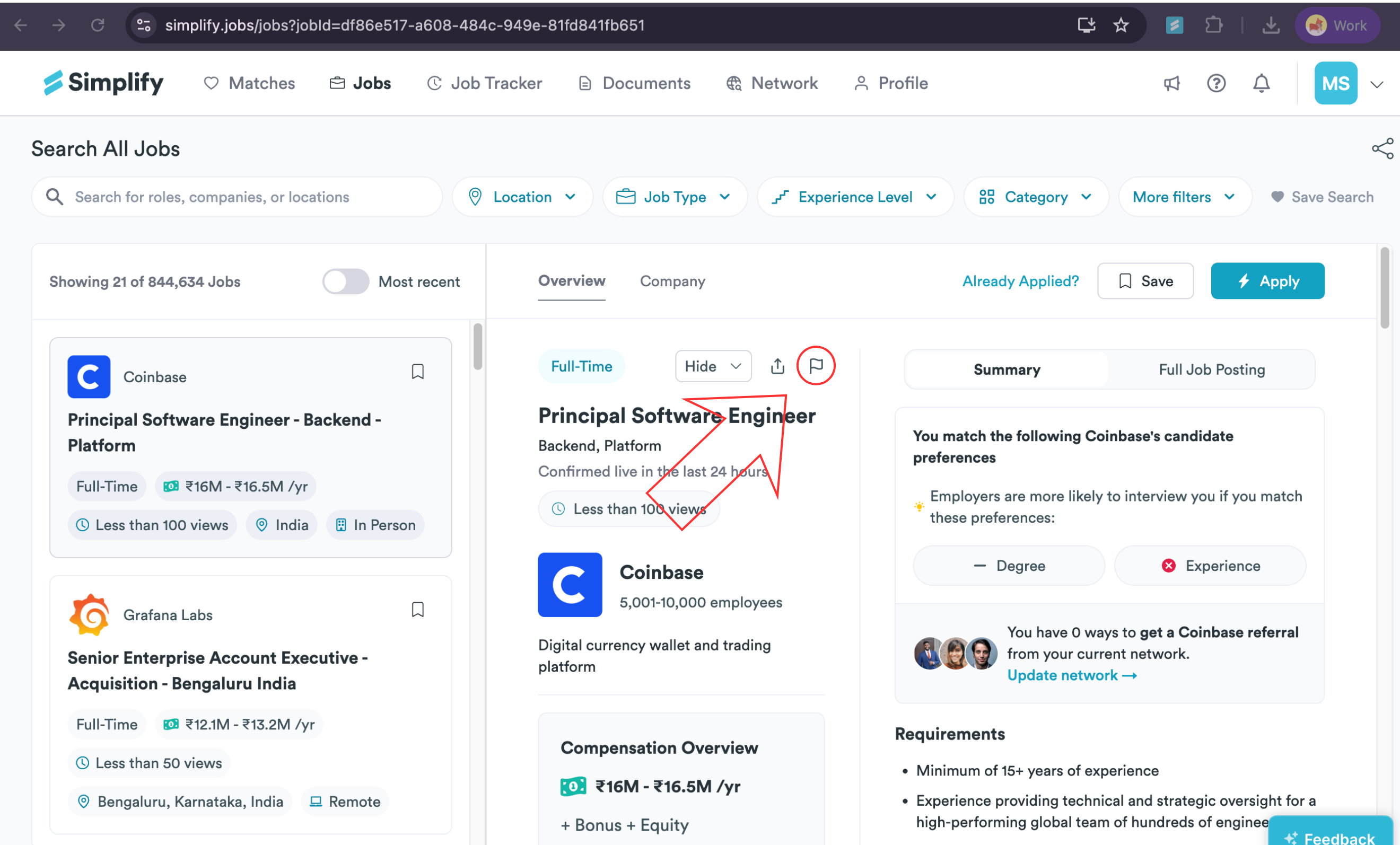
Open the job on Simplify and choose the flag icon near the job details.
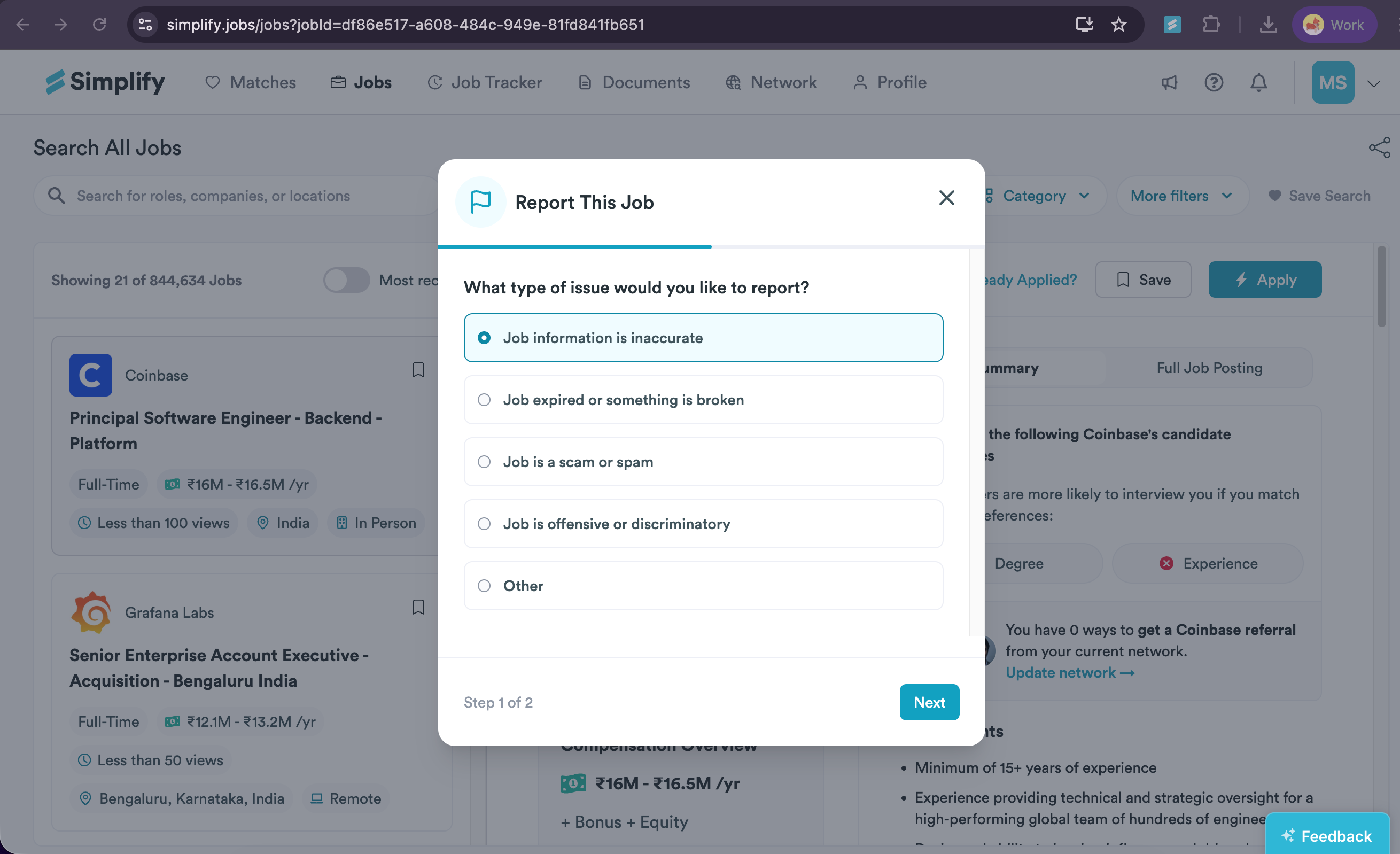
Choose the category that matches the problem: incorrect information, an expired or broken job, scam or spam, offensive or discriminatory content, or another issue. Choose Next.
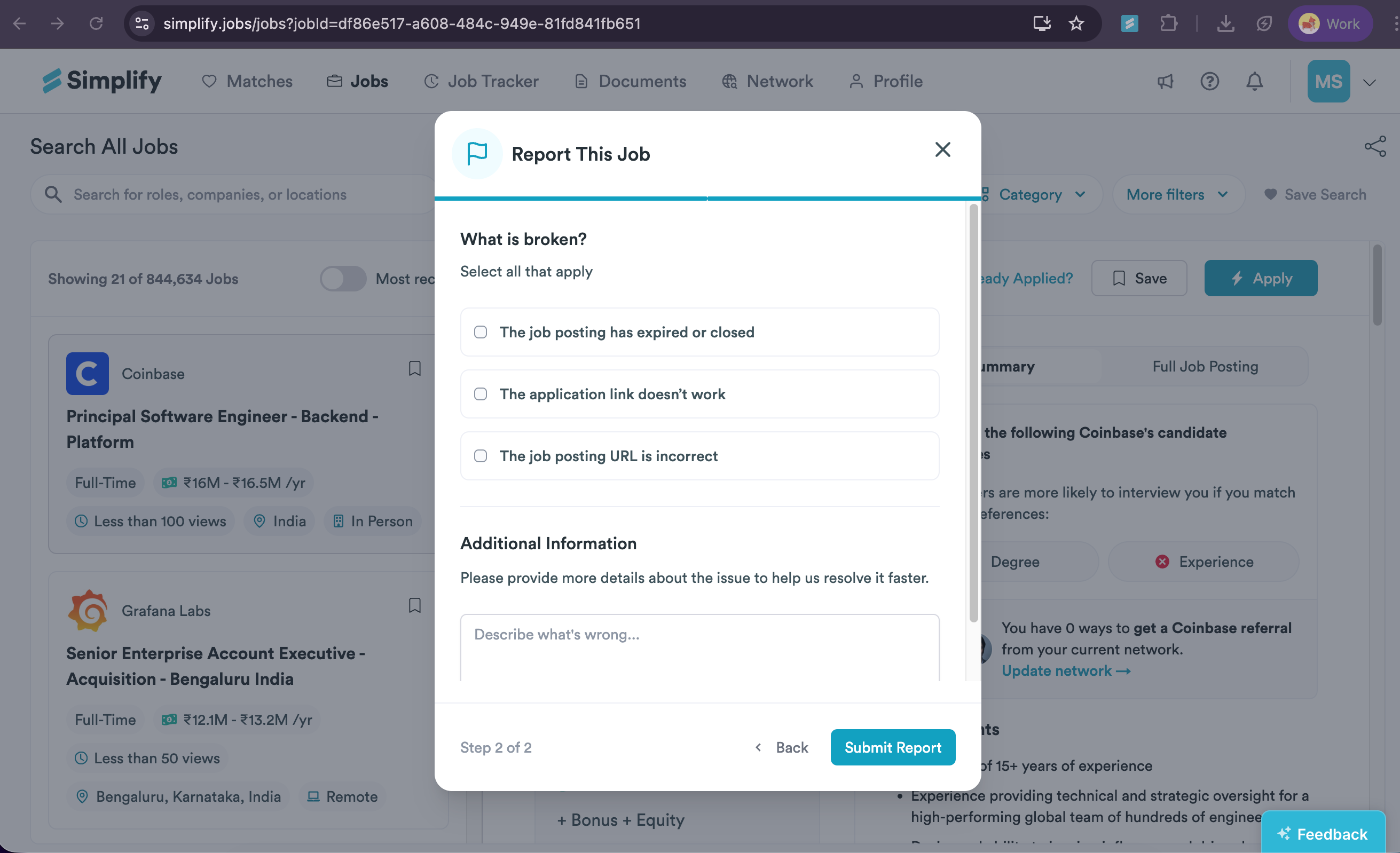
Select the relevant details and explain the problem. For a closed role or broken link, include the correct employer URL if you have it.
Choose Submit Report.
What makes a useful report?
Be specific about the field or link: for example, “the location says remote, but the employer requires three days a week in London,” or “the application link returns a closed-job page.” This gives us something concrete to check.
If someone is impersonating Simplify in a message, report that to support as well. Reporting a posting does not contact the employer or submit an application.
Related articles
Was this helpful?
Still need help? Share an idea