Add a custom application
Create a Job Tracker record for a job you found or applied to elsewhere.
Last updated About 2 hours ago
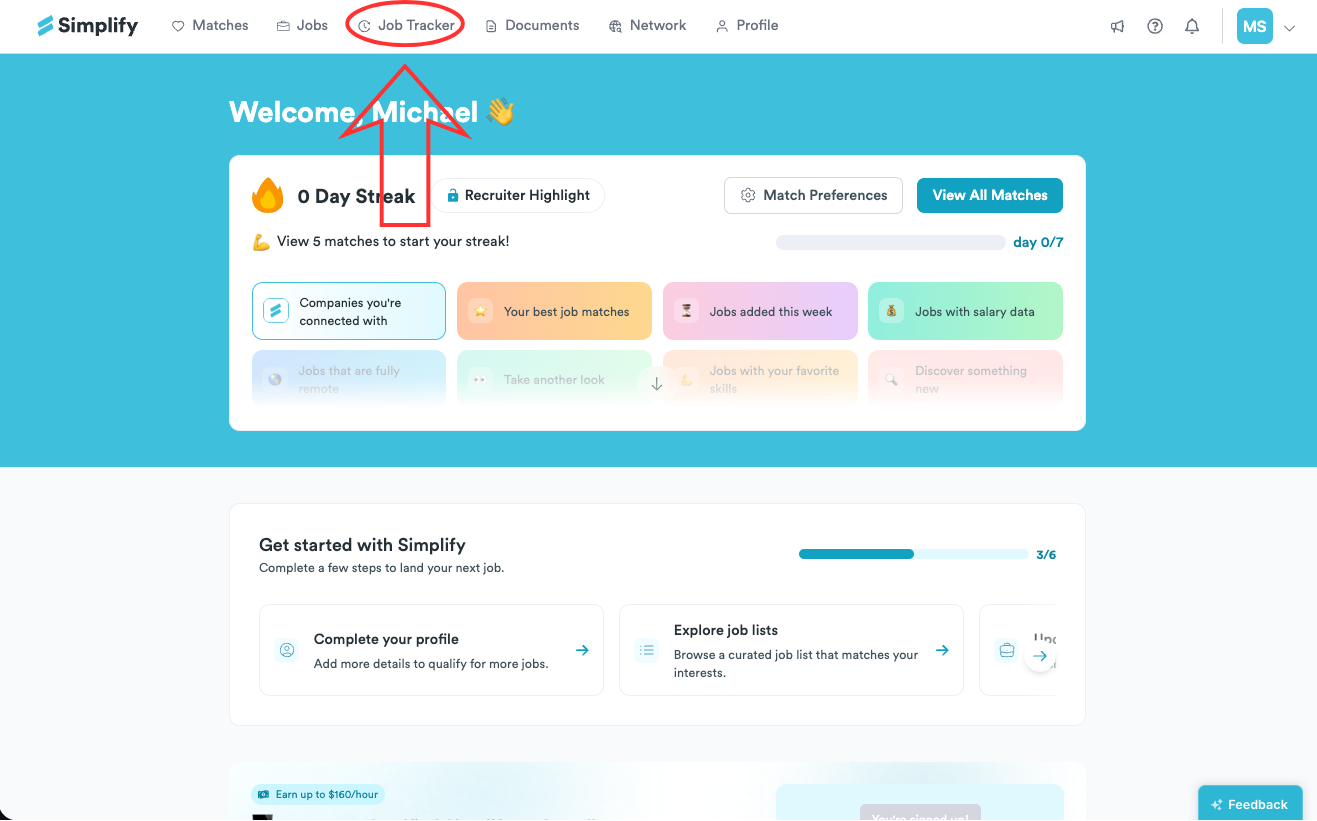
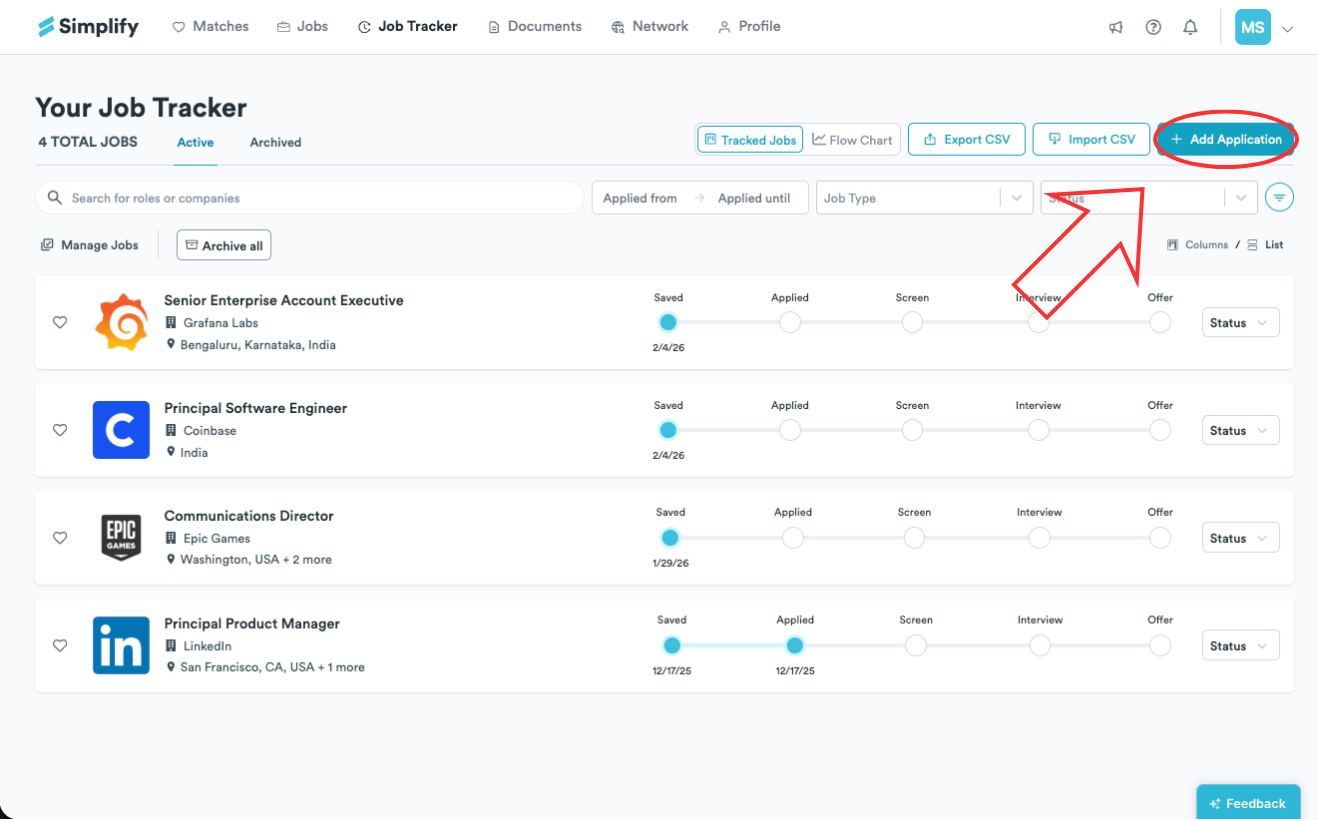
Open Job Tracker → Add Application to track a job you found or applied to outside Simplify. Enter the job details, choose its current status, and save. Adding the record does not submit an application to the employer.
Add the application record
Open Job Tracker.
Choose Add Application in the top action row.
Enter the Position Title, Company, and Location. Choose the job type and current status, and select the associated resume if relevant.
Choose Add, then check the new record in your tracker.
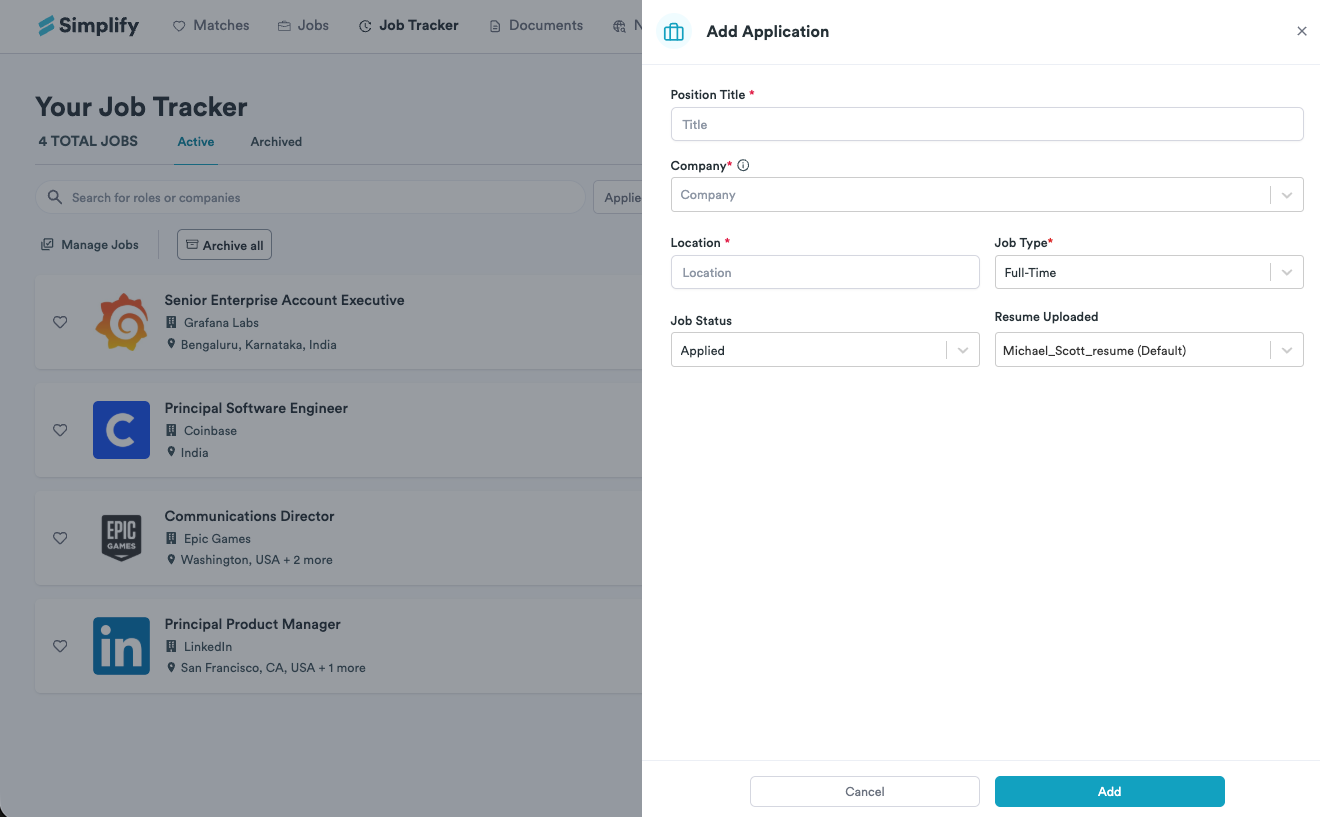
Choose the status that reflects what happened
Use Saved for a job you want to apply to later. Use Applied only after you have submitted the employer’s application, or select a later stage if appropriate. You can update the record as the process moves forward and add the posting URL or notes to help you return to it.
Related articles
Was this helpful?
Still need help? Share an idea