Supported Countries and Regions
Simplify supports a focused set of regions today, and your selected region shapes the jobs you see, though most of Simplify works even if your region isn't listed yet.
Last updated 4 months ago
What countries and regions does Simplify support?
Most of Simplify works no matter where you’re based. You can build your profile, tailor resumes, use Simplify Copilot, track applications, prepare for interviews, and manage your job search from anywhere.
During signup, we’ll ask where you’d like to work so we can personalize your job matches and recommendations. Currently, we have jobs available in:
United States
Canada
United Kingdom
Australia
France
Germany
India
Ireland
Italy
Spain
You can always add additional locations later, along with preferences like remote, hybrid, or in-person work and any visa requirements. To learn how: Setting your Job Match Preferences
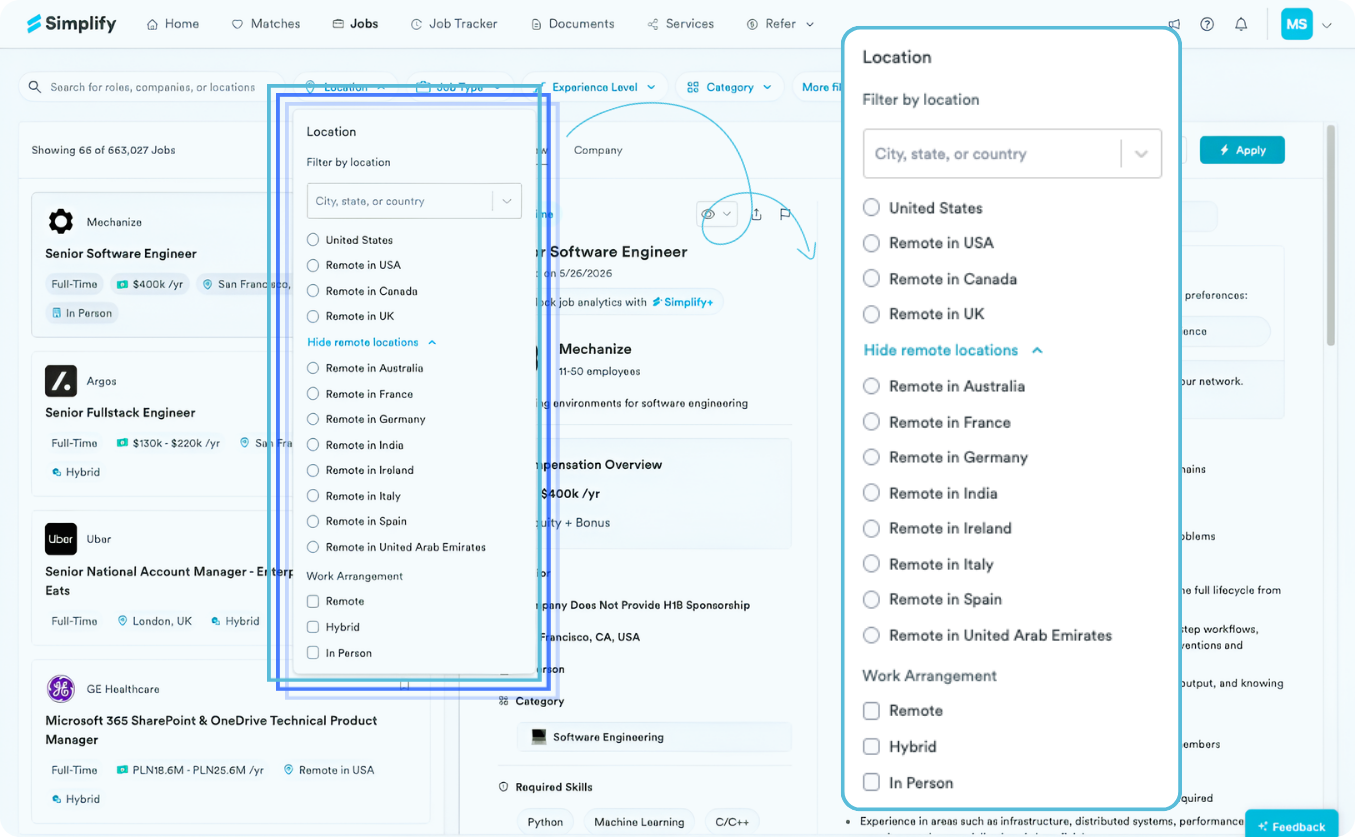
We’re continuing to expand our job matching coverage over time, while making sure matches, filters, and recommendations remain accurate and relevant for each market.
What if my region is not supported yet?
You can still use most of Simplify to manage and speed up your job search.
If you're looking for remote roles in supported regions, select the remote option during onboarding or in your preferences, and Simplify will surface those jobs in your feed.
You can also finish onboarding with a nearby supported region and keep using the rest of Simplify right away.
That includes:
Copilot, which autofills applications across job sites worldwide
The Resume Builder to generate and tailor resumes
Cover letter generation for applications
The Job Tracker to track applications, interviews, and offers across any job site
How does my selected region affect Simplify?
Your selected region mainly changes the jobs shown in:
Job Matches, your personalized match feed
The Job Board, the searchable job listings page
✨ For Example: If you select both the United States and Canada you'll see jobs from both regions in your job matches and job board.
Features like Copilot, Resume Builder, cover letters, and the Job Tracker still work across your job search, even when you're applying outside Simplify-supported regions.
Can I request a new region?
Yes. If there's a region you'd like Simplify to support next, send it through the in-app Feedback Tab. We read your feedback closely, and it helps us decide where to expand next.
Was this helpful?
Still need help? Share an idea