Using Simplify's Cover Letter Templates
Cover letter templates give you a structured starting point for different industries and role types, making it easier to tailor applications without rebuilding every letter from scratch.
Last updated 4 months ago
TL;DR
Simplify includes free cover letter templates for different industries and writing styles.
Templates are meant to be starting points you can edit, reuse, or tailor for specific jobs.
Simplify+ users can use AI to rewrite templates against a target role using their profile and job context.
Simplify includes a small set of cover letter templates to help you start from a structure that already fits the kind of role you are applying to.
These templates are under your Documents and cover a few common categories:
Tech
Creative
General-purpose roles
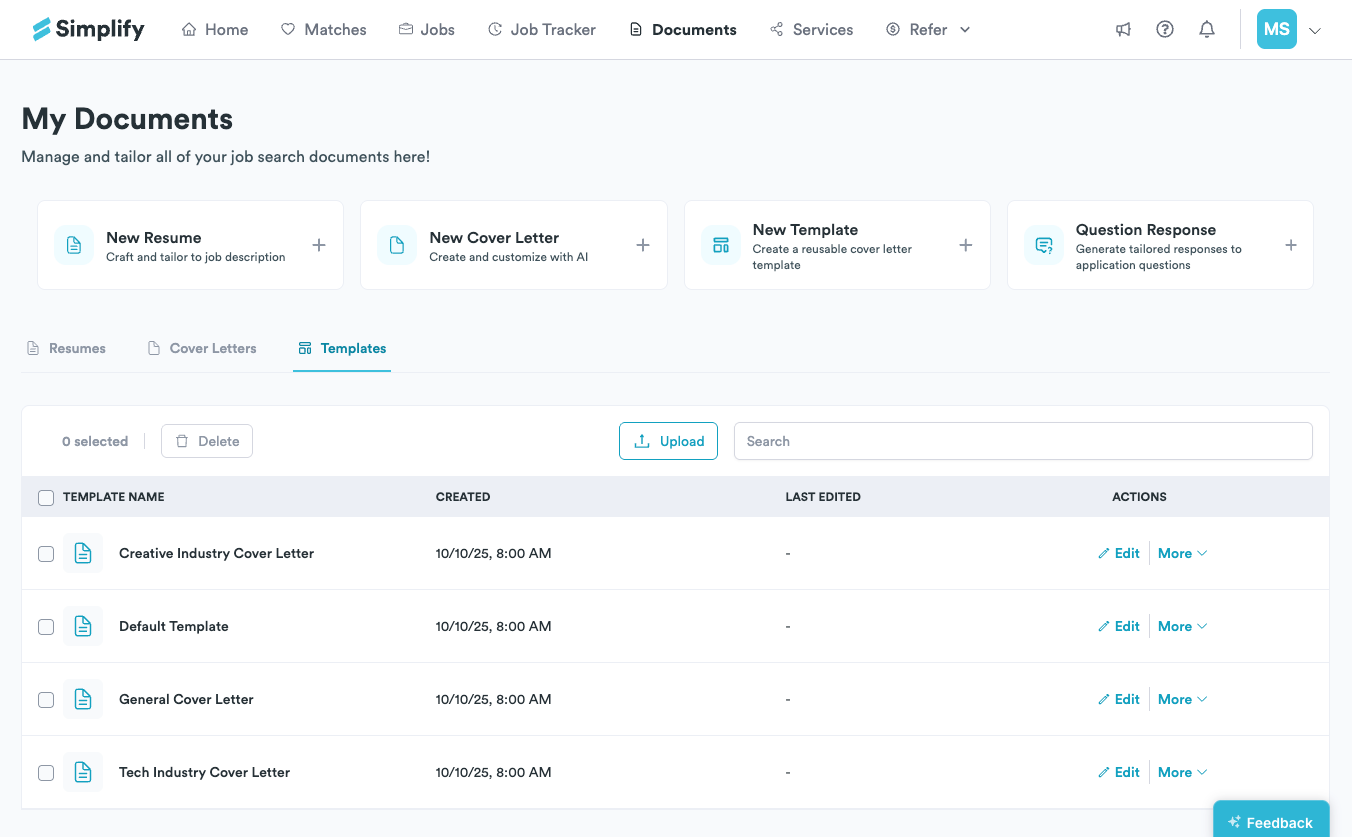
Each template is customized depending on the context it is meant for. A technical template may focus more on projects, tools, and impact, while a creative template may leave more room for portfolio work, storytelling, or creative process.
Using templates as a starting point
The templates are fully editable.
You can:
tailor one directly for a specific application
save your edited version as your own reusable template
use parts of multiple templates together
keep different versions for different industries or role types
📝 Note: The idea is not to generate identical cover letters for every application. The templates are there to give you a cleaner starting point so you are not rebuilding structure and tone every time you apply.
Using AI with templates (Simplify+)
Simplify+ users can also use AI tools directly inside the cover letter editor.
You can use a template as the starting structure, then have AI tailor the content around:
the target job description
your Simplify profile
the experiences already on your resume
That makes it easier to keep a consistent structure or writing style while still adapting the content toward a specific role.
💡 Tip: You can still edit everything manually afterward. The generated version is always editable before exporting or using it in an application.
For more on generating cover letters: Auto-generating a cover letter with Copilot
Was this helpful?
Still need help? Share an idea