Navigating your Dashboard
Your dashboard is the home base for your daily matches, preferences, application goals, and recruiter-visibility streak.
Last updated 5 months ago
TL;DR
Your dashboard gives you quick access to your daily matches, preferences, application goals, and recruiter visibility streak
Viewing at least 5 daily matches keeps your streak active → a 7-day streak unlocks Recruiter Highlight so recruiters can discover your profile
The dashboard is also where you manage your Match Preferences, curated job feeds, and Copilot
Using your dashboard to improve recruiter visibility
Your dashboard tracks your application streak and Recruiter Highlight status.
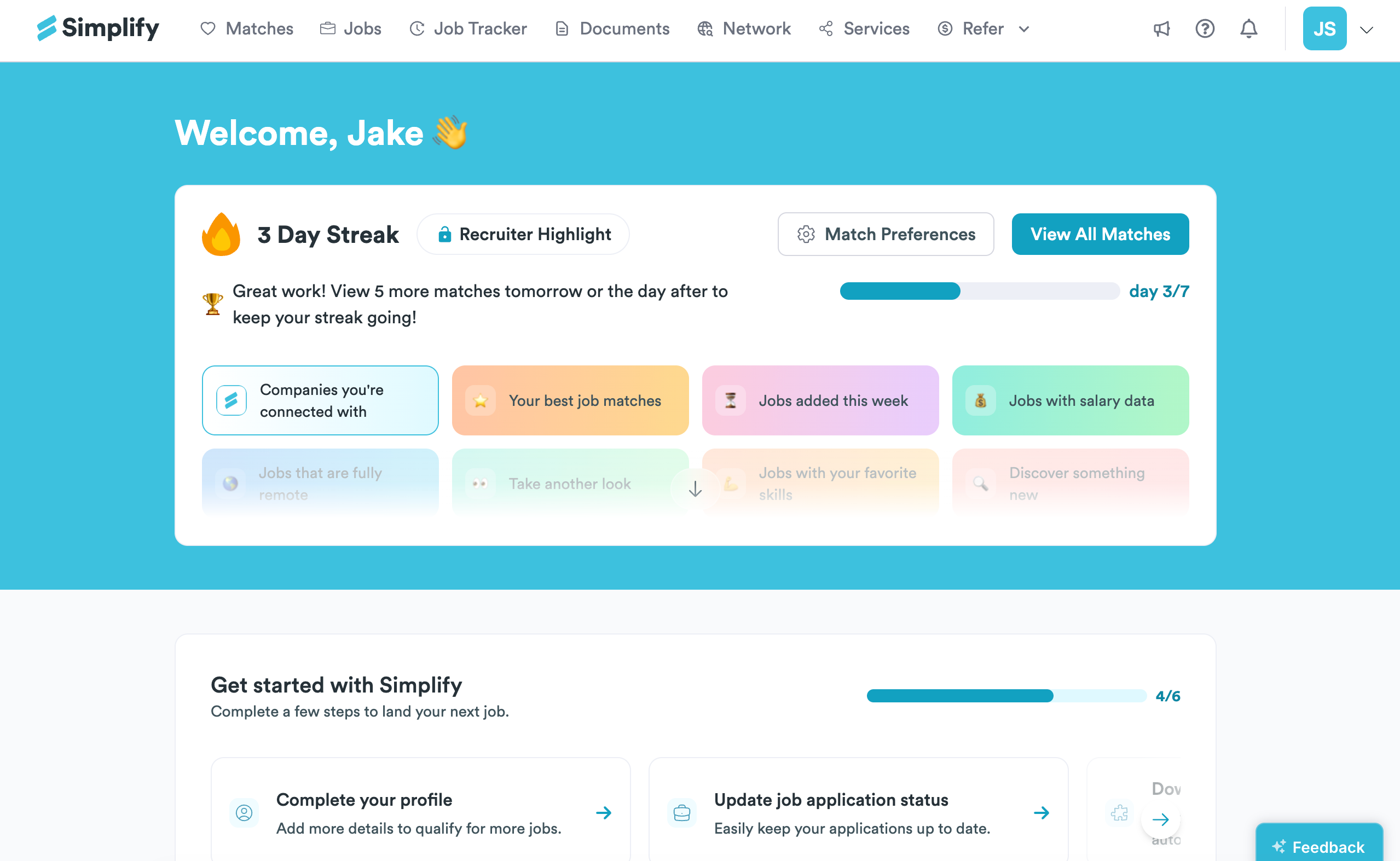
Viewing at least 5 daily matches increases your streak by one day. Once you reach a 7-day streak, your profile becomes eligible to appear to recruiters searching for active candidates on Simplify.
The streak is designed to help surface active candidates to recruiters on Simplify. As you consistently engage with your matches and apply to jobs, your profile becomes more visible to recruiters searching for candidates who are actively job searching.
💡 Tip: Using Copilot can make this easier by speeding up the applications you make, directly from your job matches.
Changing your preferences from the dashboard
You can update your preferences directly from the dashboard.
Through Match Preferences, you can update roles, locations, industries, and other preferences there.
View All Matches opens your daily job match feed with the roles Simplify has recommended for you based on your profile and preferences.
Email Preferences lets you choose how often you receive job match emails from Simplify: Daily, Weekly, or Never.
Application Goal lets you set a personal daily application target to help track your progress throughout your search.
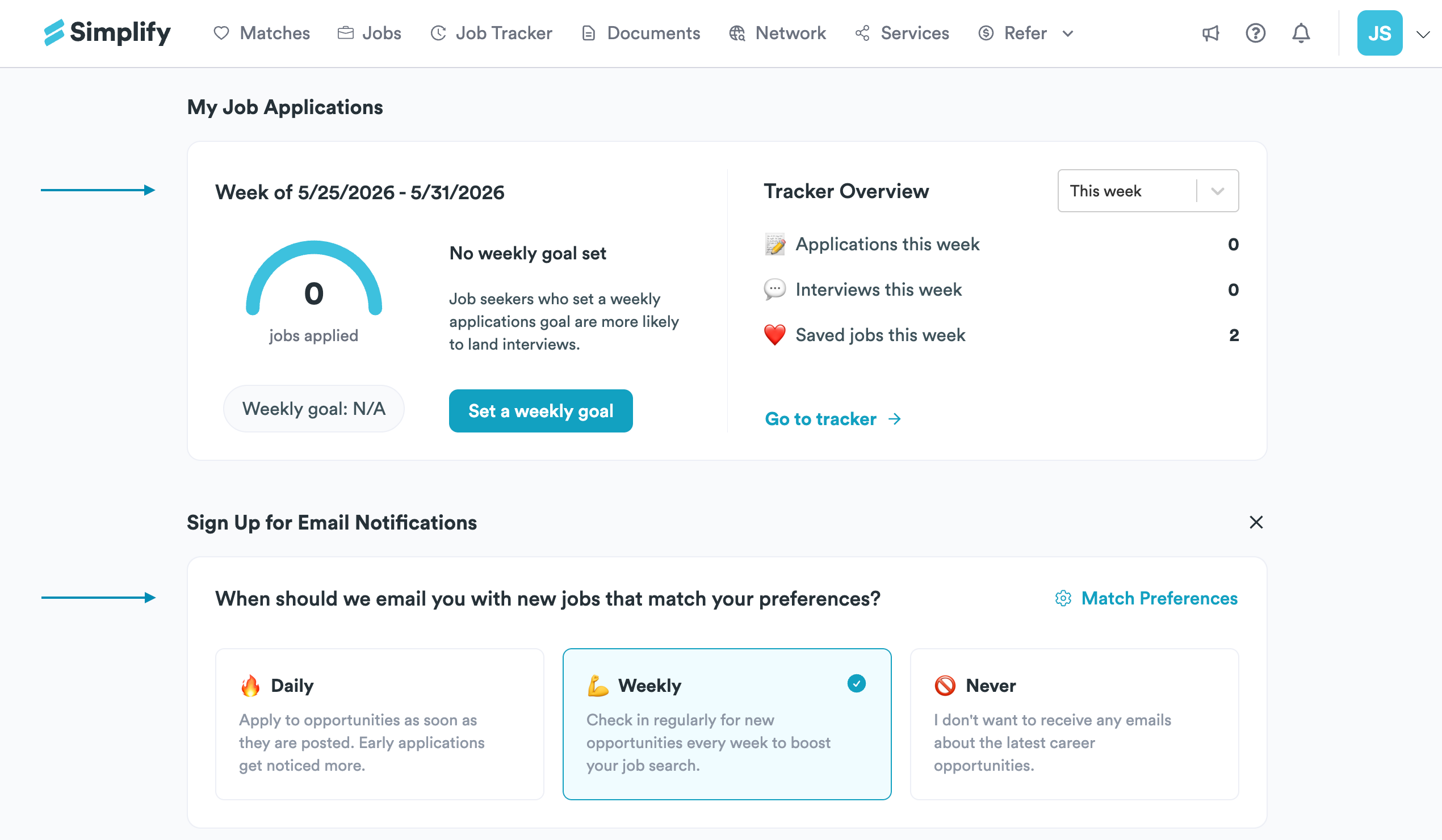
To learn how to make updates: Editing your profile after onboarding
Explore more curated job feeds
Beyond your daily matches, the dashboard also includes curated job groups for exploring different types of opportunities.
You'll find feeds like:
Jobs added this week
Fully remote roles
Jobs with salary data
Discovery picks outside your usual matches
These feeds refresh regularly so you can browse beyond your core recommendations whenever you want.
Upgrade to Simplify+ to unlock companies you're connected with, which surfaces jobs where someone in your network may be able to provide a warm introduction.
Where to go first
If you're just getting started:
View All Matches → browse today's recommended jobs
Match Preferences → update roles, locations, and filters
Copilot → set up autofill before applying
Jobs tab → browse beyond your curated matches
Was this helpful?
Still need help? Share an idea