Edit your profile after onboarding
Update professional details, personal information, and job preferences, and understand resume syncing.
Last updated About 2 hours ago
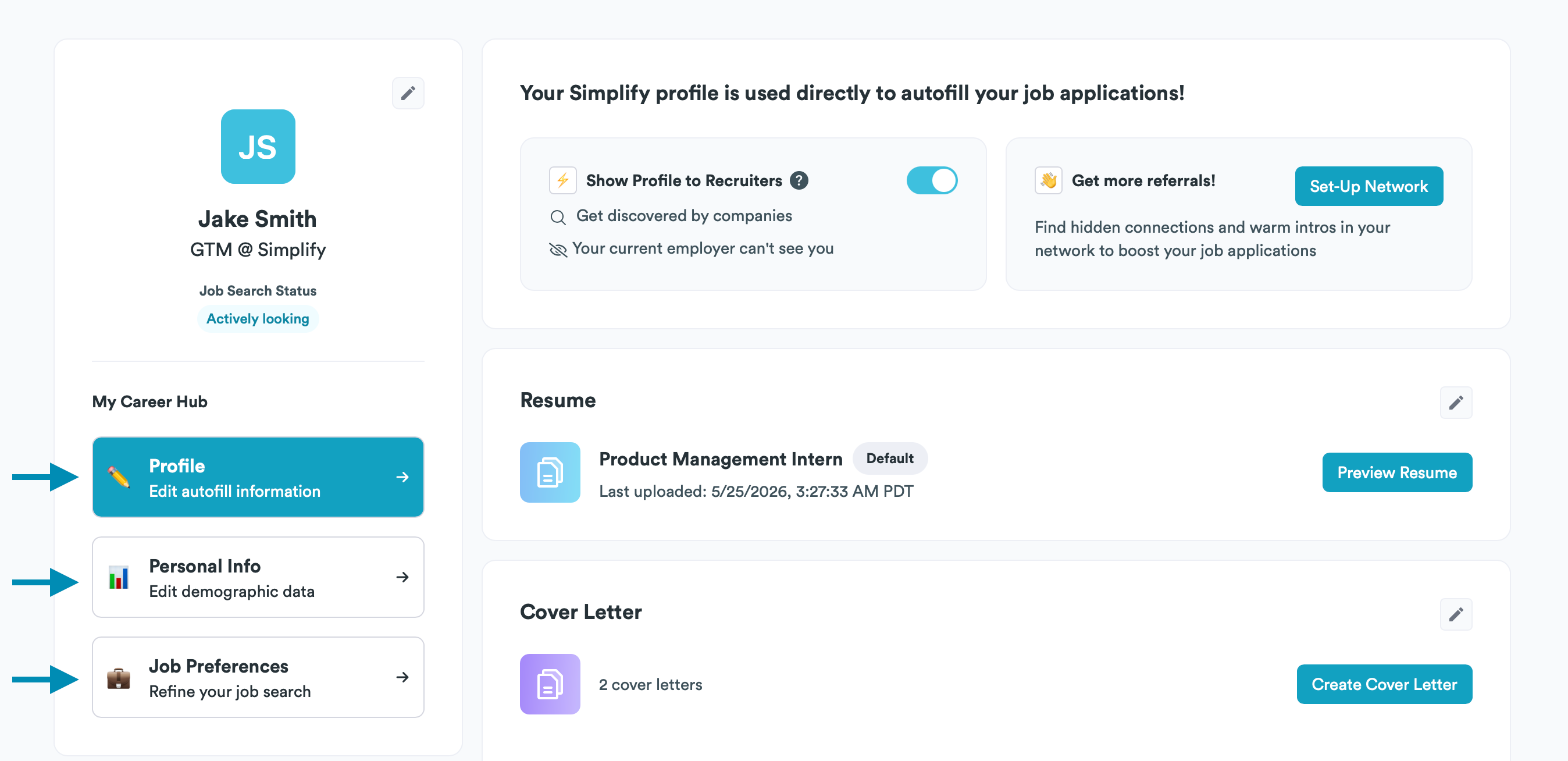
Open Profile, choose the section you want to change, select its edit icon, and save. Use Profile for experience, education, skills, and links; Personal Info for personal or demographic fields; and Job Preferences for the roles you want recommended.
Edit the right section
Open Profile from the main navigation or your account menu.
Choose Profile, Personal Info, or Job Preferences in the sidebar.
Find the entry, choose its edit icon, make your changes, and choose Save. Use the plus icon when you want to add an entry rather than change an existing one.
Check the saved details, especially dates, contact information, and work authorization answers.
How profile changes affect resumes and applications
Copilot uses the information saved on your profile when filling applications. Profile titles, company names, and dates sync automatically to builder resumes linked to those entries. Your tailored bullets stay specific to each resume and update the profile only when you explicitly apply those changes.
We keep shared employment details consistent so changing a company name or date does not require finding every resume version. You can still describe the same role differently for different applications. With Simplify+, review the option to apply useful tailored edits back to your profile when you want to reuse them.
A PDF or Word file you uploaded remains a separate file. Editing your profile or a builder resume does not rewrite that file. If you already submitted an application, editing Simplify does not update the copy the employer received.
Use a resume to add profile information
Upload a resume and select Parse this resume to update your profile information. Review the suggestions before applying them. Parsing adds information rather than replacing your entire profile, so check for duplicates and outdated entries.
Control recruiter discovery
The Show Profile to Recruiters toggle controls whether recruiters on Simplify can discover your profile. It stays off until you enable it. Review your experience, skills, and preferences before turning it on; Profile Strength and recommendation activity are separate from this visibility choice.
For details about how profile information is used, read the Privacy Policy. If a privacy or visibility setting is unclear, contact support before enabling it.
Related articles
Was this helpful?
Still need help? Share an idea