Navigate your dashboard
Find Matches, preferences, application goals, email frequency, and other dashboard controls.
Last updated About 2 hours ago
Your dashboard gives you shortcuts to View All Matches, Match Preferences, curated job groups, and your application activity. Use the main navigation for Jobs, Job Tracker, Documents, and Profile.
Choose where to go
View All Matches: open personalized recommendations.
Match Preferences: change target roles, locations, and other preferences.
Jobs: search and filter the Job Board yourself.
Job Tracker: return to saved jobs and application records.
Documents: find resumes, cover letters, and templates.
Profile: edit the information used for applications and recommendations.
Match groups and your activity
Dashboard groups provide different ways into your recommendations, such as jobs added this week, remote roles, or jobs with salary data. Select a group to explore those jobs. The company-connections group uses Simplify+ referral tools.
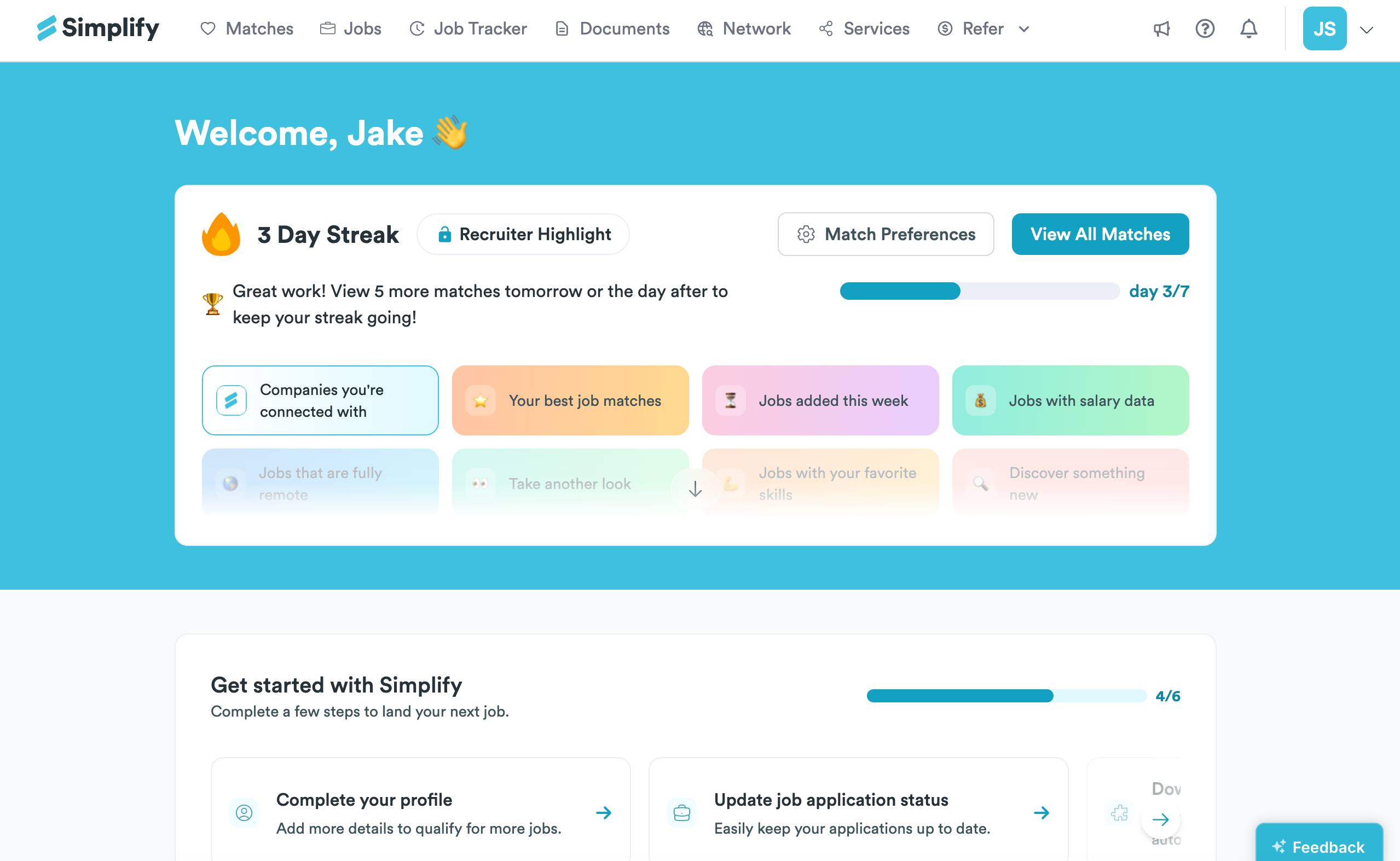
The dashboard also shows your match-viewing streak and Recruiter Highlight progress. Follow the requirement displayed on your dashboard; the example screenshot shows a seven-day progress indicator. This activity is separate from your Profile Strength completeness score and your choice to show your profile to recruiters.
Application goals and job emails
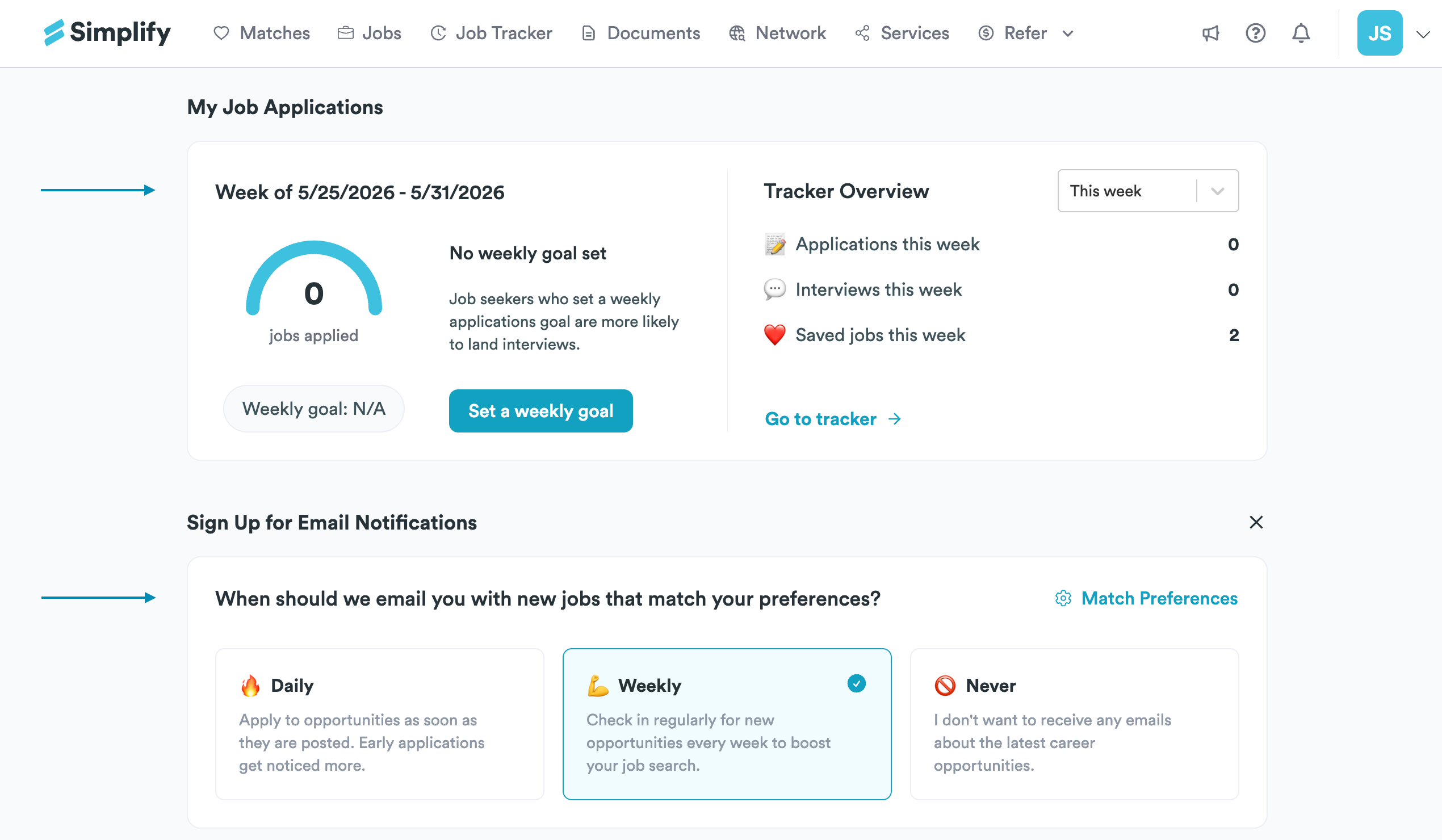
The application activity card summarizes records in your tracker and lets you set a weekly application goal. Update your tracker statuses so the activity is useful. Your goal is a personal tracking target, not a requirement to use Simplify.
Choose Daily, Weekly, or Never for job recommendation emails where the notification card is shown. Changing the frequency does not change your target roles or locations; edit Match Preferences for those.
Related articles
Was this helpful?
Still need help? Share an idea