Sign up for Simplify
Create an account, complete your profile, and start using Simplify.
Last updated About 2 hours ago
Create an account at Simplify’s signup page, then follow the onboarding prompts to add your experience and job preferences. You can upload a resume to prefill your profile or enter the information yourself. You can update it after signup.
Create your account and profile
Open the signup page and choose one of the registration methods shown. If you already have an account, sign in to it rather than creating another.
Follow the onboarding prompts to add the role you want, where you want to work, and your experience.
Upload a resume if you want to prefill information, or enter it manually. Review imported details before saving.
Complete onboarding, then check your profile and job preferences. You can return to edit both later.
We built Simplify around one profile so you do not need to enter the same work history for each tool. Copilot uses it for autofill, Resume Builder can use it as a starting point, and Matches uses your background and preferences to recommend roles.
If you do not have a resume
You can skip the upload and enter your information yourself. Once you have added your experience and education, create an editable resume from Profile in Resume Builder. You do not need a finished resume to begin.
An older resume can also provide a starting point. Check dates, job titles, and anything that has changed. When uploading a new resume later, select the profile-parsing option if you want to add its information to your profile; storing the file alone does not refresh Profile.
Choose your job preferences
Onboarding starts with a target role. You can add more role types, locations, and preferences afterward. Choose locations where you want to work, and check the restrictions on remote jobs rather than assuming “remote” means available worldwide.
What to do after signup
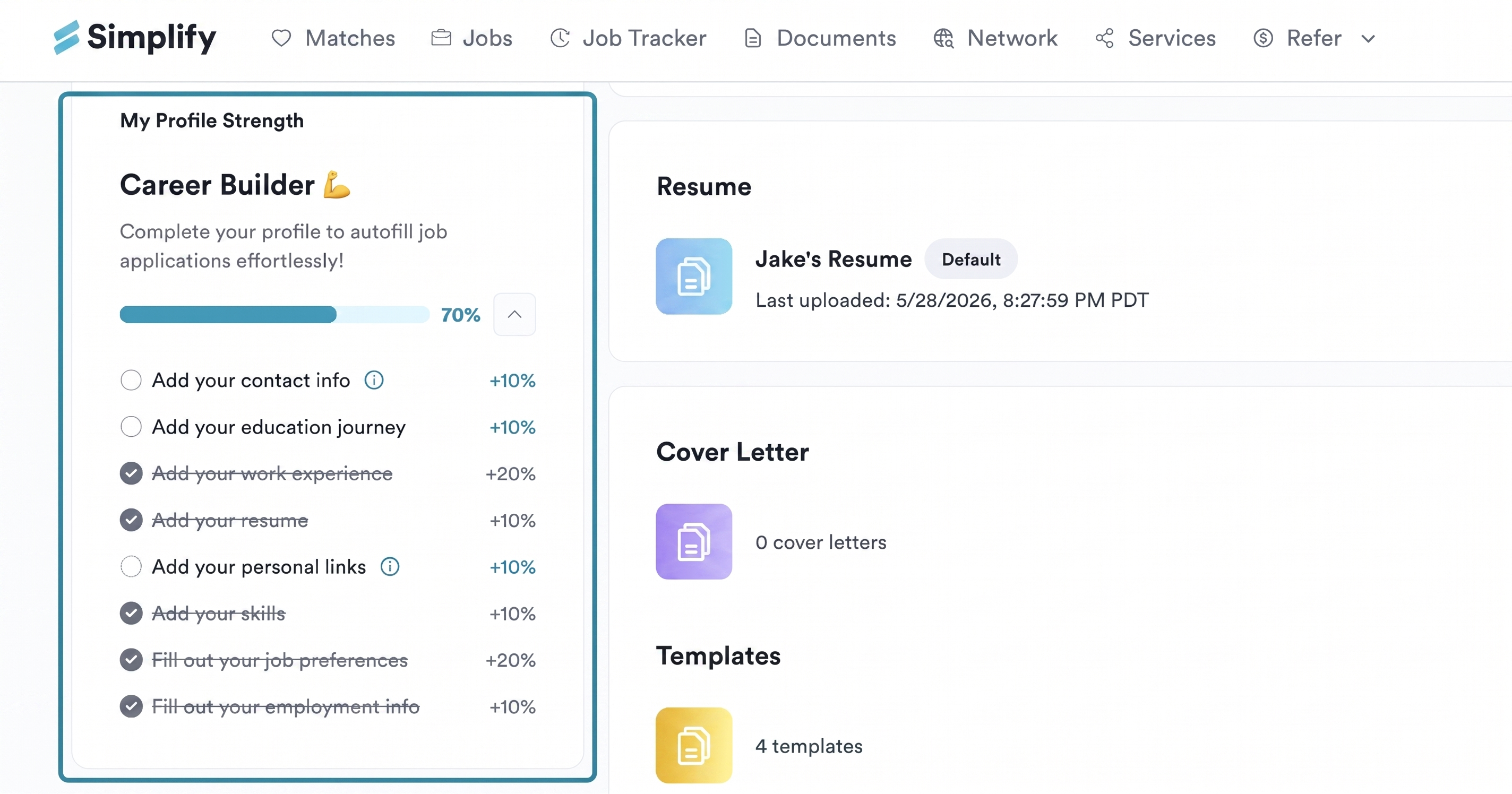
Your Profile Strength checklist shows which information is missing. It measures completeness, so use it to find fields that could otherwise stay empty during an application.
Open Matches for personalized job recommendations, or Jobs to search yourself.
Install Copilot before filling applications in your browser.
Open Documents to manage resumes and letters, and Job Tracker to follow saved jobs and applications.
Related articles
Was this helpful?
Still need help? Share an idea