Adding Custom Applications
The Simplify Copilot extension will automatically track jobs you apply to that are in our database! Sometimes, you might apply to a job we haven’t seen yet – here’s how you can track those too.
Last updated About 2 months ago
💡 Faster option: If you’re on the job posting, you can open Copilot, click the job title in the extension popup, and Simplify saves the job to your Job Tracker for you.
For the full walkthrough: Using the Job Tracker
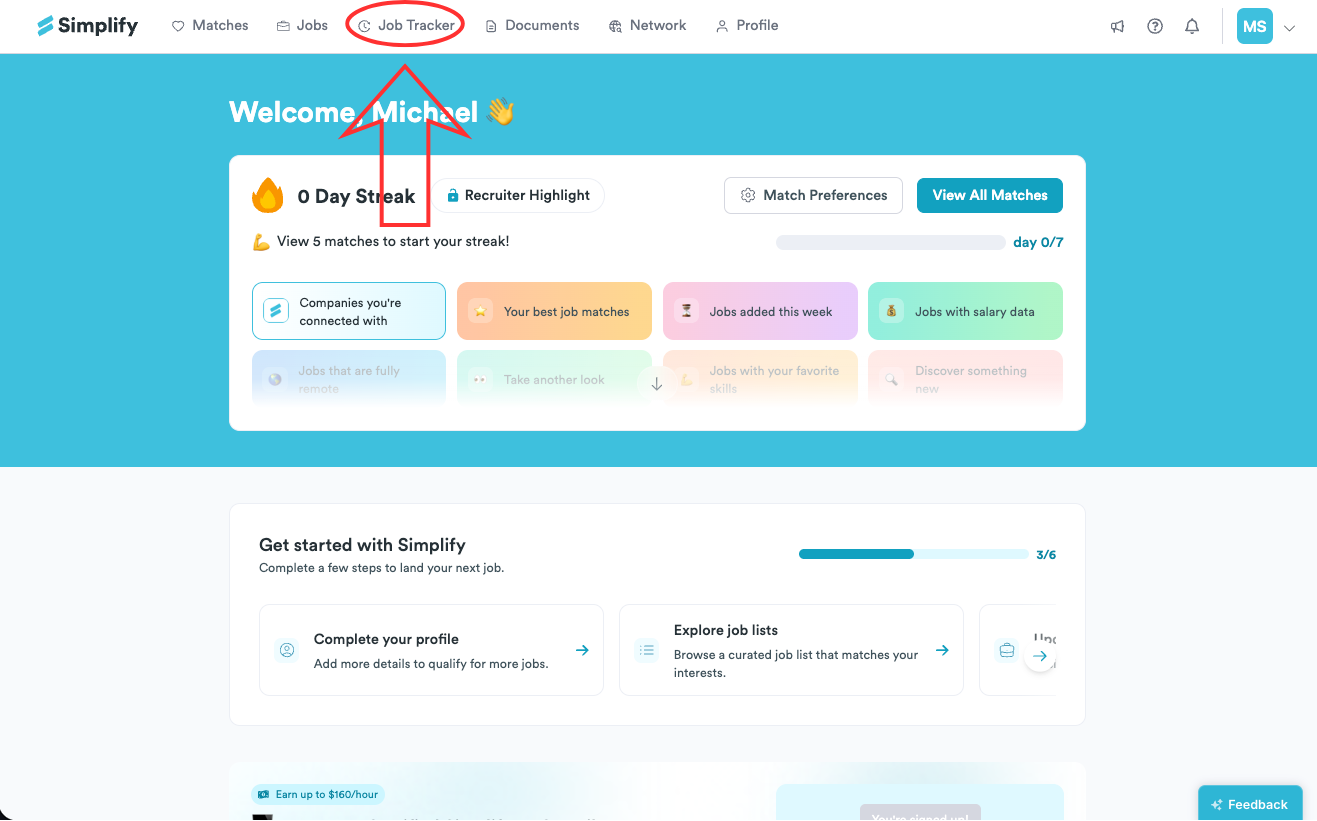
Navigate to the Job Tracker tab.
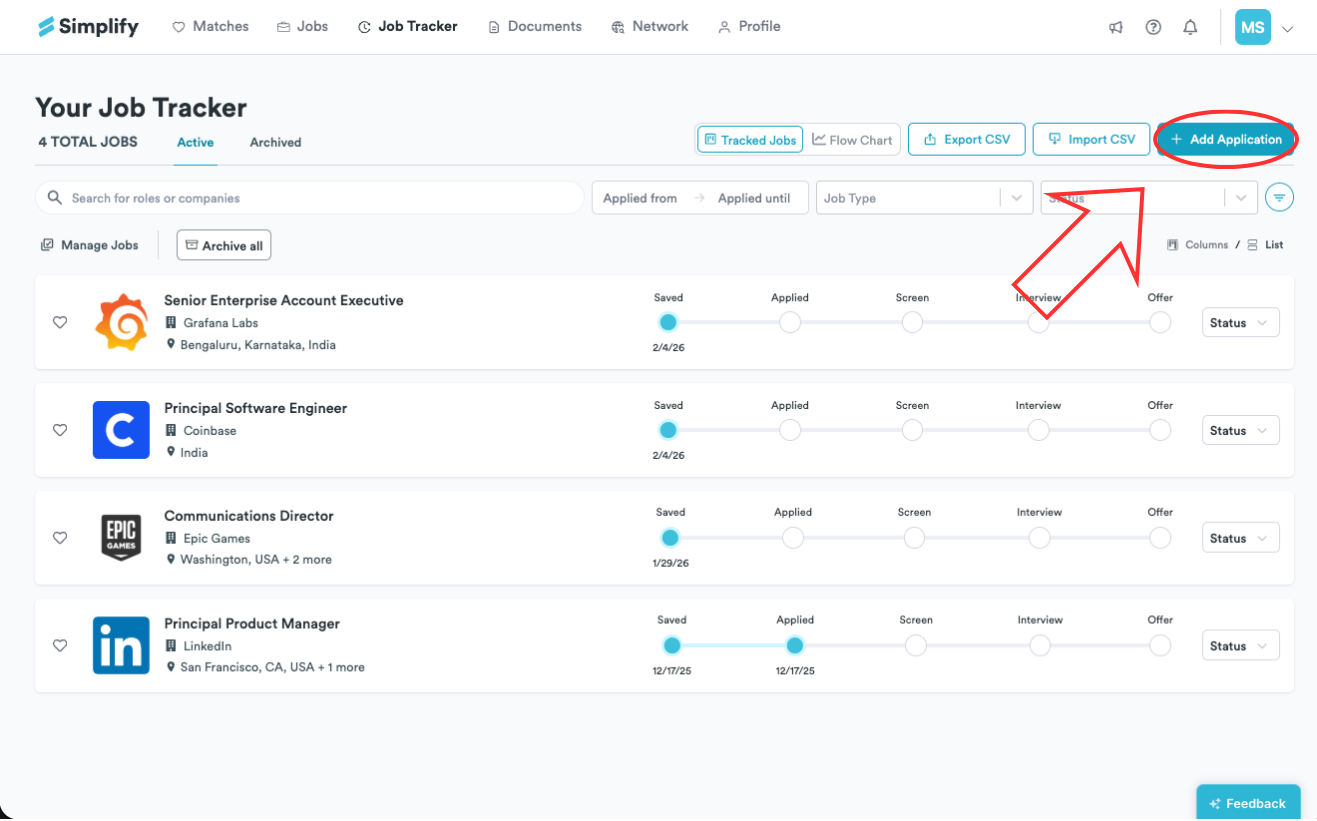
Click + Add Application in the upper-right corner of the page.
Fill in the required details for the job.
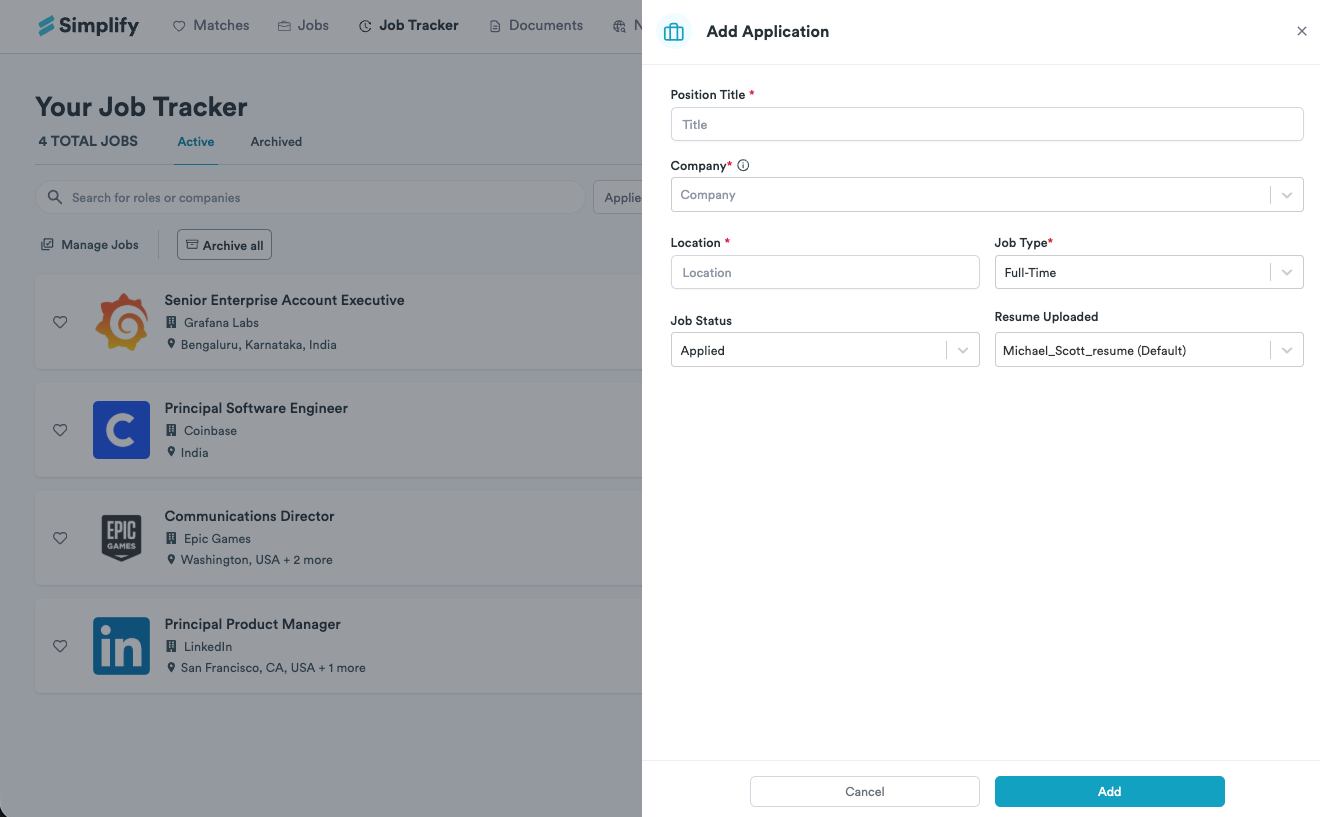
Click Add to save your application. It will appear in your tracker, where you can edit it anytime.
Still need help? Share an idea