How to Manage or Cancel Your Subscription
This article talks about how to renew, cancel, or update your Simplify+ subscription.
Last updated 20 days ago
Go to your profile and scroll down until you see the My Simplify+ card on the bottom left, then click Manage Subscription.
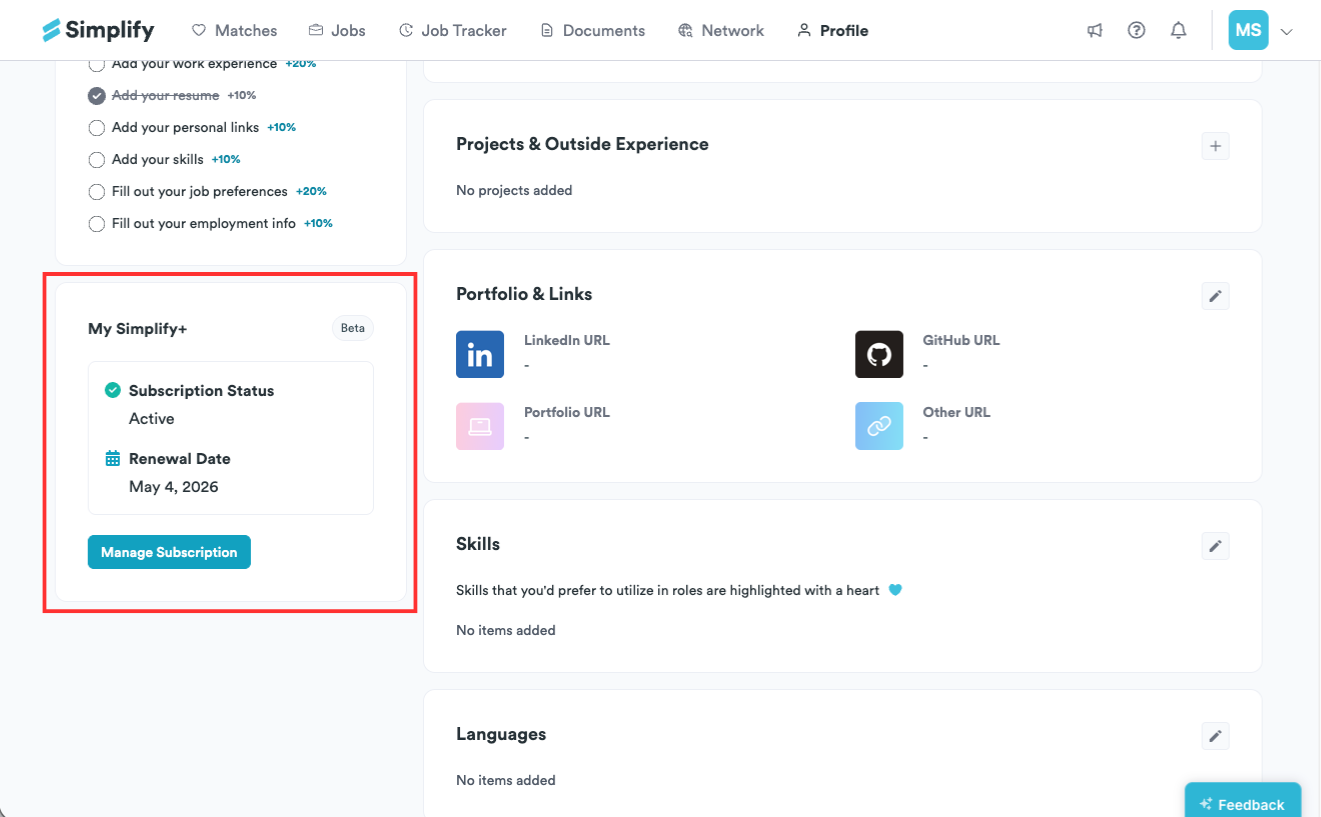
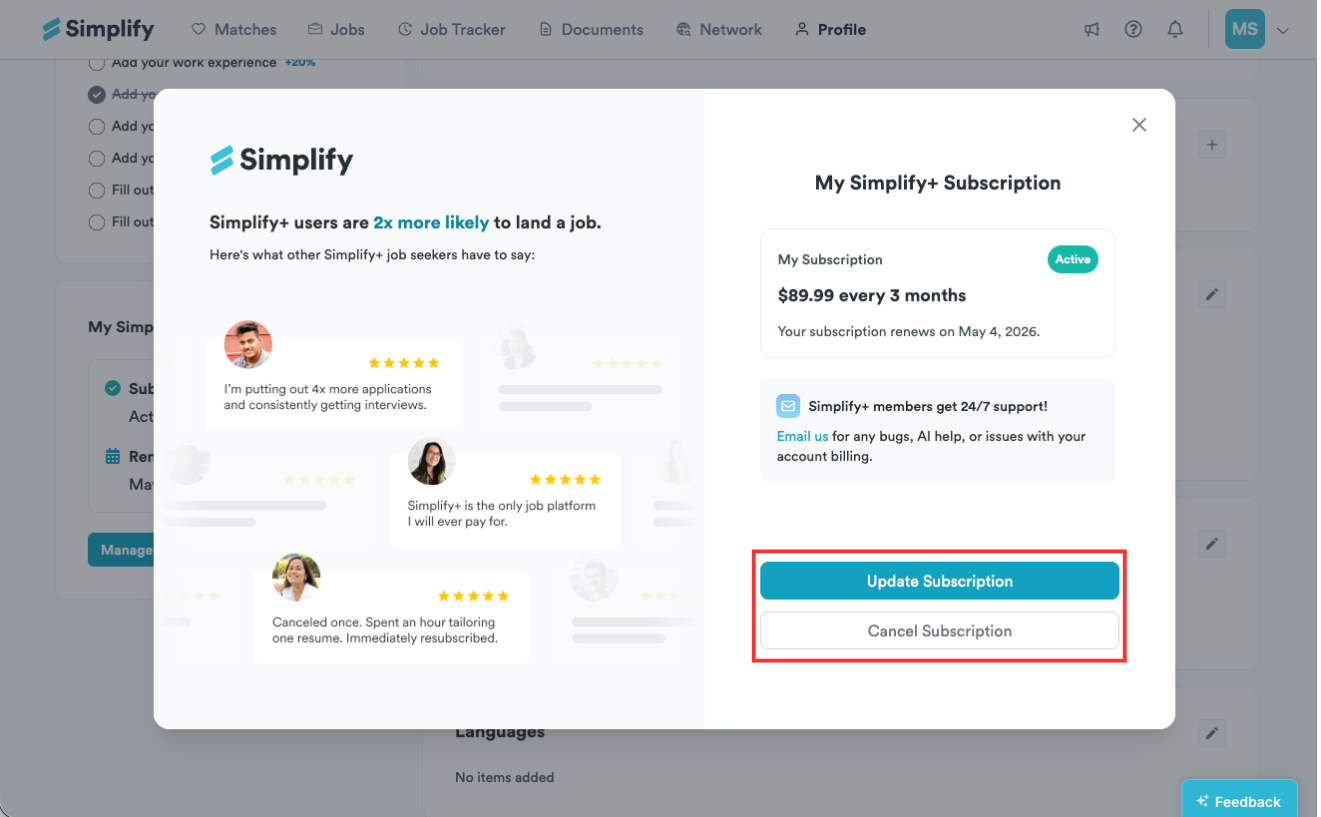
From there, you can choose Update Subscription to renew or change your plan, or Cancel Subscription to cancel your subscription.
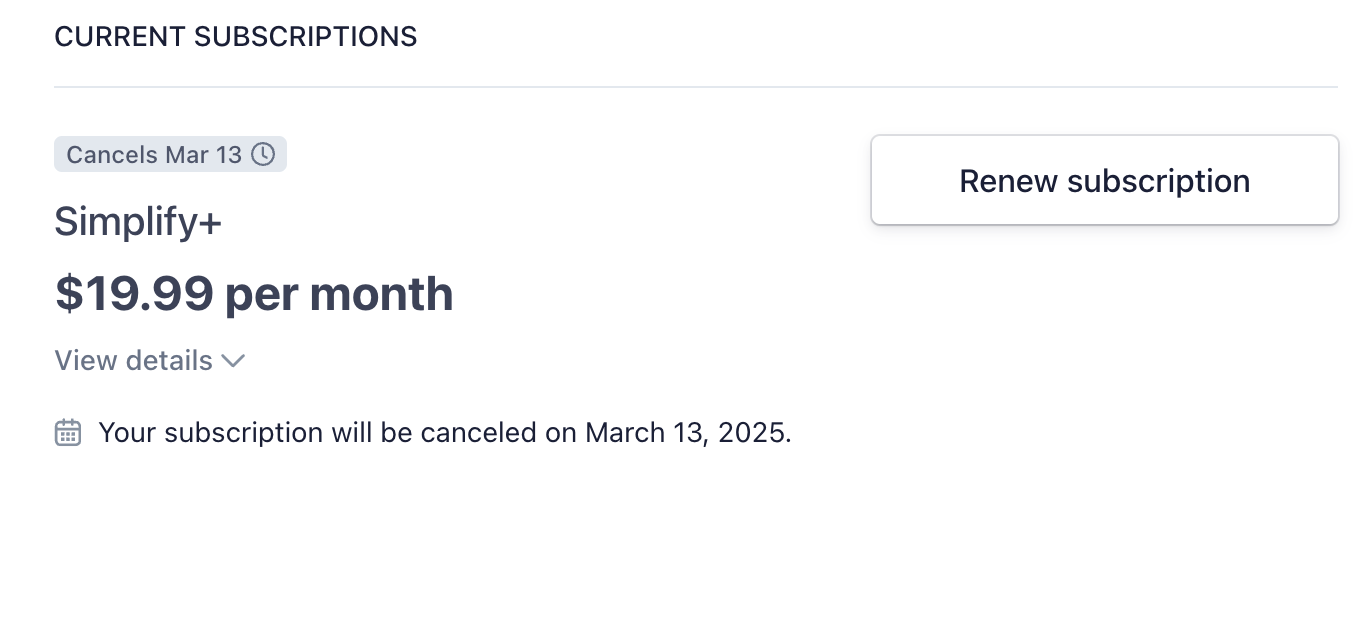
To renew a subscription you canceled earlier, select "Renew subscription."
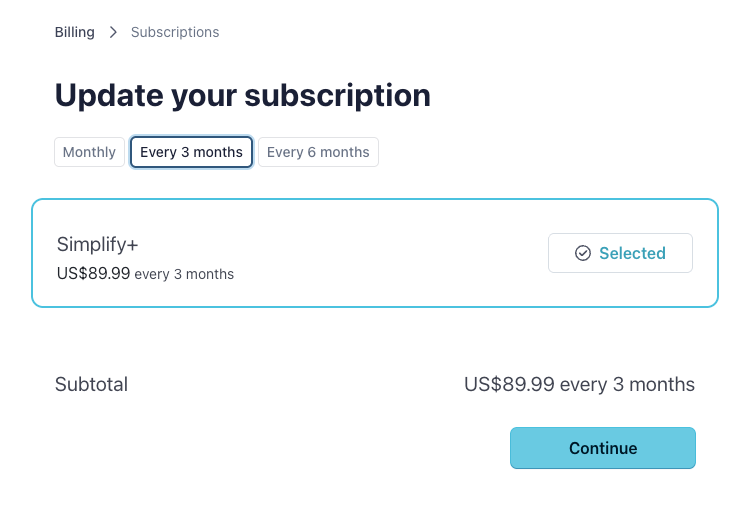
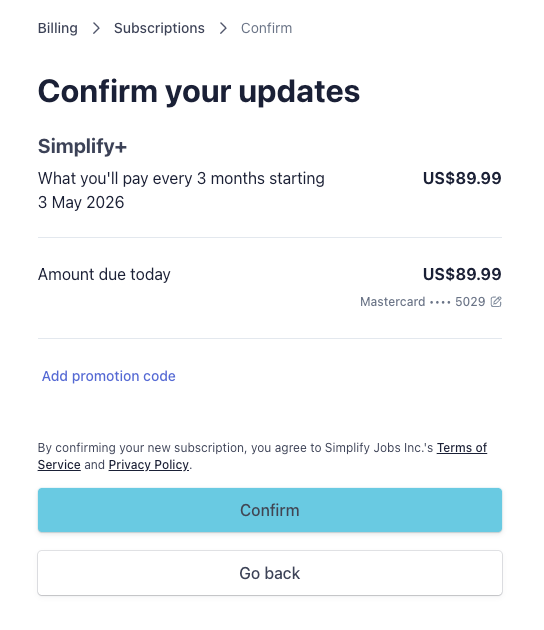
To update your subscription, click Update Subscription to change your plan to weekly, monthly, or quarterly. Click Continue, then review and confirm your purchase on the next page.
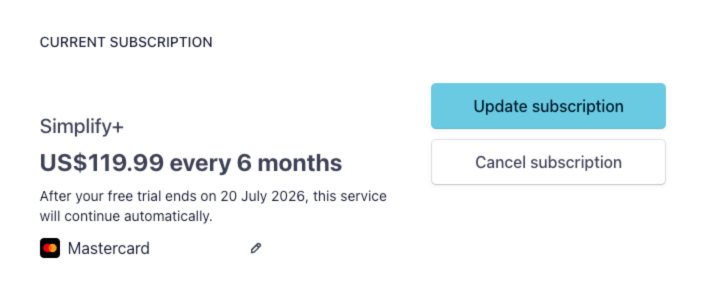
Click Continue, then review and confirm your purchase on the next page.
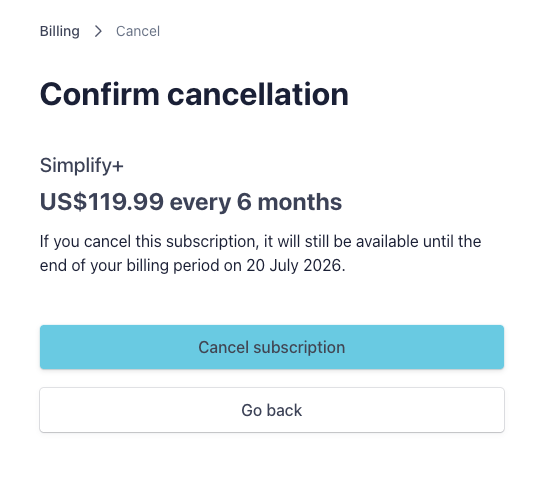
To cancel your subscription, click Cancel Subscription. You’ll be taken to a confirmation page where you’ll need to click Cancel Subscription again to finalize. You can continue using your plan until the end of the current billing period, after which it will not renew.
You can also update your payment method, billing information, view invoice history, and download invoices from the portal.
🔁 Renewals and Plan Lengths
Simplify+ plans renew automatically until you cancel.
A weekly plan renews every week, a monthly plan every month, and a quarterly plan renews every three months.
If you don't want your plan to renew, cancel it before the current billing period ends by following the steps above.
💳 Cancelling vs. Refunds
Cancelling stops your subscription from renewing. It doesn't refund the period you've already paid for, and payments are non-refundable once your subscription is active.
You'll keep full access to Simplify+ until the end of the current billing period, and you won't be charged again after that.
📱 Subscriptions Purchased in the Mobile App
If you subscribed inside the Simplify iOS or Android app, Apple or Google handles your billing, so your plan can't be changed or cancelled from the Manage Subscription portal on the web.
On iPhone or iPad, open Settings, tap your name, tap Subscriptions, select Simplify, and follow the steps to cancel.
On Android, open the Google Play Store, tap your profile icon, tap Payments & subscriptions > Subscriptions, select Simplify, and follow the steps to cancel.
👤 Deactivating or Deleting Your Account
If you plan to deactivate or delete your account, cancel your subscription first. Deactivation isn't available while a subscription is active, and deletion is blocked while a subscription billed through Simplify is still running.
If you subscribed in the App Store, deleting your account won't stop that billing, so cancel it with Apple as well.
For the steps, see How to Deactivate or Delete Your Simplify Account.
❓ Need More Help?
If you’re running into issues or have questions before taking this step, feel free to email us at support@simplify.jobs or leave feedback on any Simplify page. We’re here to help.
Still need help? Share an idea