Tailor a cover letter to a job
Create a letter in Documents, add a target job, and review the draft before using it.
Last updated About 2 hours ago
Open Documents → New Cover Letter to write a letter or use Simplify+ to generate a draft. Add the target job, choose a template if useful, then review the company, role, and examples before saving or exporting. You can also generate a letter directly from Copilot during an application.
Create and target the letter
Open Documents → New Cover Letter. You can write manually or use Simplify+ to generate a draft.
Choose a template or existing starting content if useful. Add the target job from your saved jobs or enter the job details offered by the editor.
Check the company, role, and job description before generating or tailoring.
Write or generate the letter, review it, and save the version for this application.
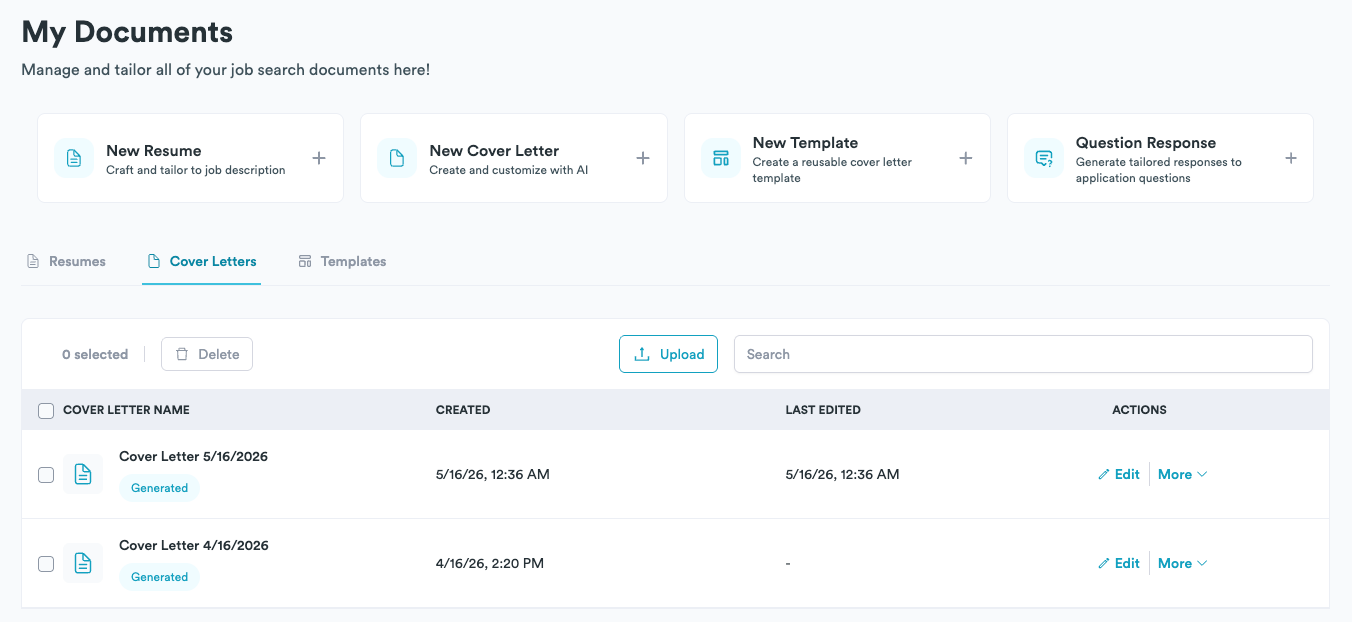
We designed the editor for reusing your background without reusing the wrong application details. You can keep a base letter for a role type and create separate versions for individual companies. Use clear names so you can recognize which letter belongs to which application.
What to tailor
The company and job title, including any name in the greeting or opening.
The specific reason you want this role or team.
One or two relevant examples from your experience.
The connection between those examples and the job’s requirements.
Length and wording appropriate to the employer’s prompt or attachment rules.
A template provides structure, but it cannot verify that every claim is true. Remove examples that do not apply to you and replace broad statements with accurate details. For example, explain your contribution to a relevant project instead of saying that you are a perfect fit.
Use AI with Simplify+
Generation uses the job details and your saved profile and resume. You can add instructions about length, tone, or the experience to emphasize. Read the result before saving or using it, checking names, dates, metrics, and any claimed relationship to the company.
You can edit the generated text manually and keep separate versions in Documents. Recheck reusable profile details in the finished letter rather than assuming an old letter automatically changed with your profile.
Use the letter in an application
Export the finished document when the employer asks for an attachment, or use it through Copilot on supported forms. Check the selected letter and the employer’s field or file requirements before submitting. Copilot can also generate a letter directly while you complete an application.
If you are reusing an older letter, confirm that it names the new company and role throughout. Changing the document later does not replace the copy already sent to an employer.
Related articles
Was this helpful?
Still need help? Share an idea