Import resume information into your profile
Parse a PDF or Word resume to add profile information, then review the results.
Last updated About 2 hours ago
Upload a resume during onboarding, or choose Parse this resume to update your profile information when uploading from Documents. Parsing adds information to your profile rather than replacing the entire profile. Review the results for duplicates, missing details, and formatting before saving.
Import during onboarding
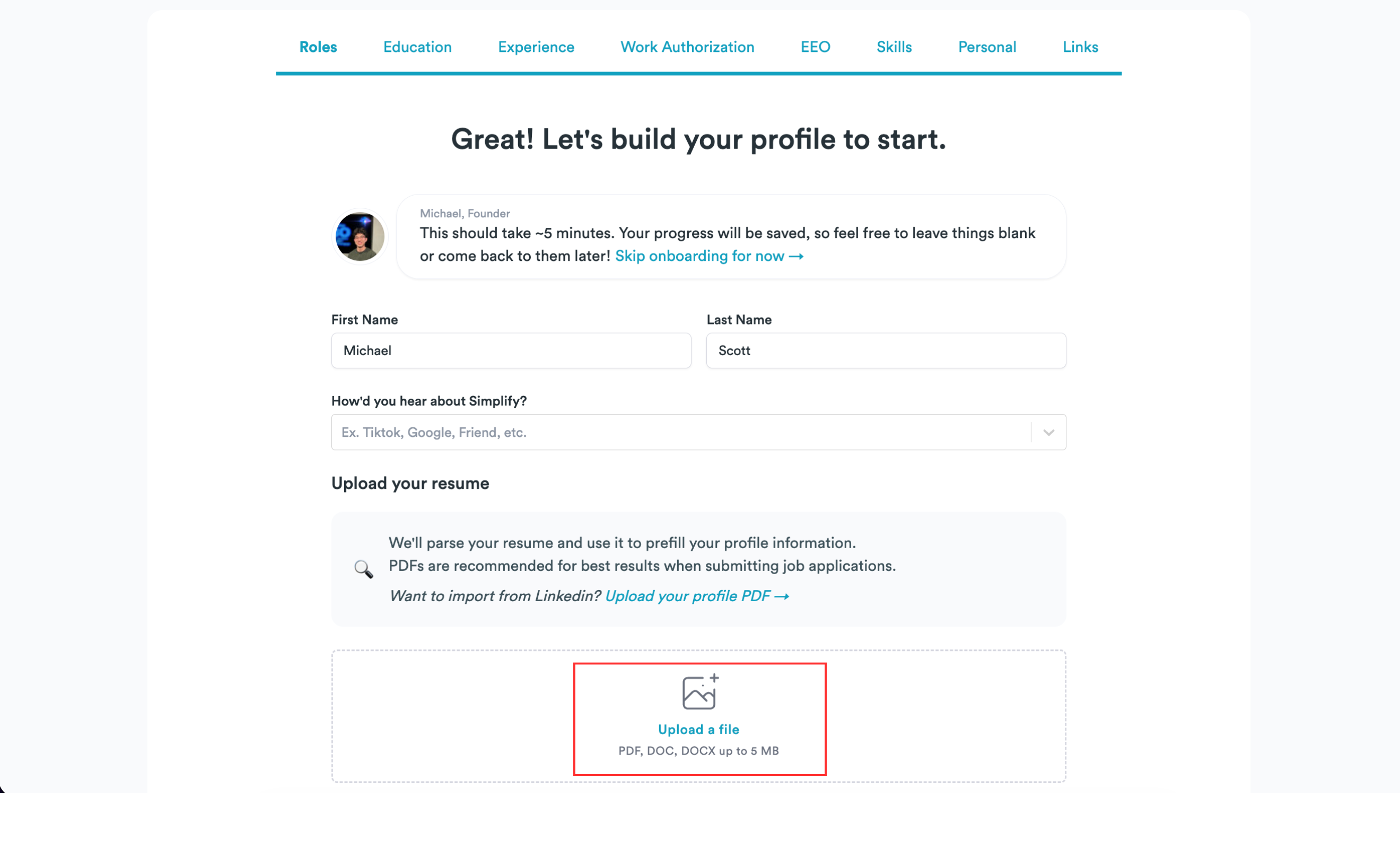
On the onboarding page, choose Upload a file or drag a resume into the upload area. Accepted formats are PDF, DOC, and DOCX up to 5 MB.
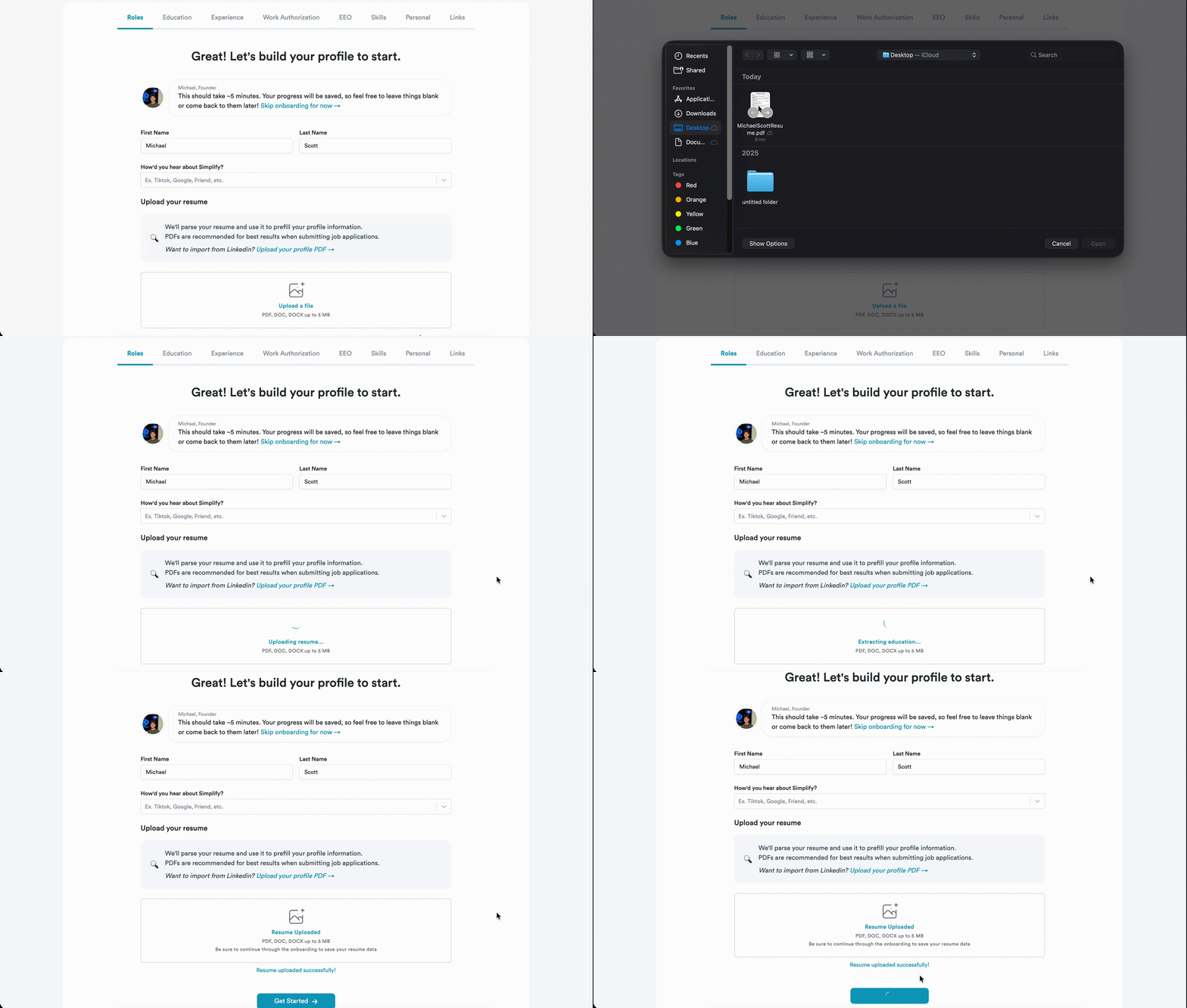
Select the file and wait for uploading and parsing to finish.
Review the extracted experience, education, skills, and other details in the following steps. Correct any mistakes and complete onboarding to save them.
Import from Documents
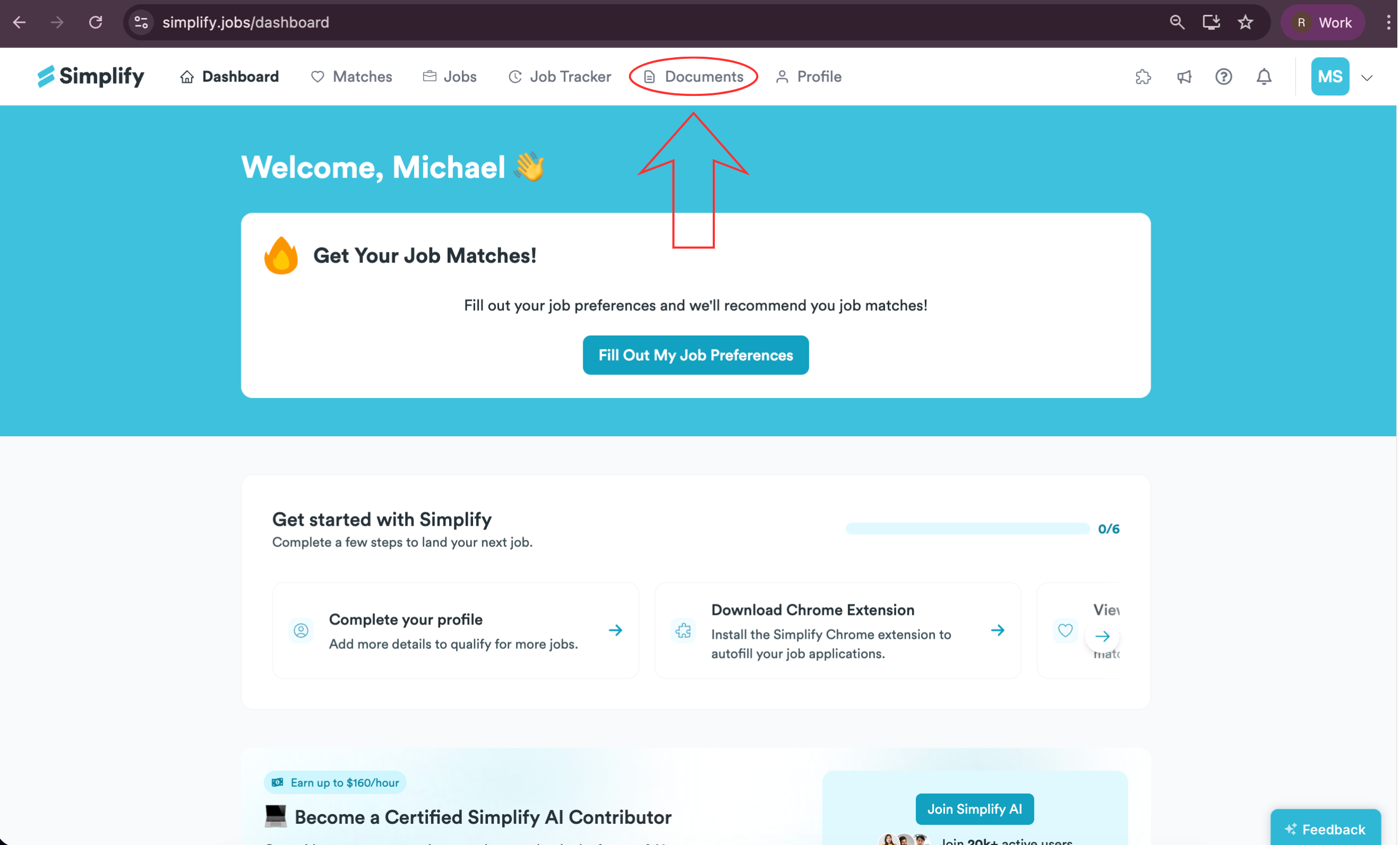
Open Documents.
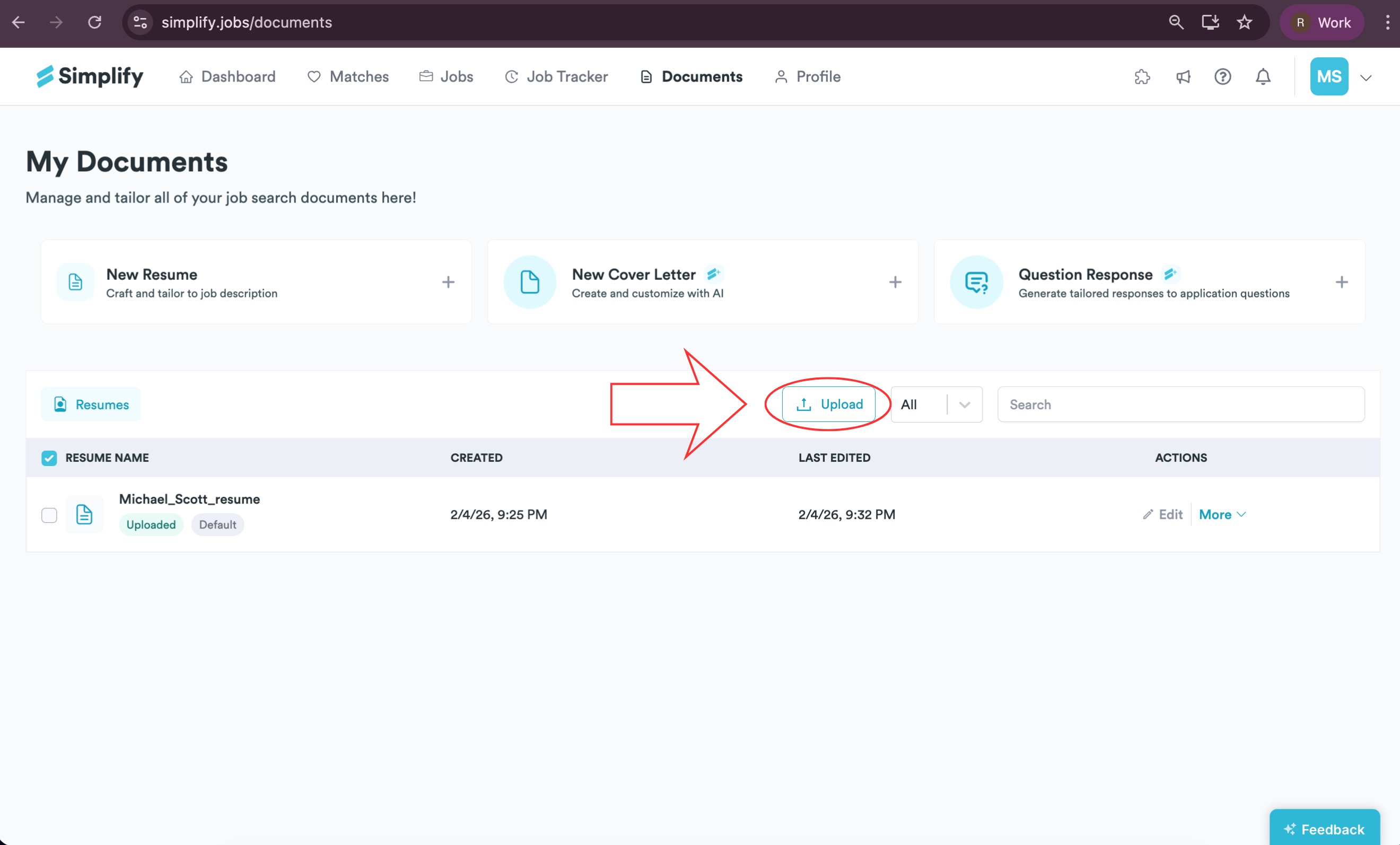
Choose Upload in the resume list.
Select a PDF, DOC, or DOCX resume up to 5 MB.
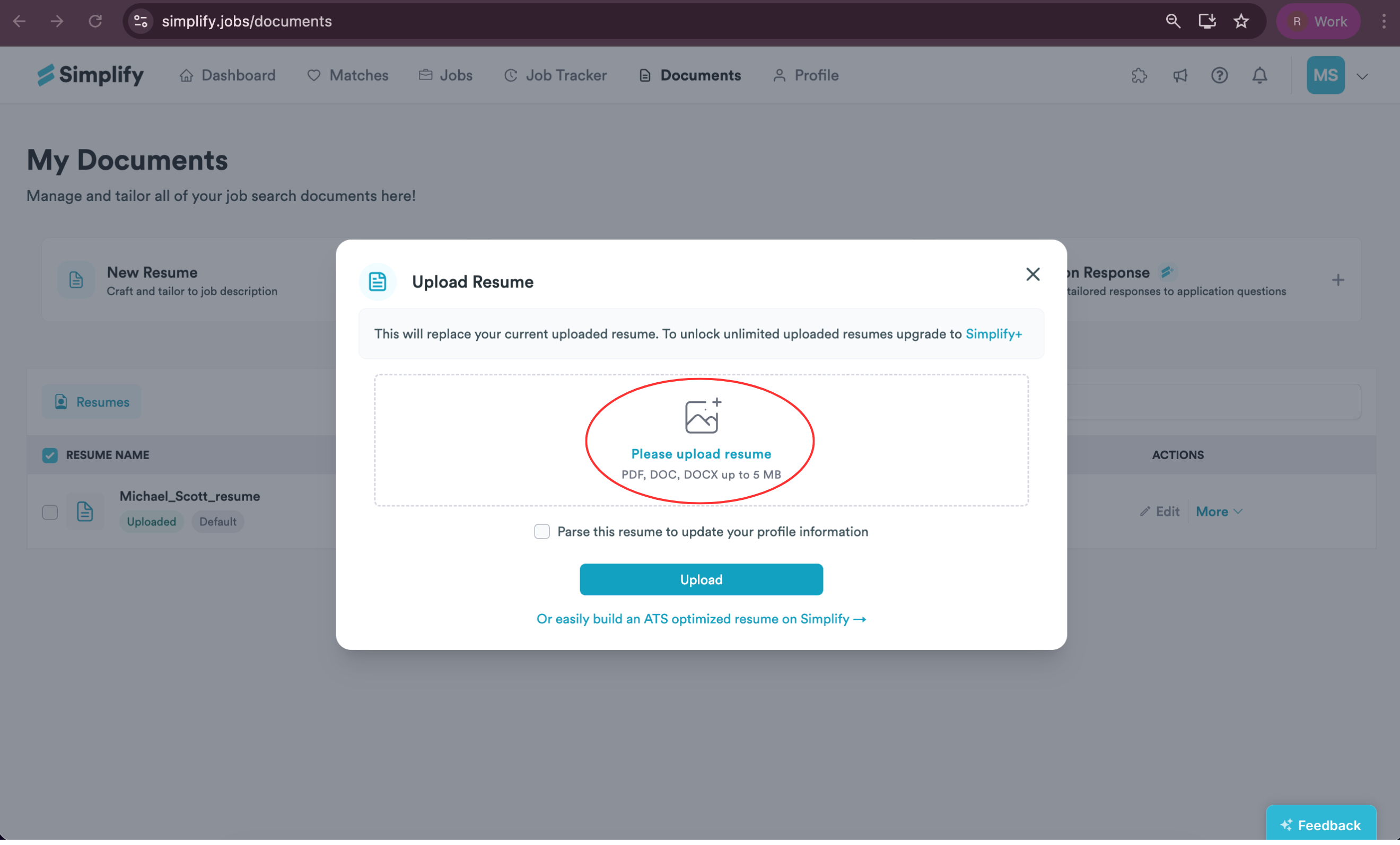
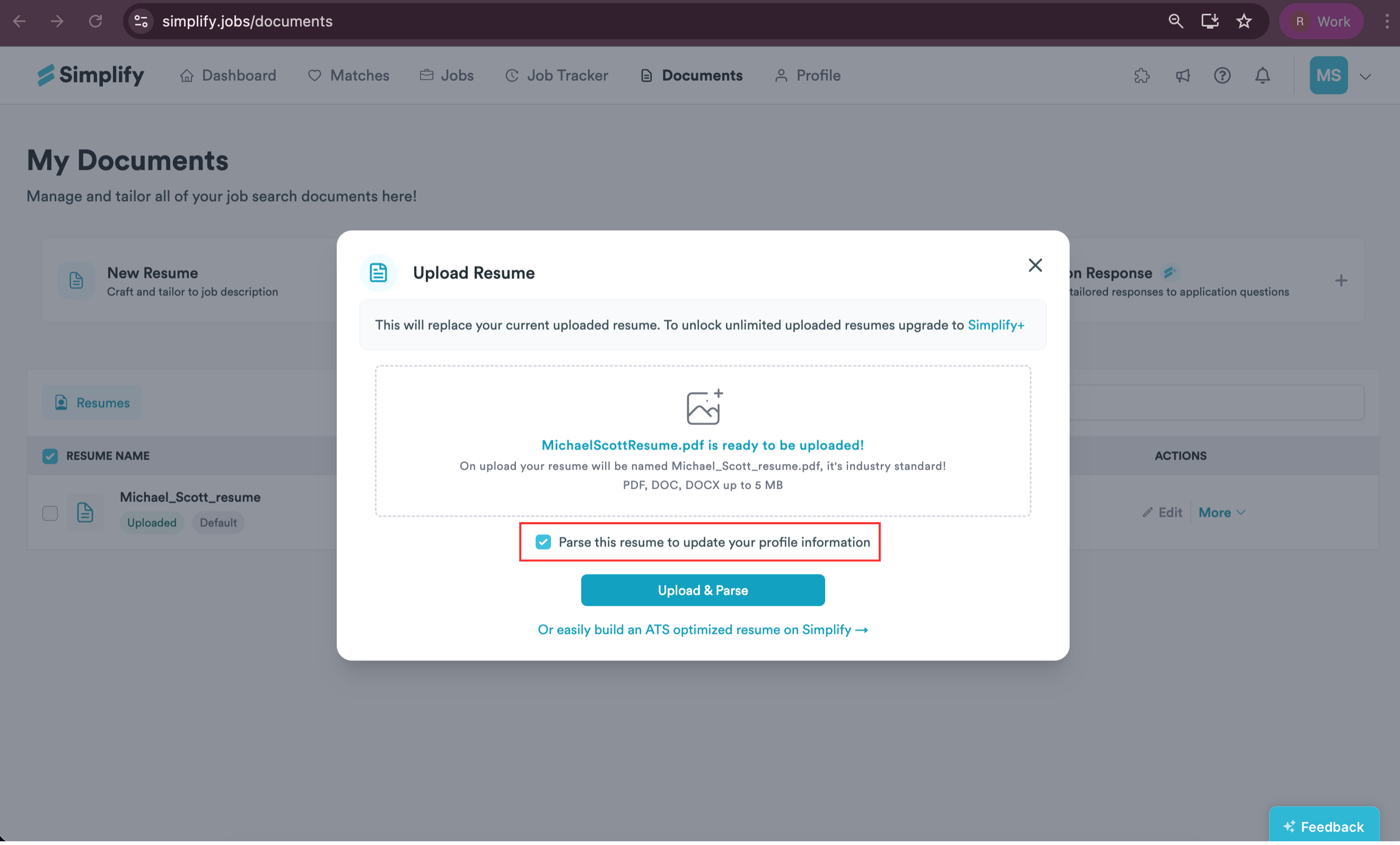
Select Parse this resume to update your profile information and choose Upload & Parse.
Review the suggested information and follow the prompts to apply and save it to your profile.
Review what parsing adds
Parsing is append-only: it adds information rather than replacing your entire existing profile. Review work and education entries for duplicates, split roles, incorrect dates, or missing text. An older resume can provide a starting point, but it can also contain details you no longer want to use.
Uploading without the parsing option stores the file without using it to update your profile. Creating an editable builder resume from an upload is another separate action; it does not require replacing your profile with the file’s contents.
If parsing misses information
Check that text can be selected in the source file and that the file is in a supported format and size. You can enter or correct details directly in Profile if parsing does not capture them. If the upload itself fails, include the error message when contacting support.
Related articles
Was this helpful?
Still need help? Share an idea