Deactivate or delete your Simplify account
Compare temporary deactivation and permanent deletion, including billing and reactivation.
Last updated About 2 hours ago
Deactivate your account for a break, or delete it permanently from Settings → Account Management. Signing in starts reactivation of a deactivated account. Deletion cannot be undone. Cancel any paid subscription first; deleting an account does not cancel Apple billing.
Choose deactivation or deletion
Check billing first
Cancel Simplify+ before either action. Deactivation is unavailable while a subscription is active, and deletion is blocked while a subscription billed by Simplify is still running. Cancellation stops renewal but does not end paid access immediately. Contact support if the account action remains blocked afterward.
If you subscribed through Apple, cancel the App Store subscription as well. Deleting a Simplify account does not stop Apple billing. Save or export any records or documents you want to keep before permanent deletion.
Deactivate your account
Sign in and open your account menu’s Settings.
Scroll to Account Management.
Choose Deactivate Account and follow the confirmation steps.
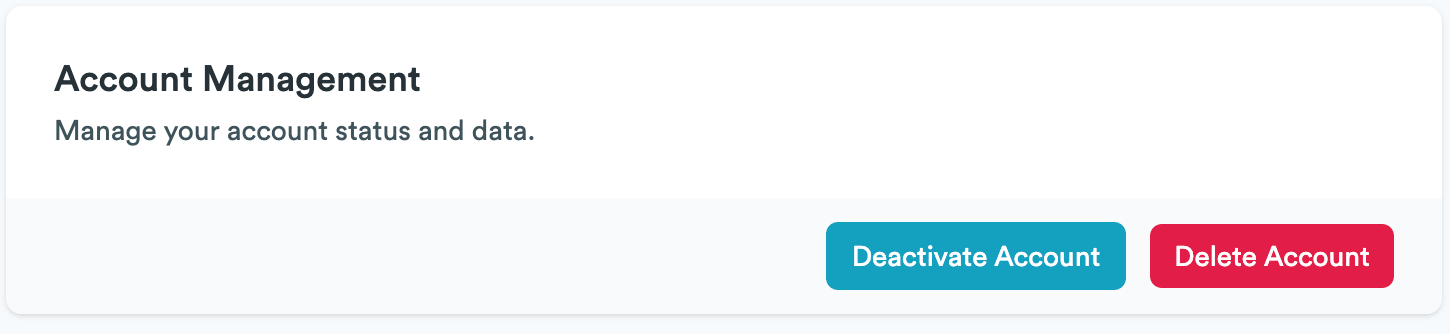
Deactivation preserves your data so you can return. Sign in again and follow the prompts to reactivate. Allow up to 48 hours for associated email preference changes to take effect; contact support if you continue to receive unwanted messages after that.
Delete your account permanently
Open Settings → Account Management.
Choose Delete Account.
Read the confirmation, confirm that you understand the action is permanent, and complete the on-screen steps.
Account deletion removes or anonymizes personal information from active systems. Some backups, logs, service-provider records, or records required for legal and accounting purposes can remain for a period. The Privacy Policy explains retention and deletion.
Deleting the Simplify account does not withdraw applications already submitted to employers or erase information held independently by them. Mailing-list changes can take up to 48 hours. If you cannot access the account controls, contact support using your account email and explain the action you want.
Related articles
Was this helpful?
Still need help? Share an idea