How to Add and Delete Custom Skills
Last updated 8 months ago
➕ Add Skills
Go to your profile and scroll to the Skills section, then click the pen icon in the top right to open the Skills editor.
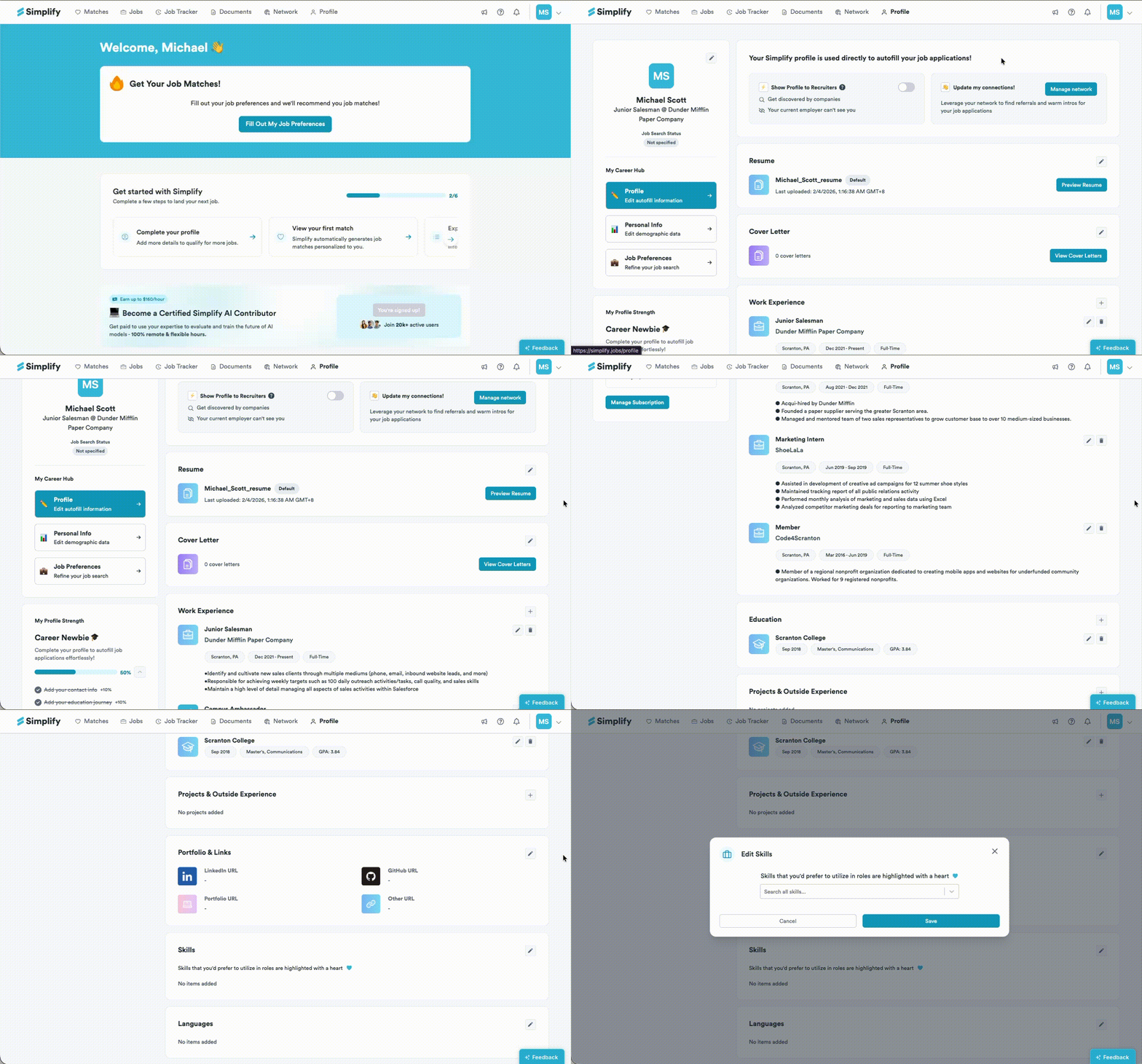
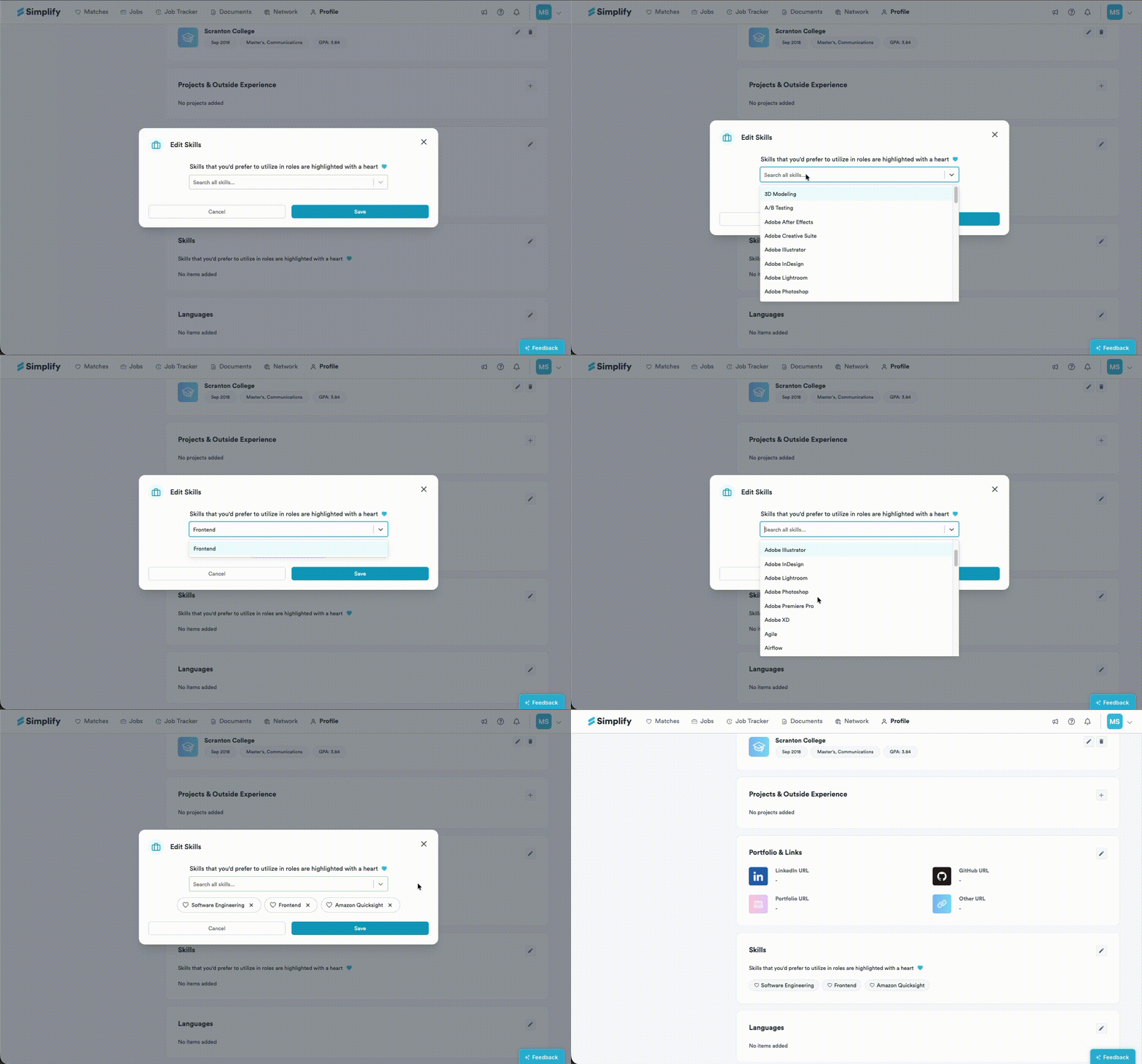
In the popup, type the skill you want in the search field, then select the matching result to add it to your list. You can also scan the list — skills you prefer to use in roles are highlighted with a heart.
After you select a skill, it will appear at the end of your skills list. Repeat the same steps to add any additional skills you need.
When you are finished, click Save to update your profile. Your changes will take effect immediately.
➖ Delete skills
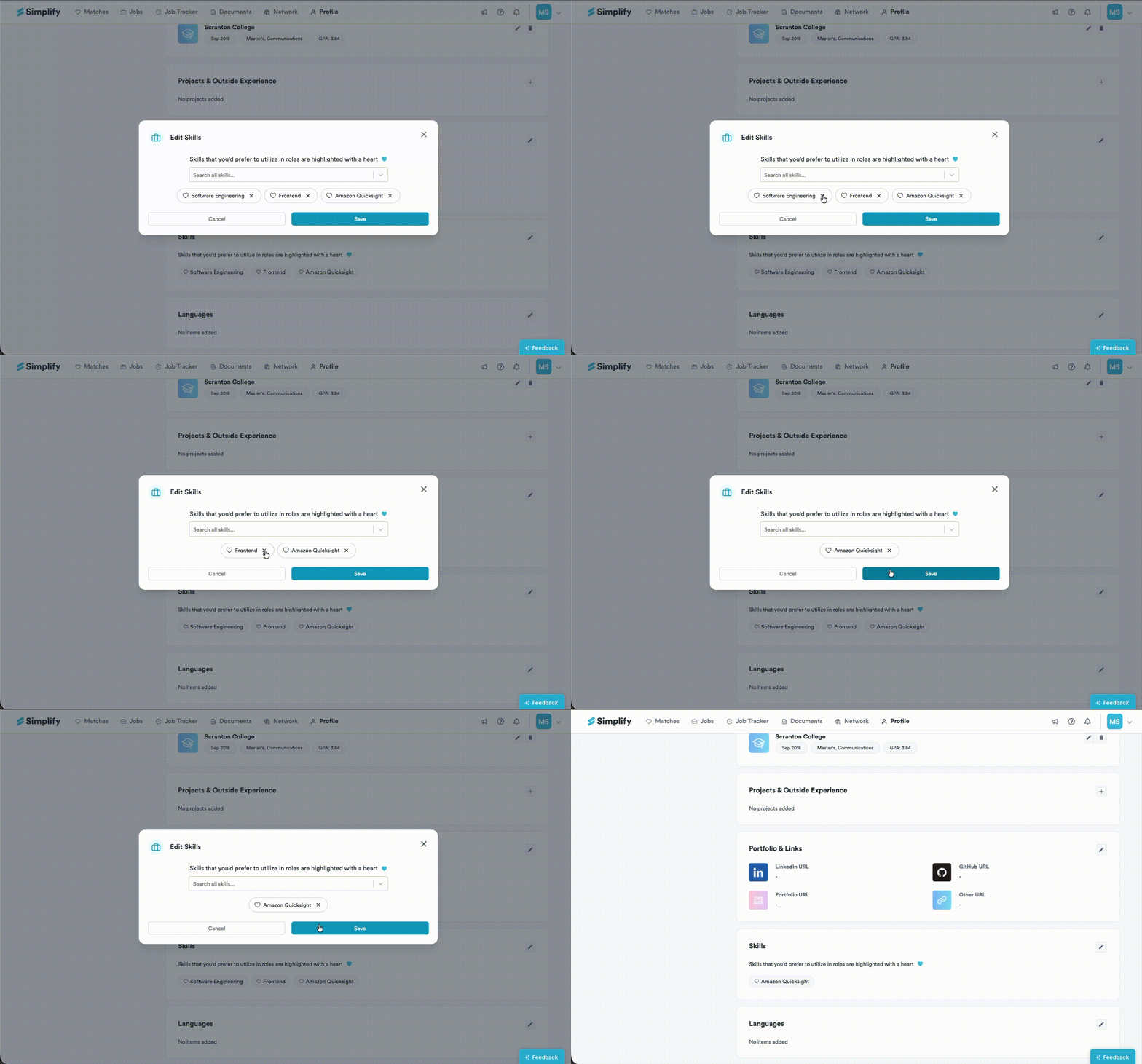
To delete skills, click the x next to the skill you want to remove, then click Save to apply the changes.
Still need help? Share an idea