Don’t See Your School or Major?
💡 In order to accurately autofill your school and major, we use a list of schools and majors shared by major job application providers. If you can’t find your major or university within our lists, follow the steps below to add your school or major to your profile.
Last updated 8 months ago
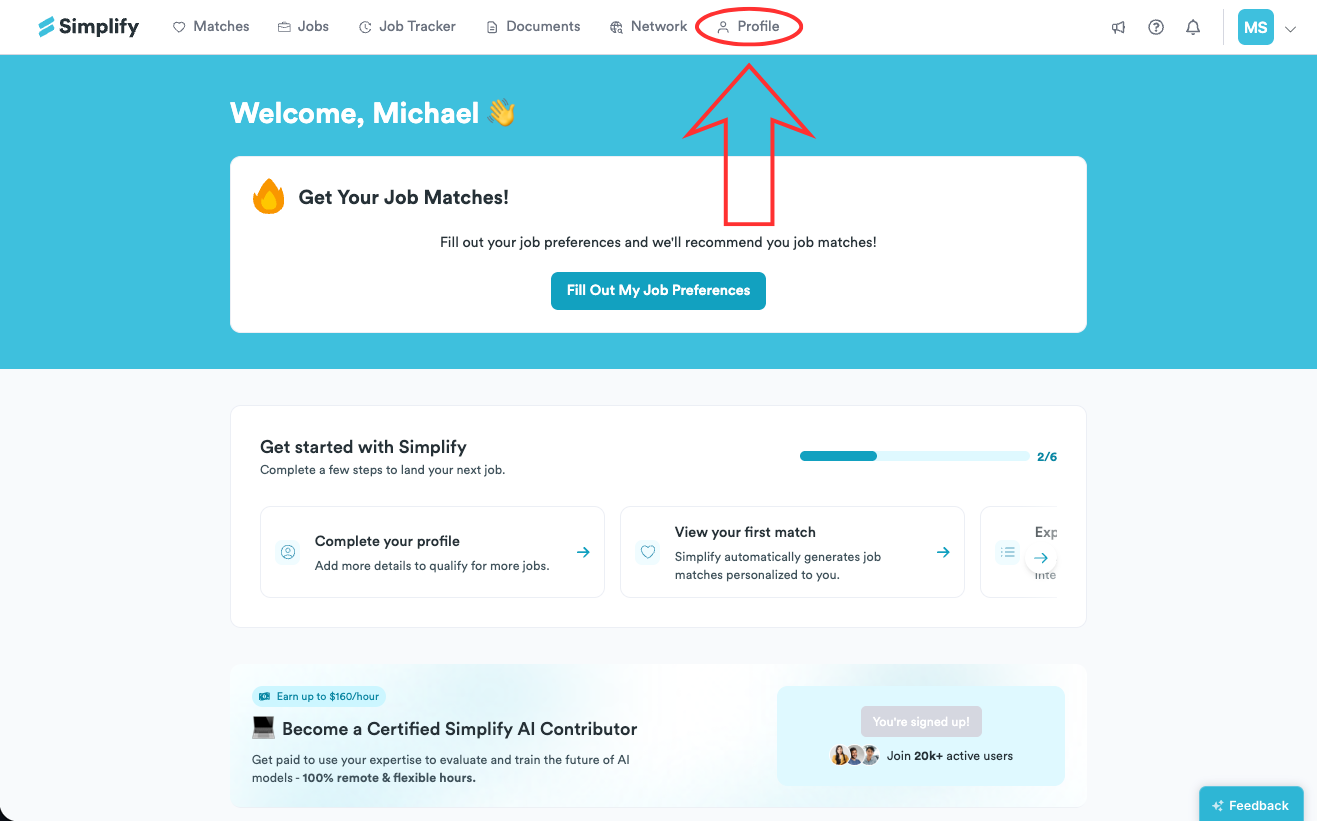
Go to the Profile tab.
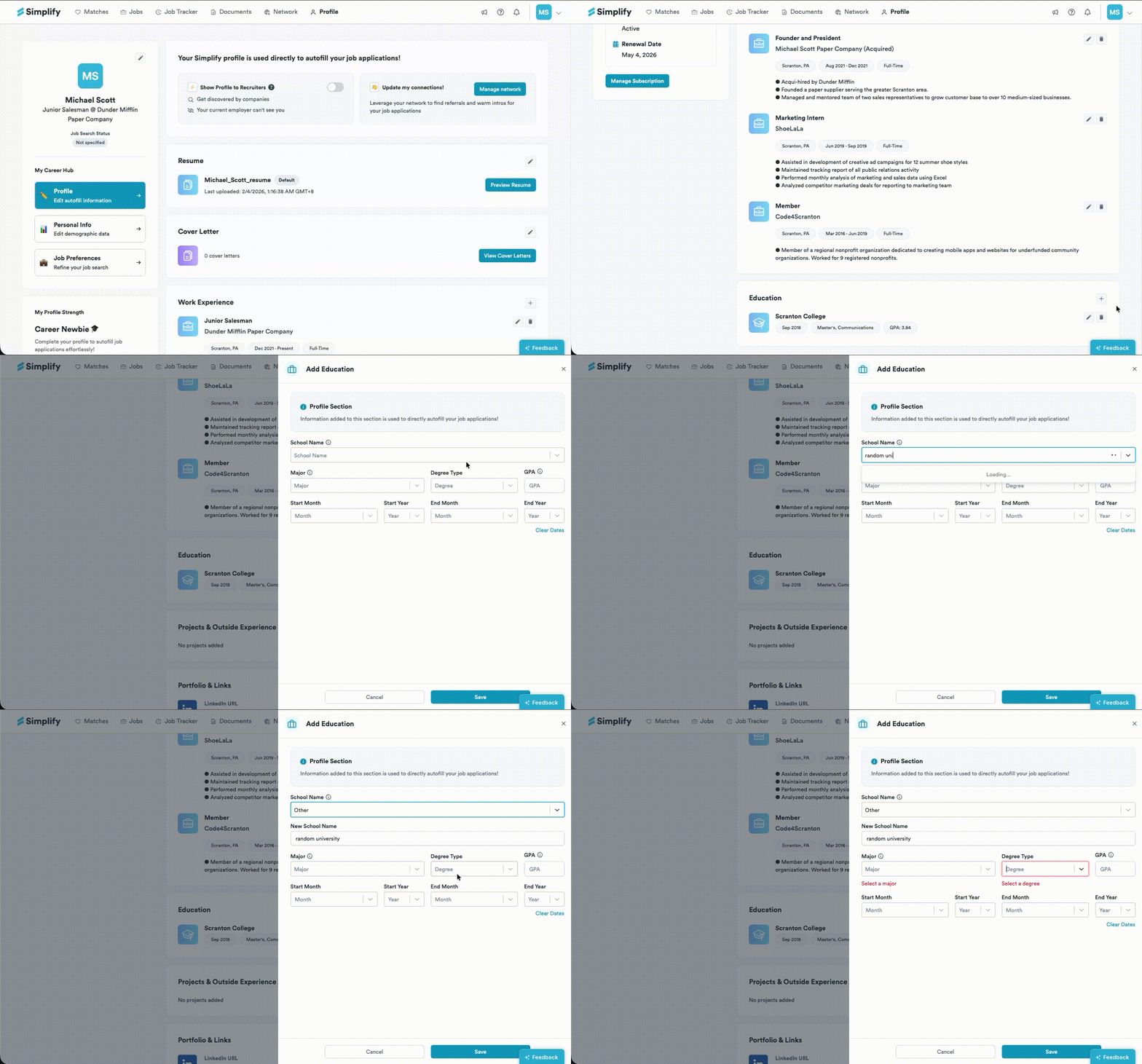
Scroll to the Education section.
Click the edit icon (🖋️) to edit an entry, or click the plus icon to add a new education entry.
In School name, start typing your university. If it does not appear in the dropdown, you will see two options:
Other
Create “[your typed university name]”
If you choose Other, a New School Name field will appear. Type your school name there.
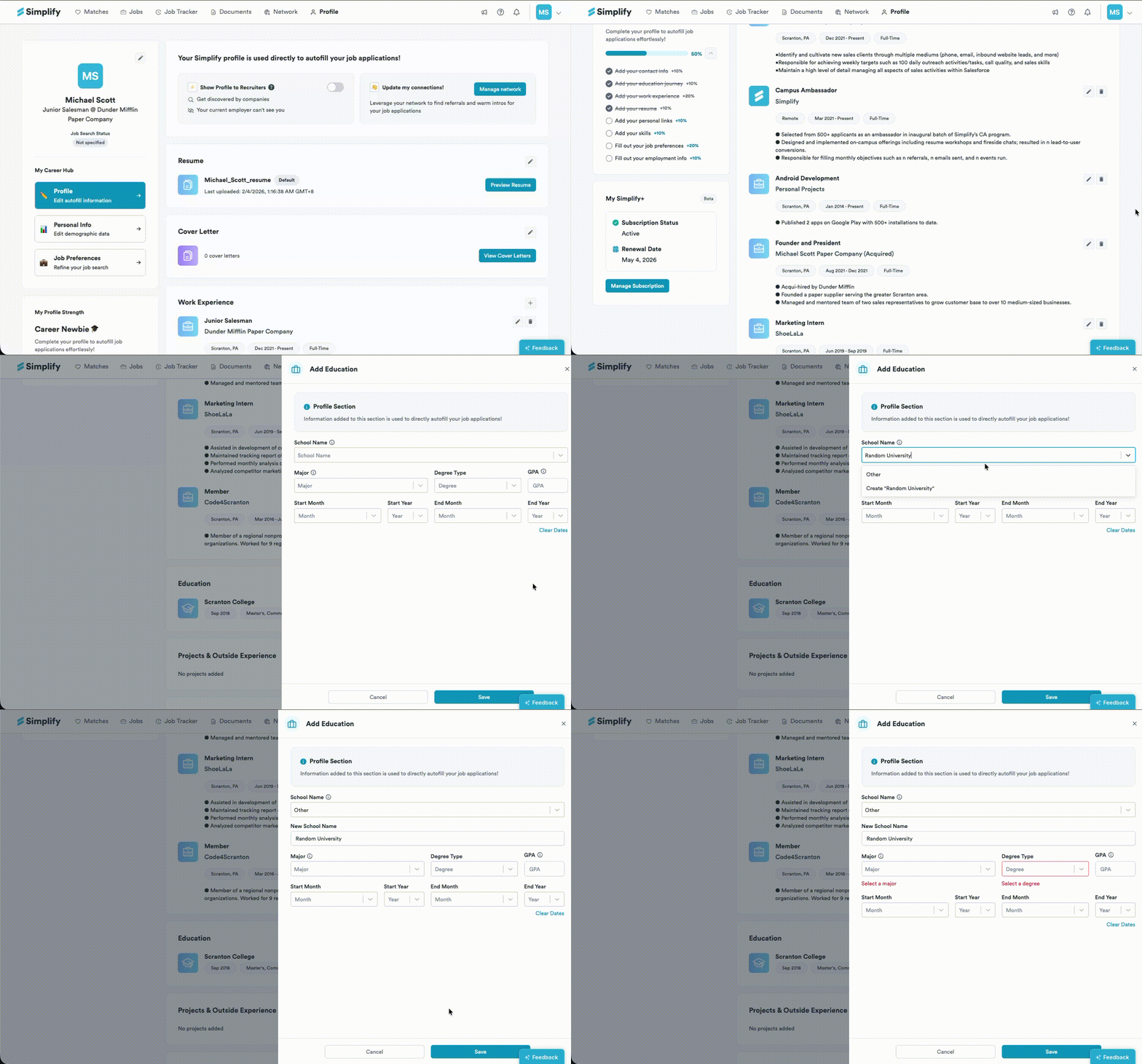
For a faster option, select Create “[your typed university name]”. The New School Name field will appear prefilled.
Still need help? Share an idea