Updating Your Uploaded Resume
💡 For resumes built with the Simplify Resume Builder, go to your Documents page and click the edit (🖋️) icon on the resume you want to update. For custom uploaded resumes, follow the steps below.
Last updated 4 months ago
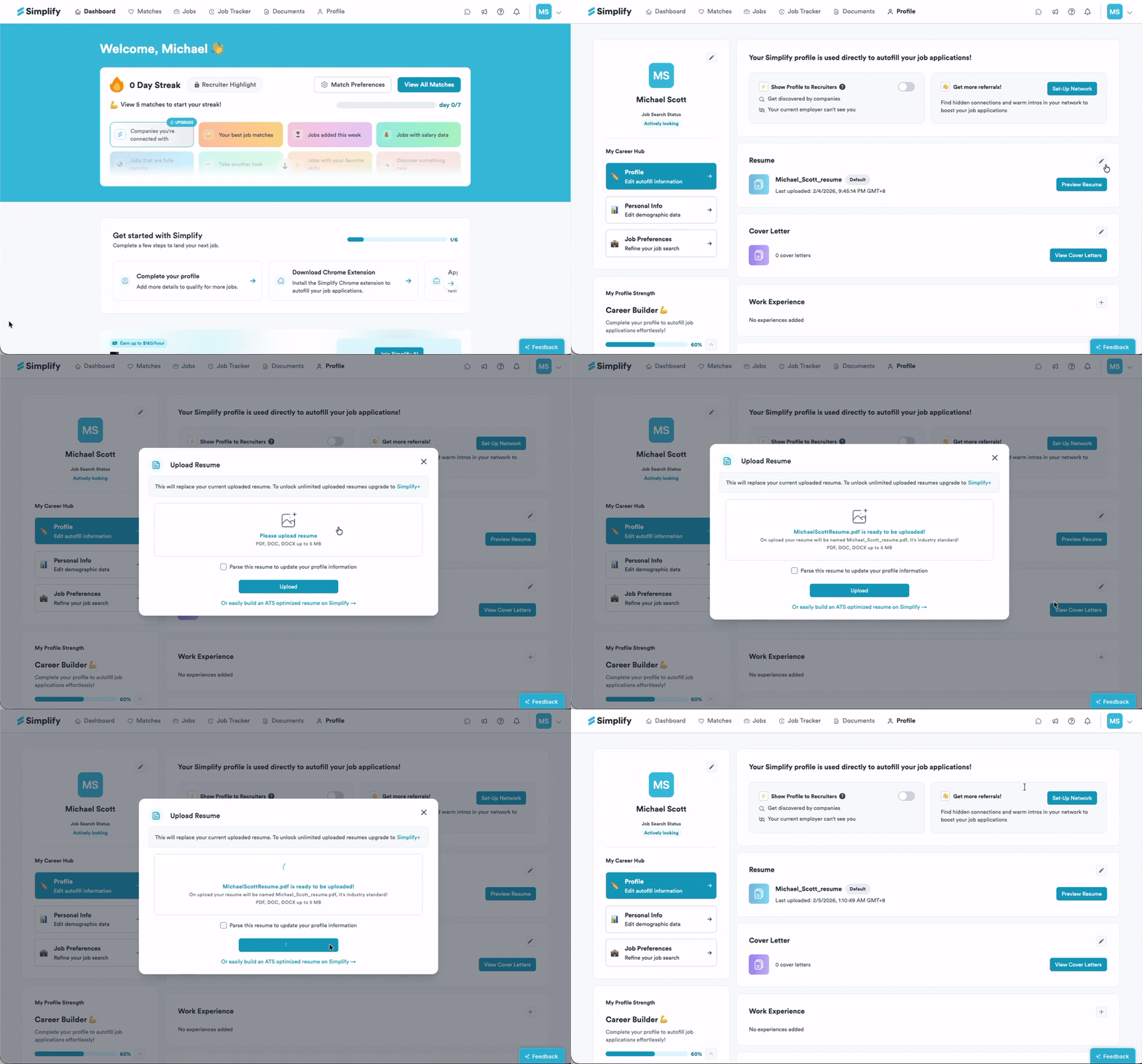
Go to your Profile tab and scroll to the Resume section. Click the edit (🖋️) icon to upload a new file in PDF, DOC, or DOCX format. This will replace your current uploaded resume.
👀 Want multiple active uploaded resumes? Simplify+ users can upload unlimited resumes to switch between when applying.
Still need help? Share an idea