Automatically Parse Resume Information to Profile
💡 If you want your resume information to be automatically added to your Simplify profile, upload your resume from the initial onboarding page or the Documents page. Note: This parse is currently append only, so it will add to your profile information rather than replace it.
Last updated 8 months ago
➡ Via Initial Onboarding Page
Visit the initial onboarding page.
Click Upload a file or the image icon. You can also drag and drop your resume.
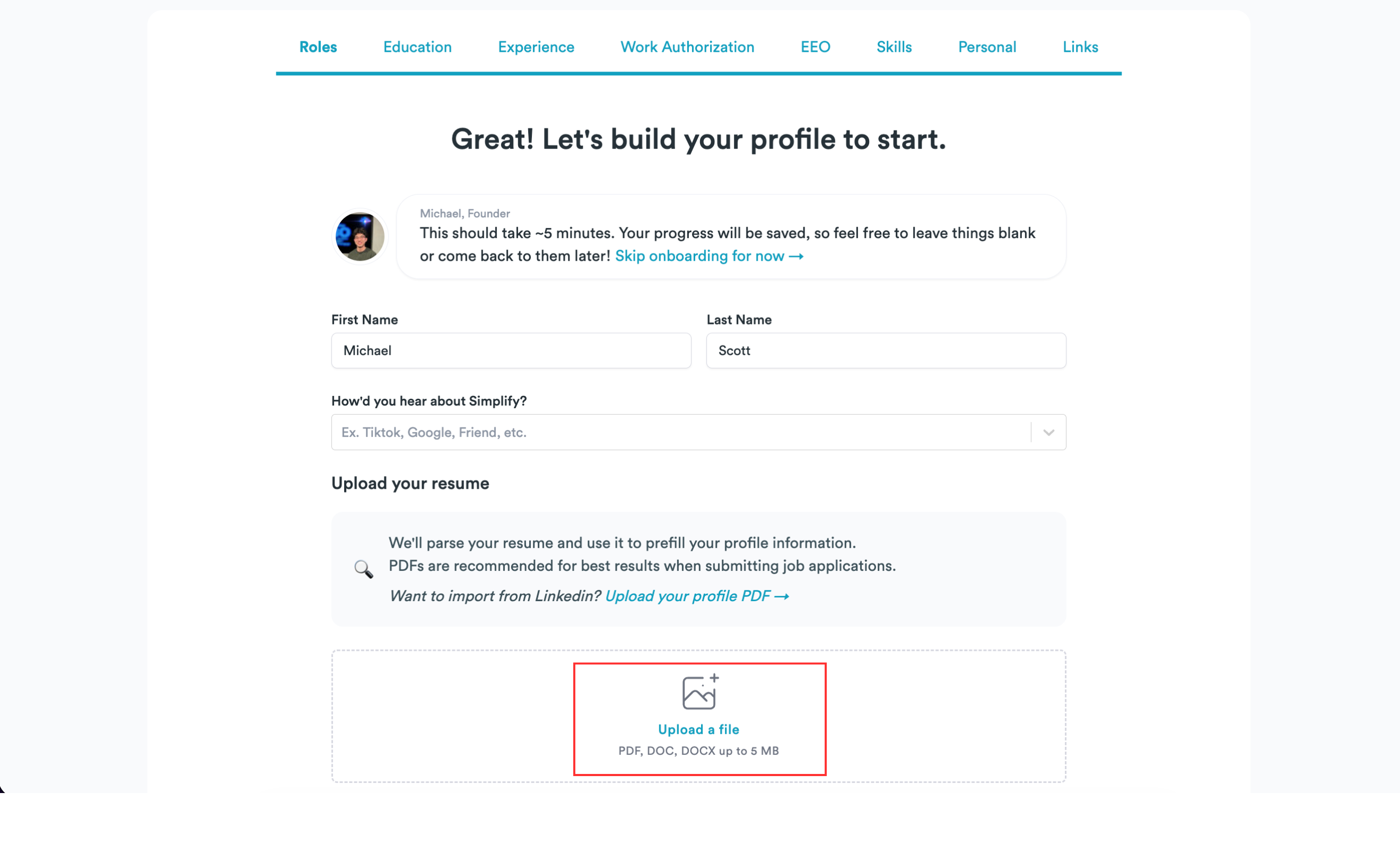
In the file picker, choose your resume and click Open. Accepted formats: PDF, DOC, DOCX up to 5 MB.
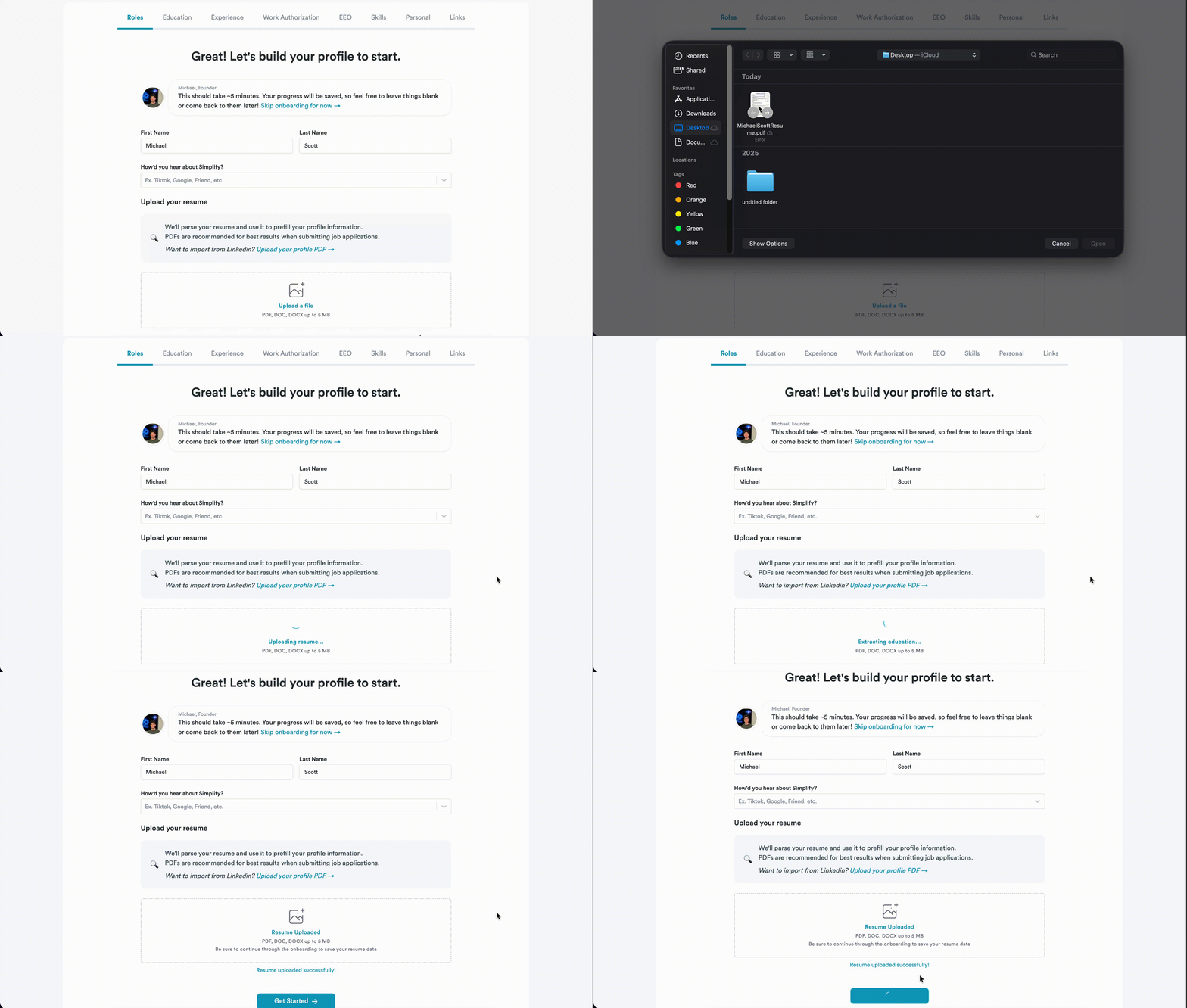
Wait for the upload to finish, then review the parsed details in the next steps. Make any edits, and continue through to the end to save everything to your Simplify profile. Do not close the tab early.
➡ Via Documents Page
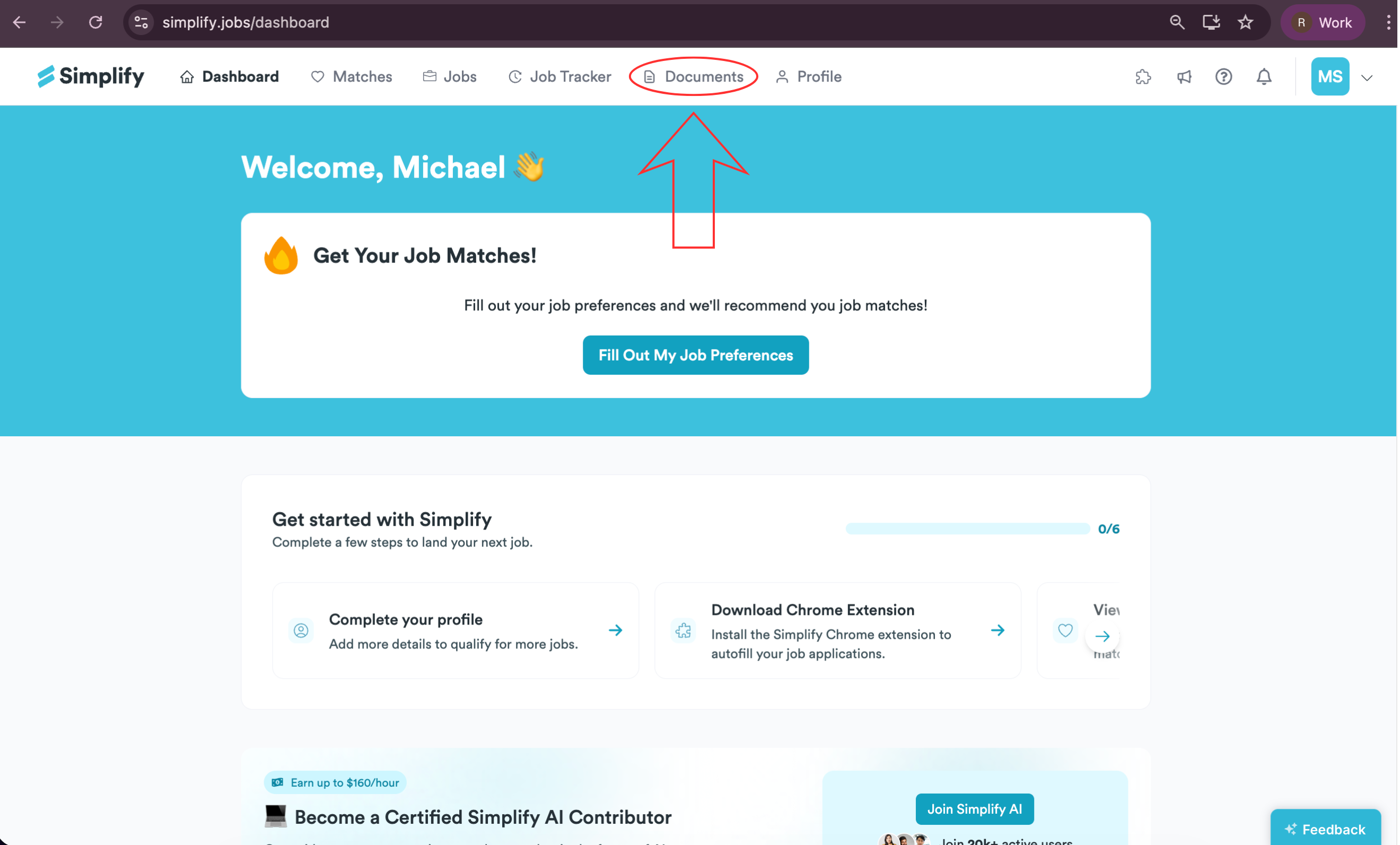
Go to the Documents page or select Documents from the navigation bar.
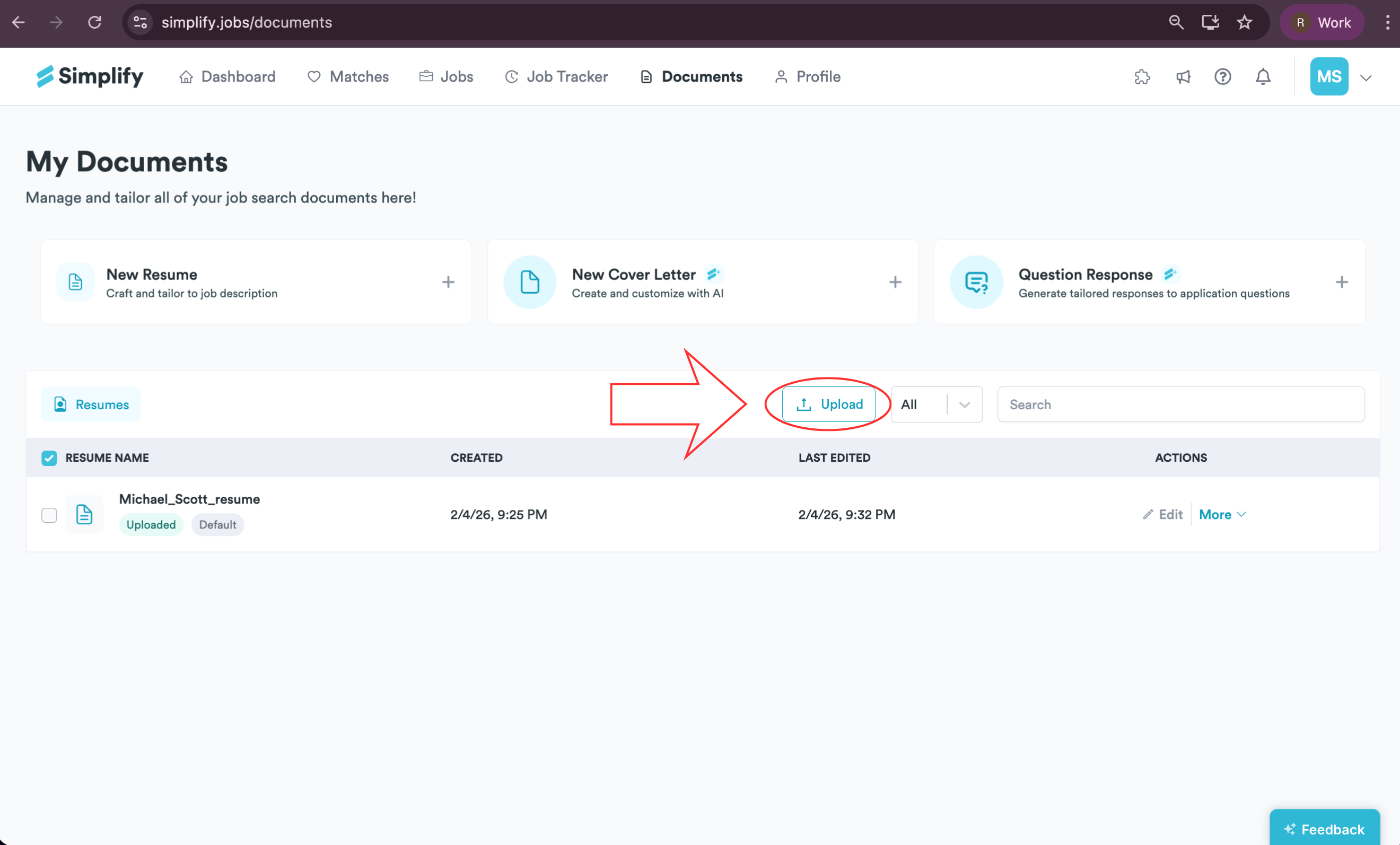
Click Upload to open the Upload Resume window.
Click the image icon, select your resume in the file picker, then click Open. Accepted formats are PDF, DOC, DOCX up to 5 MB.
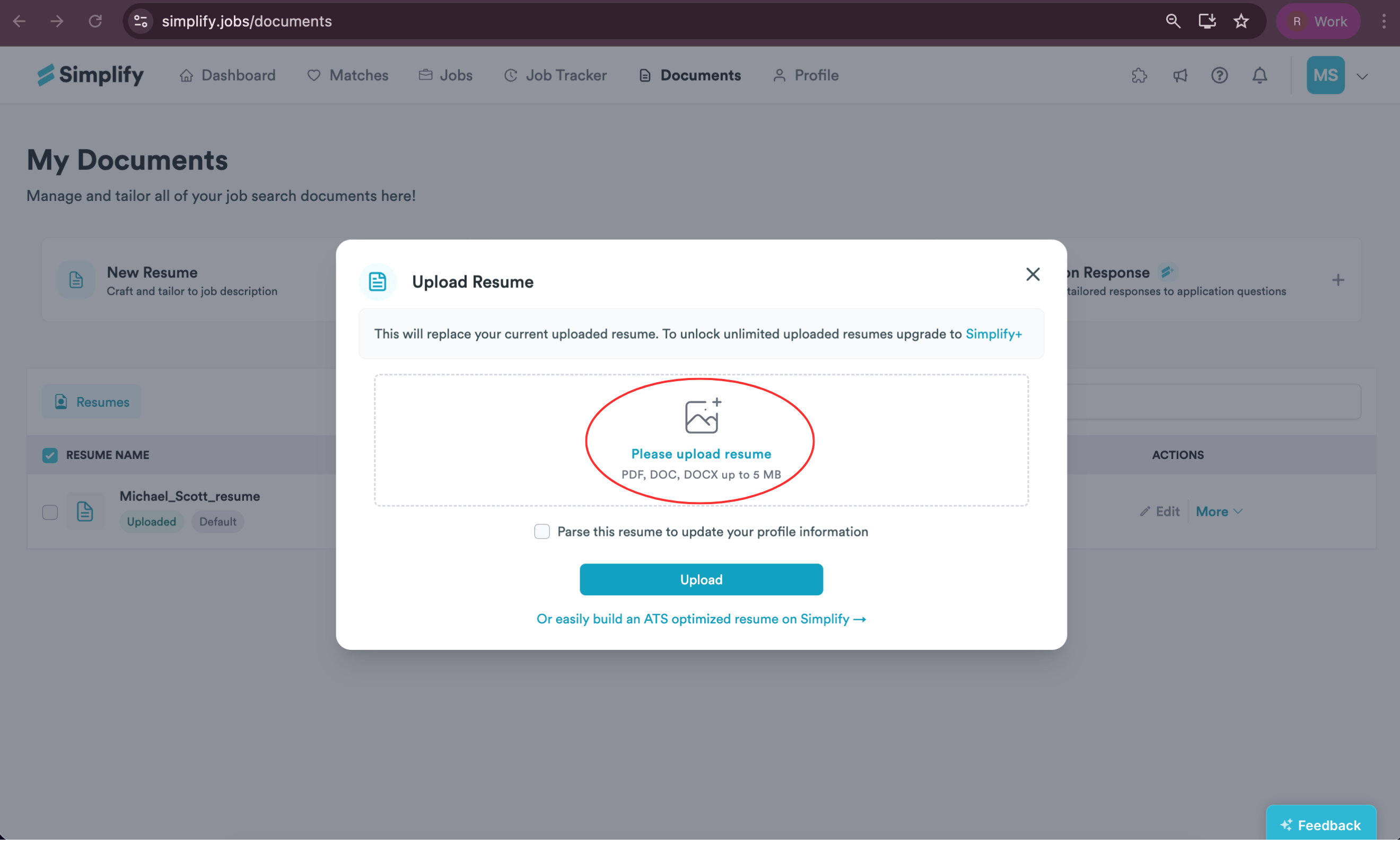
Check Parse this resume to update your profile information so the details are added to your profile automatically.
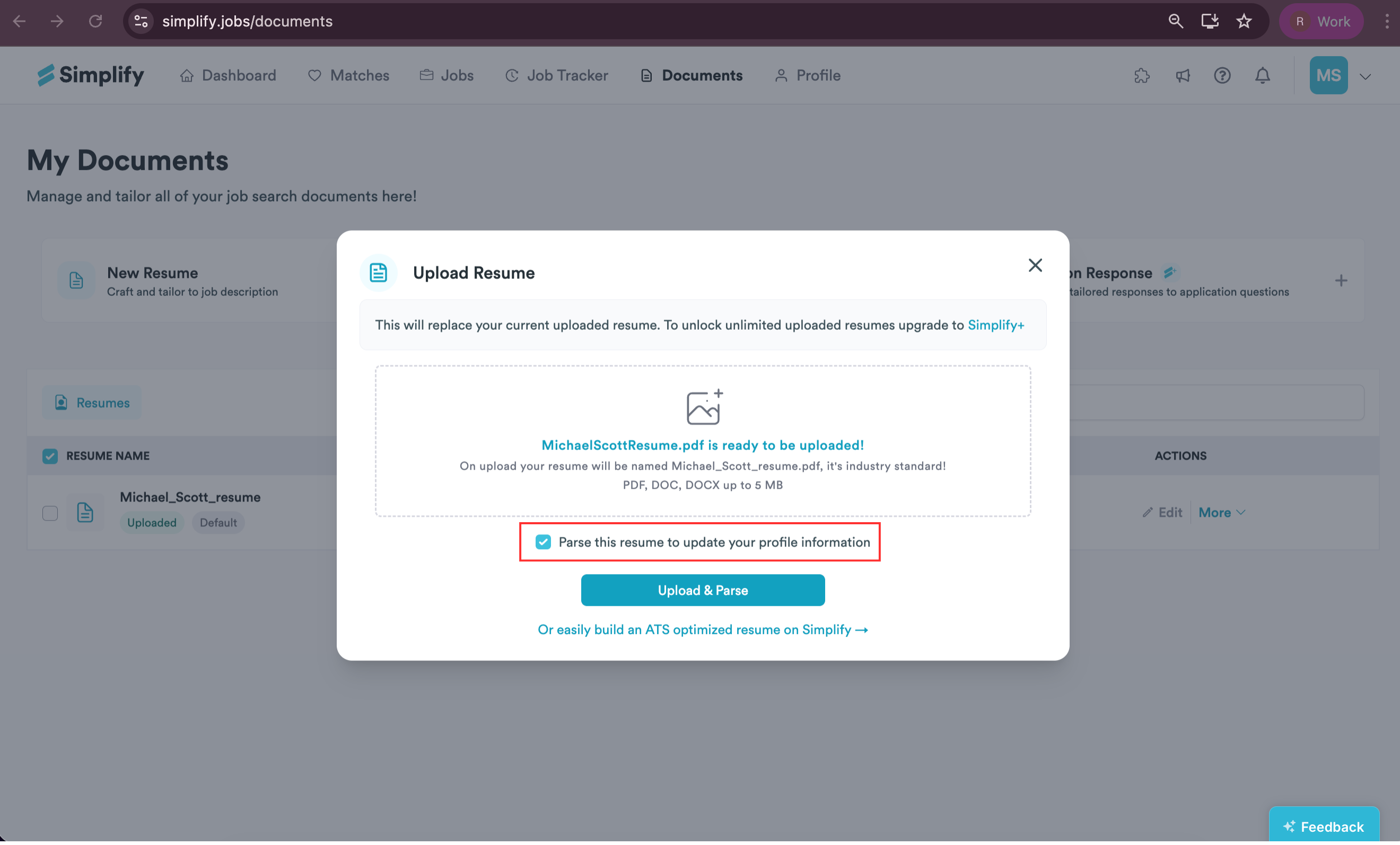
Click the green Upload & Parse button. Wait for the upload to finish, then follow the on-screen steps to review and save the parsed information to your profile.
Still need help? Share an idea