Reporting a Job Posting
💡 If you find that a job posting has incorrect details - such as wrong experience level or categories - you can report it directly from the job page on Simplify
Last updated 8 months ago
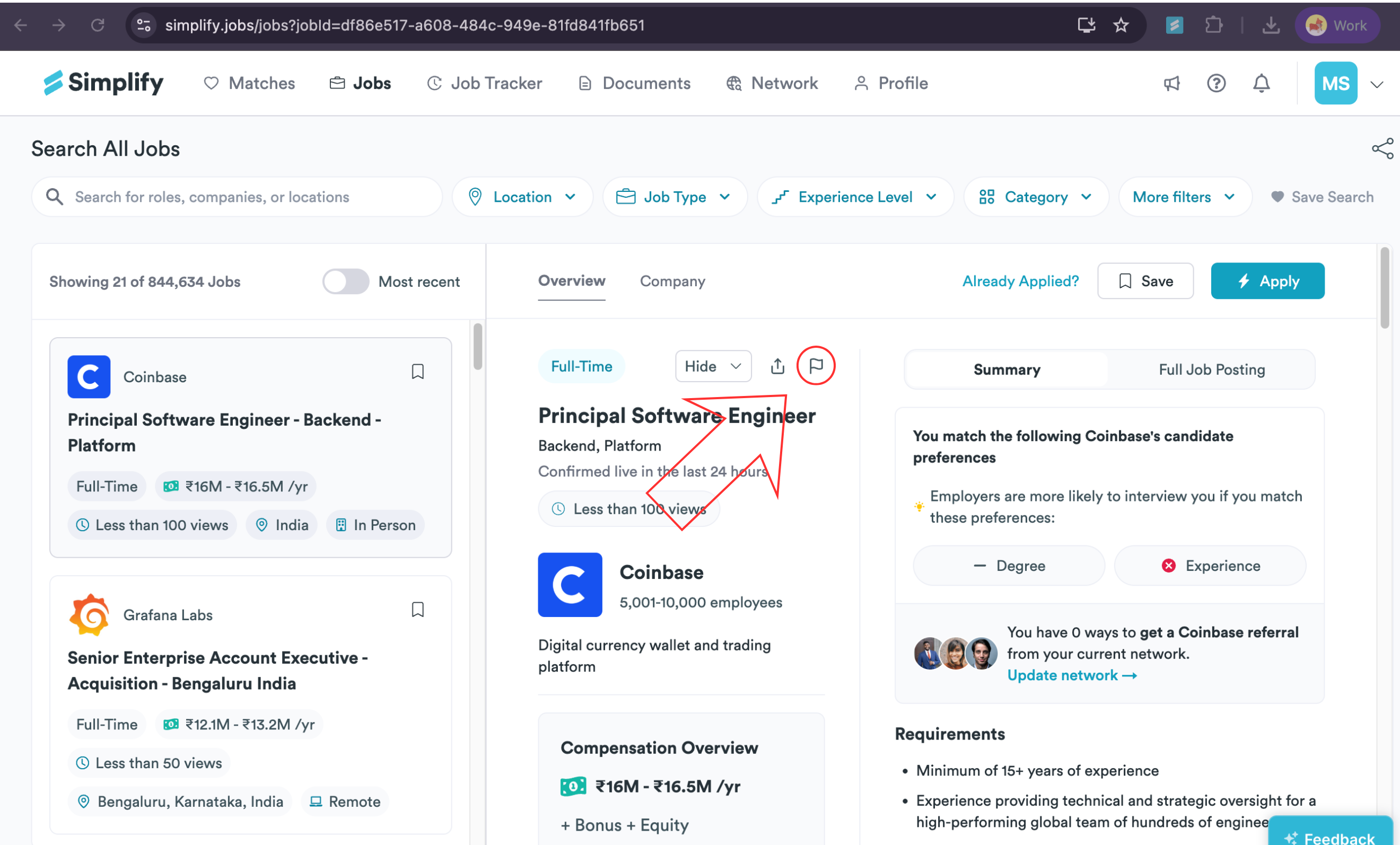
On the job details page or job popup, click the flag icon to report the posting, as shown below. (You’ll find the flag icon near the listing title at the top.)
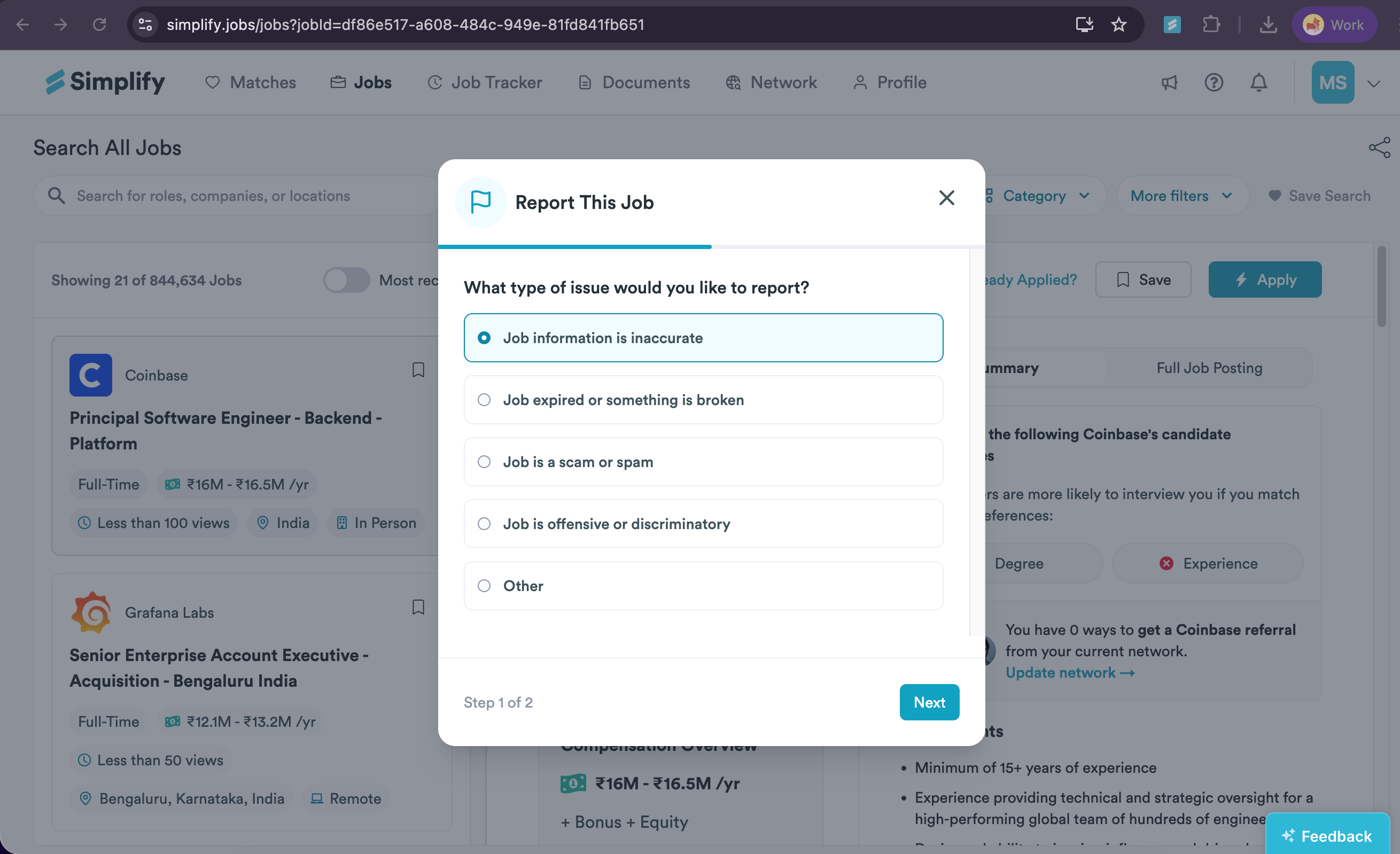
When the Report This Job window appears, choose an issue type (for example, Job information is inaccurate or Job expired). Click Next to continue.
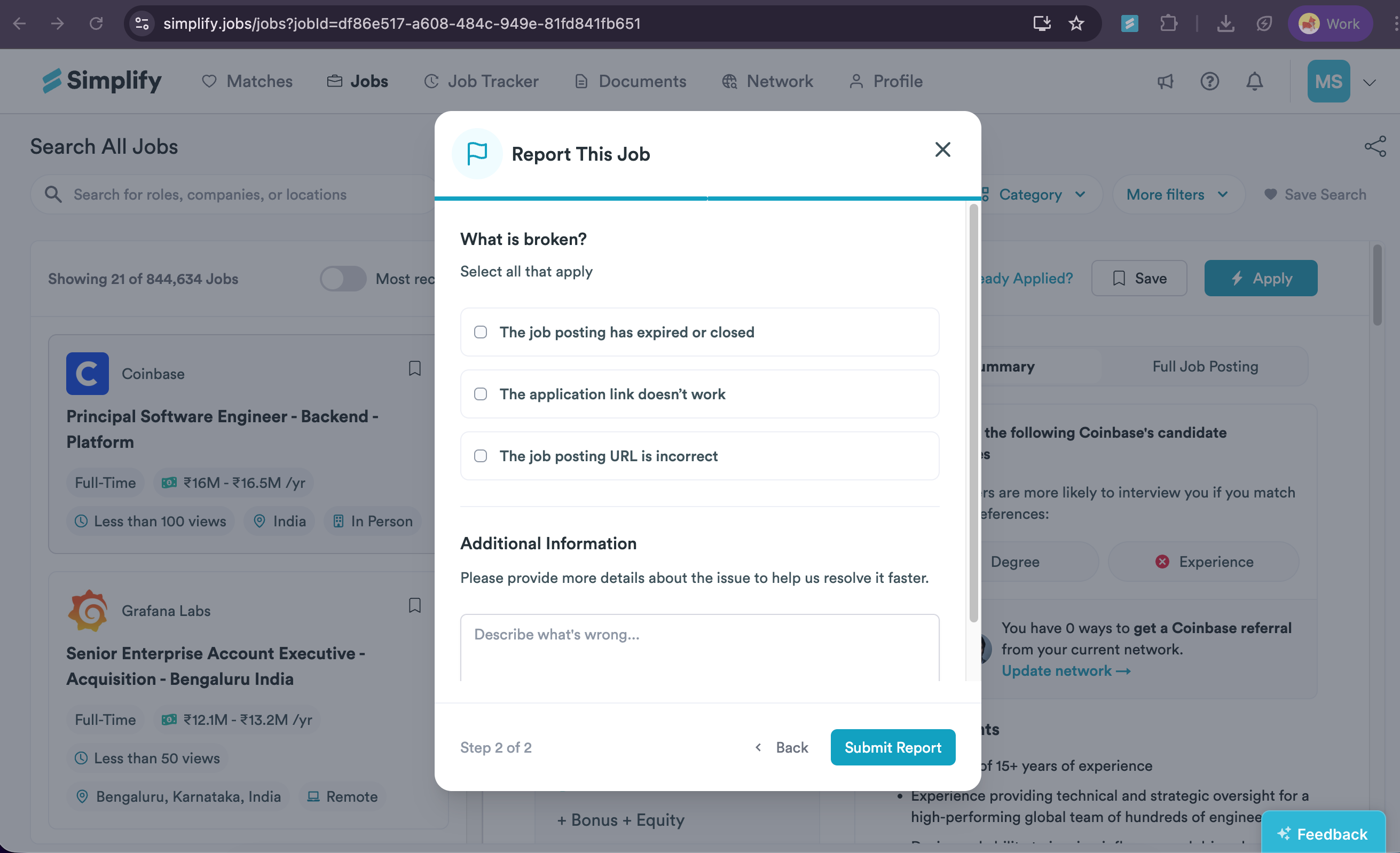
On the next screen, select all options that apply to your issue. Options vary by issue type, and you can choose more than one. In the Additional Information box, briefly describe the issue. When you’re done, click Submit Report.
After you submit your report, our team is notified and will investigate ASAP. We’ll reach out when the issue is resolved or if we need more details.
❓ Need More Help?
If you’re running into issues or have questions before taking this step, feel free to email us at support@simplify.jobs or leave feedback on any Simplify page. We’re here to help.
Still need help? Share an idea