Reporting a Simplify Copilot Issue
💡 For any autofill and extension related issues we recommend reporting directly from the extension to help us investigate faster!
Last updated 7 months ago
➡ How to report a bug from the Simplify Copilot Extension
Open the extension menu by clicking the pinned Simplify icon in your browser. If you need help pinning it, check the demo page.
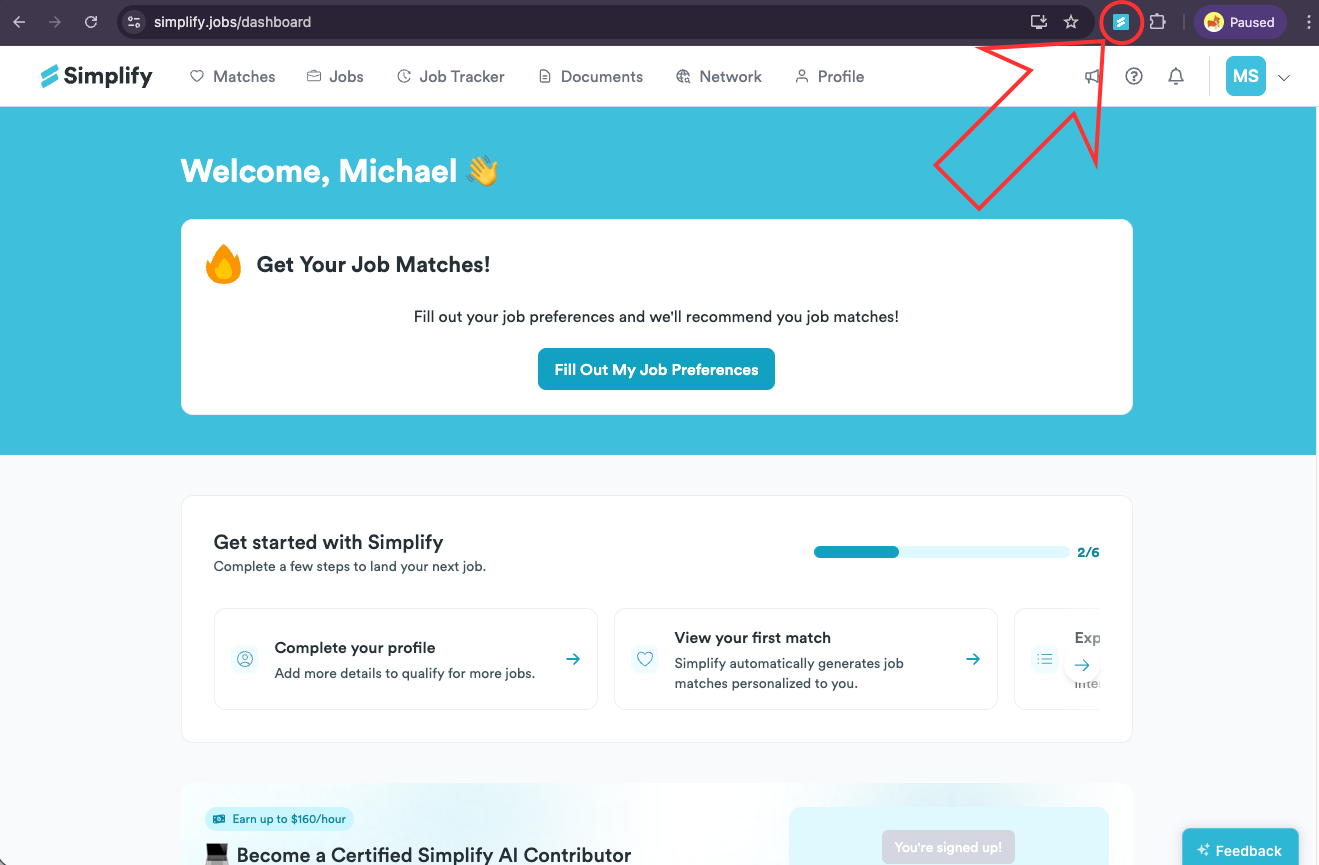
Click the flag icon in the top right to open the reporting page.
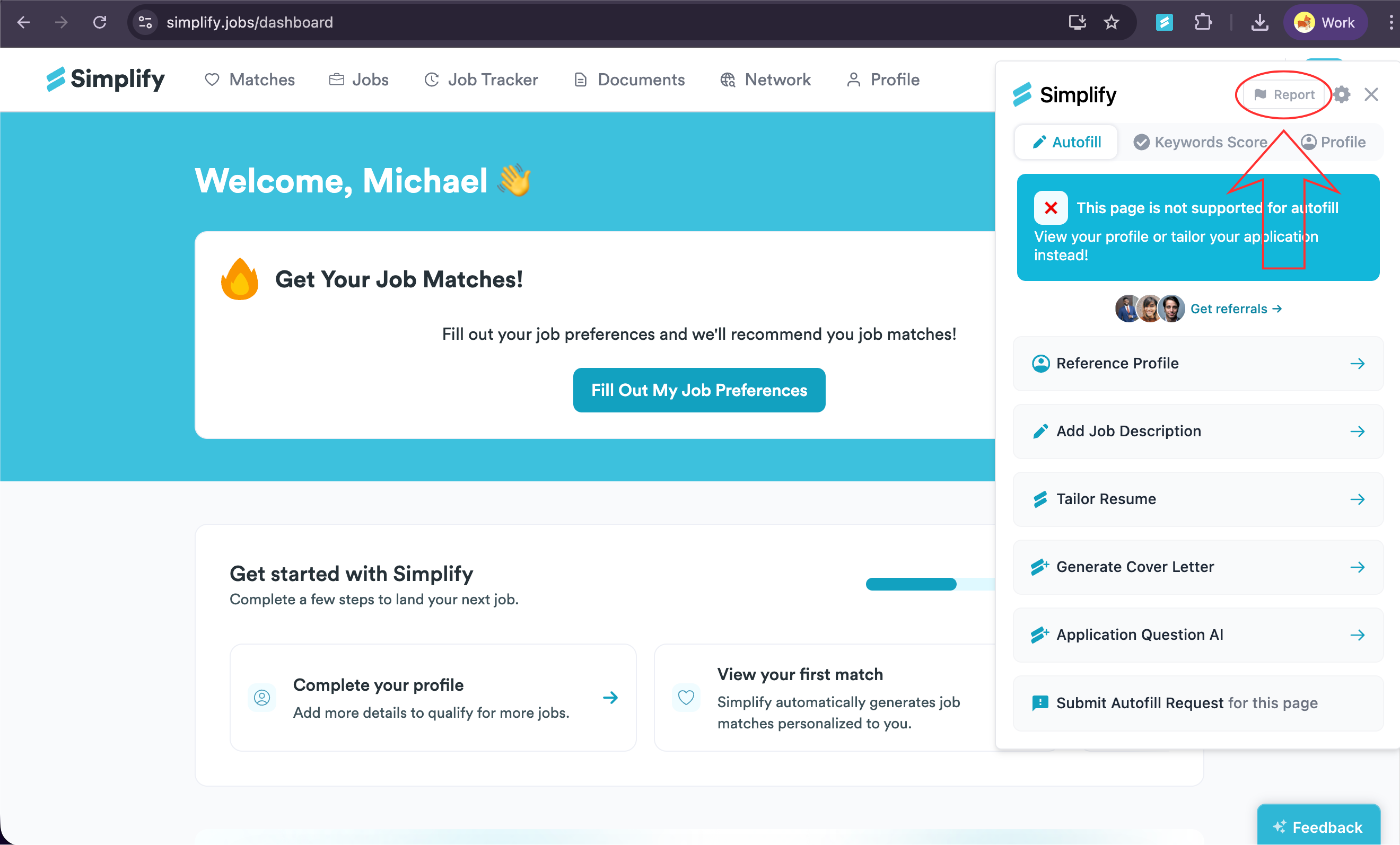
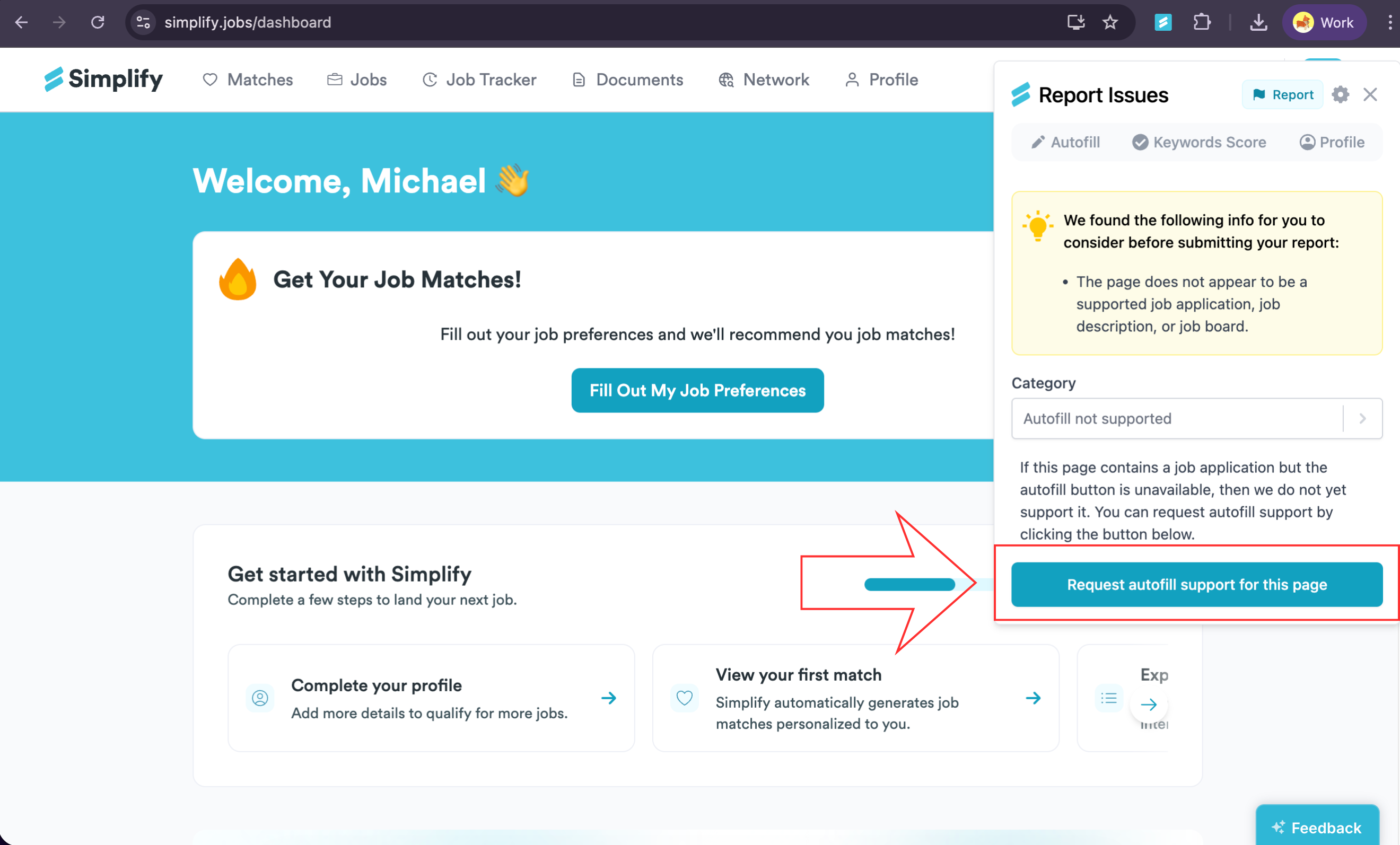
The Report Issues page opens. You’ll see the Category dropdown, and an info card may appear with tips.
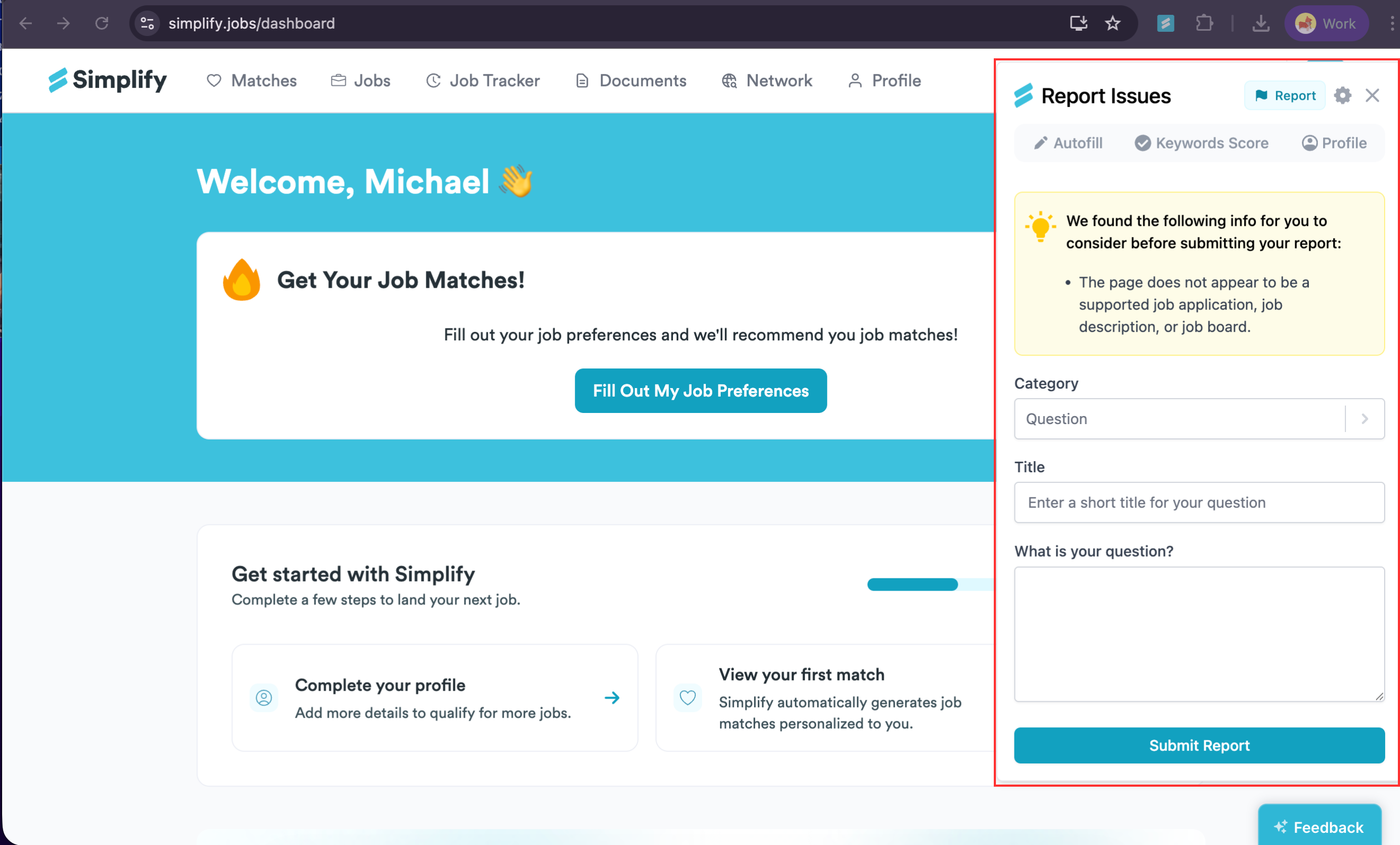
Open the Category dropdown and choose the option that matches your issue. If an info card appears, skim it for a quick diagnosis. Add any requested details, then click the green button to submit.
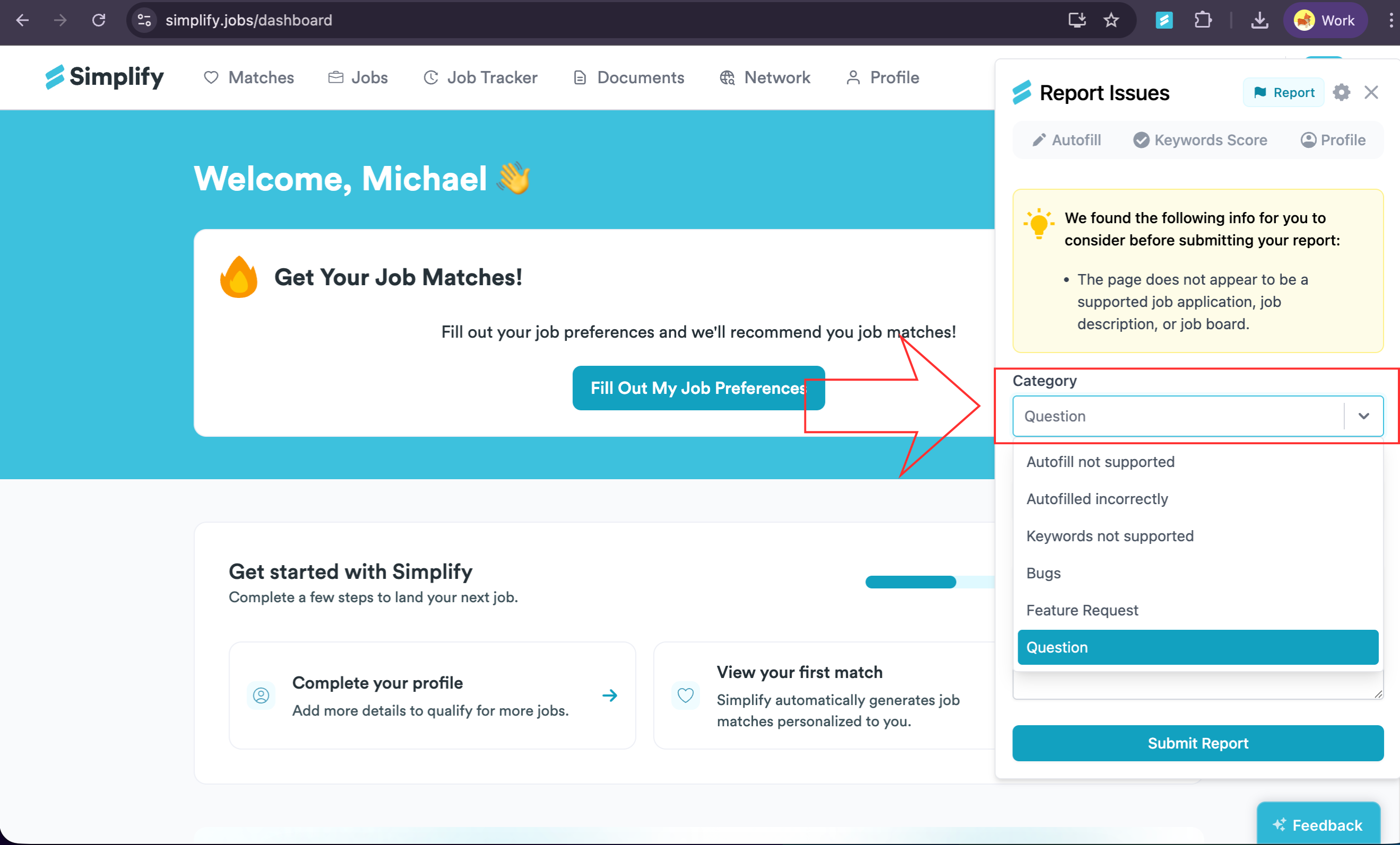
Add any requested details, then click the green button to request or submit.
❓ Need More Help?
If you’re running into issues or have questions before taking this step, feel free to email us at support@simplify.jobs or leave feedback on any Simplify page. We’re here to help.
Still need help? Share an idea