Editing your Profile after Onboarding
Update your profile anytime after onboarding, and your changes sync automatically across Copilot, Job Matches, and any resumes you've built in Simplify.
Last updated 5 months ago
TL;DR
You can update your profile anytime after onboarding
One of the easiest ways to update your profile is by uploading a resume, either from Simplify's Resume Builder or importing one
Resumes built with Simplify stay synced with your profile, so edits made in either place update automatically
How profile edits work across Simplify
Changes you make on your Simplify profile are automatically reflected across our tools.
That includes:
Copilot, which uses your updated profile information to autofill applications
Job Matches, which updates your recommended jobs based on your latest preferences
Resume Builder, which keeps your resumes aligned with your latest experience, education, and skills
Types of changes you can make
Your profile is split into three sections based on the type of information you're updating:
Profile includes your work experience, education, skills, and links. This is the information used across resumes and autofill.
Personal Info includes optional demographic details that some job applications ask for, like gender, race, or veteran status.
Job Preferences controls the kinds of jobs Simplify recommends to you, including salary expectations, locations, role types, and work setup preferences.
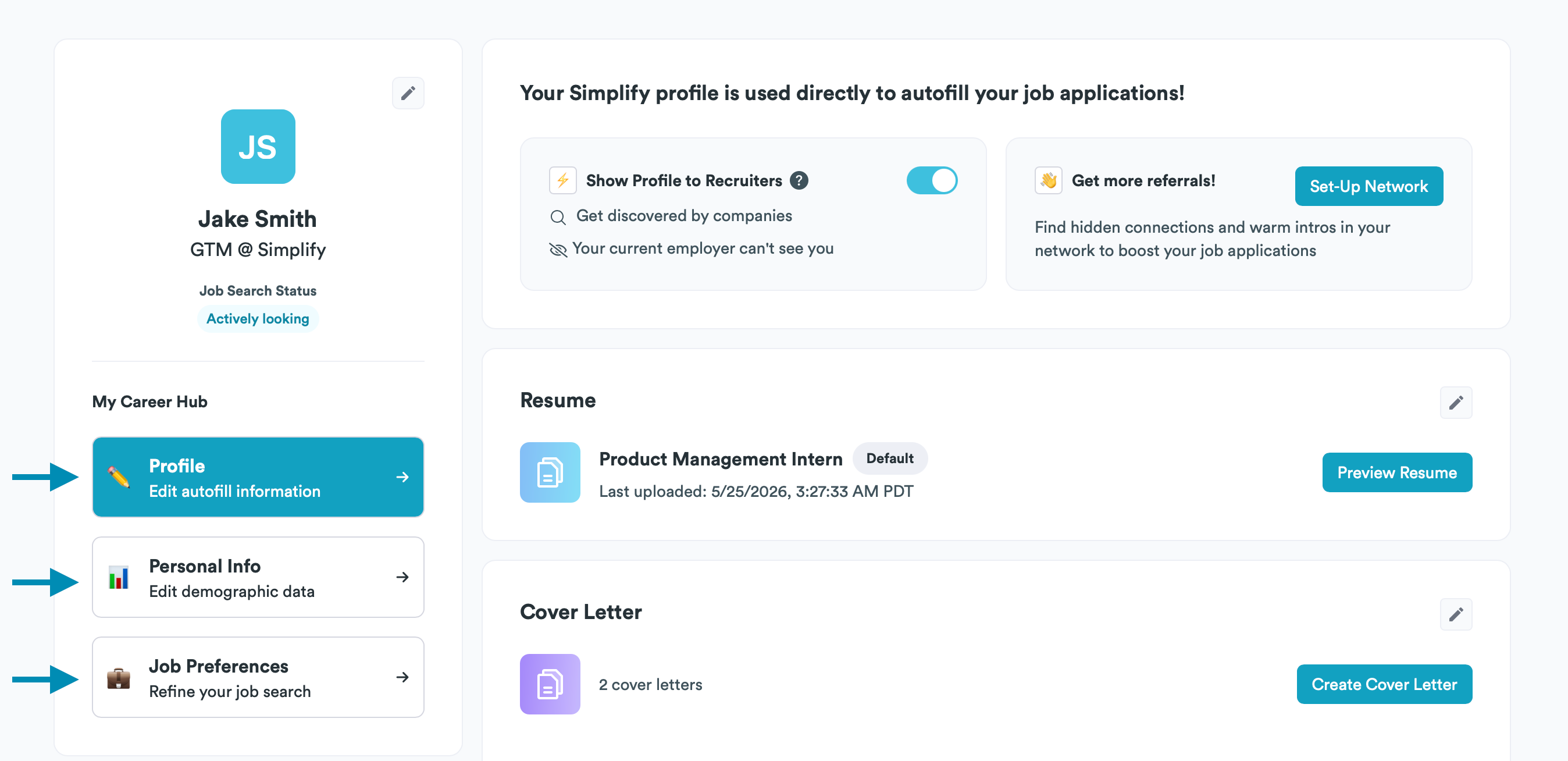
🧠 Note: In general, resume-related information belongs under Profile, while private application preferences belong under Personal Info or Job Preferences.
Using your resume to update your profile
Your resume is one of the easiest ways to keep your profile updated after onboarding.
You can upload a newer version of your resume anytime, and Simplify will parse the updated information and give you the option to refresh your profile automatically.
If you use the Resume Builder, your resumes and profile stay synced automatically. Changes made to your profile update your resumes, and edits made inside the Resume Builder sync back into your profile as well.
That means you only have to update your information once. A few things about how syncing works:
Experience titles, company names, and dates are managed from your profile and update across every Simplify resume automatically
Resume bullet points are customized per resume, so tailoring one resume won't overwrite another
You can maintain multiple resumes for different roles or industries while keeping all of them connected to the same profile
You can also upload resumes from outside Simplify whenever you want to refresh your profile information. Simplify will parse the updated version and give you the option to apply those changes to your profile.
💡 Tip: Copilot always uses your latest profile information. Changes made while the extension is open refresh automatically, so your newest updates are ready the next time you autofill an application.
To learn how to build and tailor your resume: Building and Tailoring your Resume on Simplify
Was this helpful?
Still need help? Share an idea