Signing up for Simplify
Simplify is an AI-powered platform that helps you find jobs, tailor applications, connect with recruiters, and manage your job search in one place.
Last updated 5 months ago
What is Simplify?
Simplify is your AI agent for the job search.
We built Simplify around one profile so your matches, applications, resumes, and job tracking all work together.
With Simplify, you can:
Autofill applications with Copilot, our Chrome extension that works across most major job applications
Get curated Job Matches from thousands of employers, ranked against your profile and preferences
Search millions of jobs with detailed filters across the Job Board
Tailor your resume to specific job descriptions using the Resume Builder
Generate cover letters personalized to the company and role
Track all your job applications in one place, including statuses, notes, recruiter contacts, and follow-up emails
Simplify is built to give you a job search experience that understands what you're looking for and helps you get to the right opportunities faster.
Why we need your information
Your profile powers everything inside Simplify.
During the signup process, we ask about the kinds of roles you want, where you want to work, salary preferences, and your experience so we can personalize your matches, autofill, and recommendations from day one.
If you already have a resume, uploading it is the fastest way to get started. We parse your education, experience, and skills and use that to build out your profile automatically, so you don't have to re-enter information you've already written down.
💡 Tip: You can update your profile and preferences anytime as your search evolves!
What if I don't have a resume?
You can skip the upload step entirely and build your profile manually during the signup process.
Once your profile is filled out, you can generate a resume from it later using the Resume Builder.
This also works if your current resume is outdated or unfinished. Upload whatever version you have, and Simplify will still parse the information that's there to build the first version of your profile. You can upload a newer version of your resume to update your profile later as things change.
Tips for completing the signup process
A few things worth knowing as you go through it:
You start with one target role. We ask for one role during the signup process so we can quickly get you to a strong first batch of matches. Afterward, you can add more roles, locations, and preferences in Setting and updating your match preferences.
A fuller profile unlocks better personalization. Simplify reads directly from your profile, so more complete information leads to sharper matches, stronger resume tailoring, and more accurate autofill. See Building your Profile Strength for the tasks that improve your Profile Strength score most.
Your resume doesn't need to be perfect. Even an older resume gives us enough information to build the first version of your profile, and you can edit everything afterward.
What happens after the signup process
After you finish the signup process, you'll land on your profile page with a Profile Strength score and a checklist.
As you add more information about your experience, preferences, and goals, Simplify can improve your matches, autofill applications more accurately, tailor resumes more effectively, and surface more relevant recruiter and networking recommendations. The completeness of your profile is reflected by your Profile Strength.
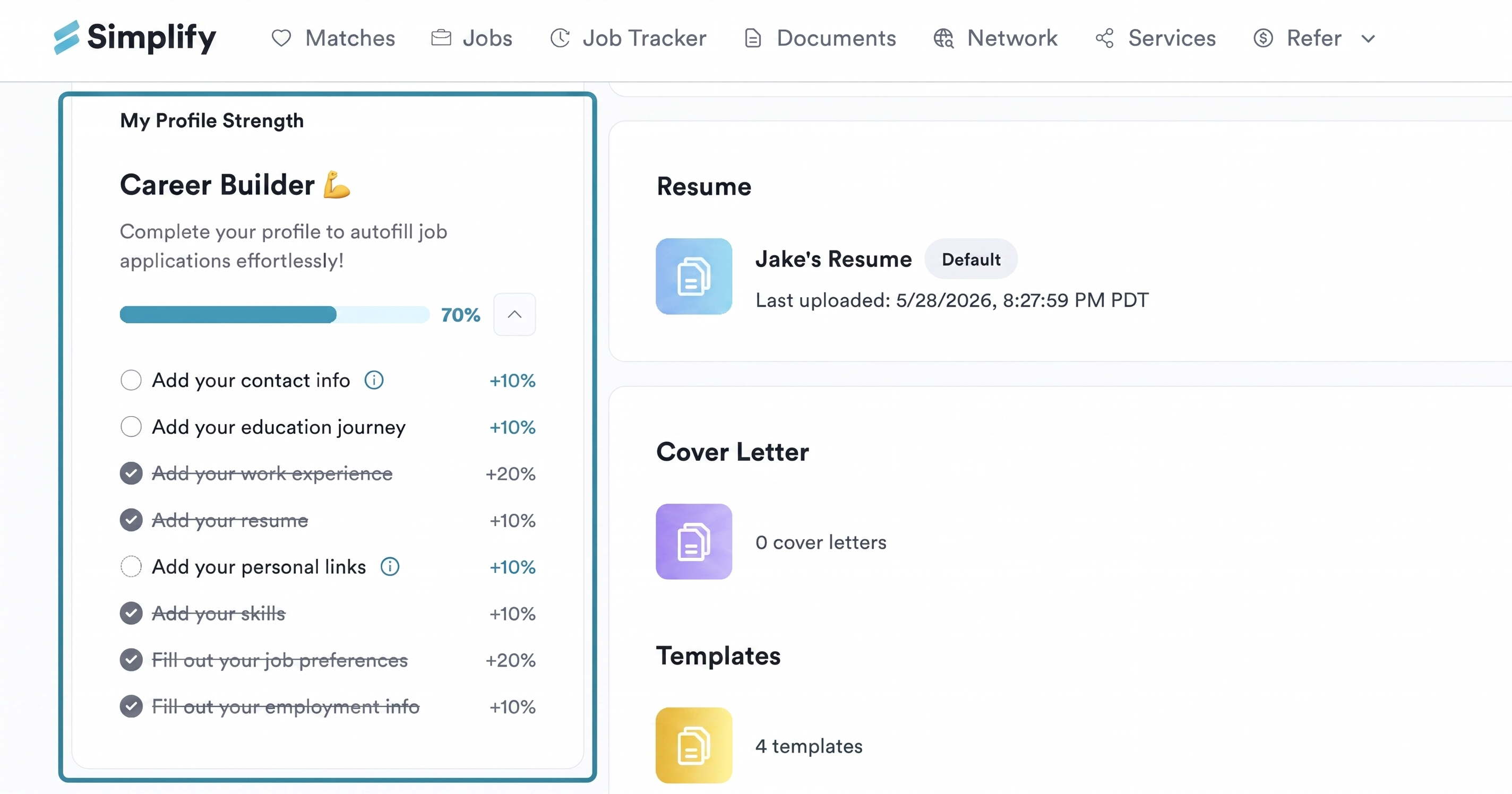
To learn how to build Profile Strength: Building your Profile Strength
You can edit your profile and job preferences anytime. To see how: Editing your Profile after Onboarding
Was this helpful?
Still need help? Share an idea