Use popular match groups
Browse groups of recommended jobs by recency, salary information, and other interests.
Last updated About 2 hours ago
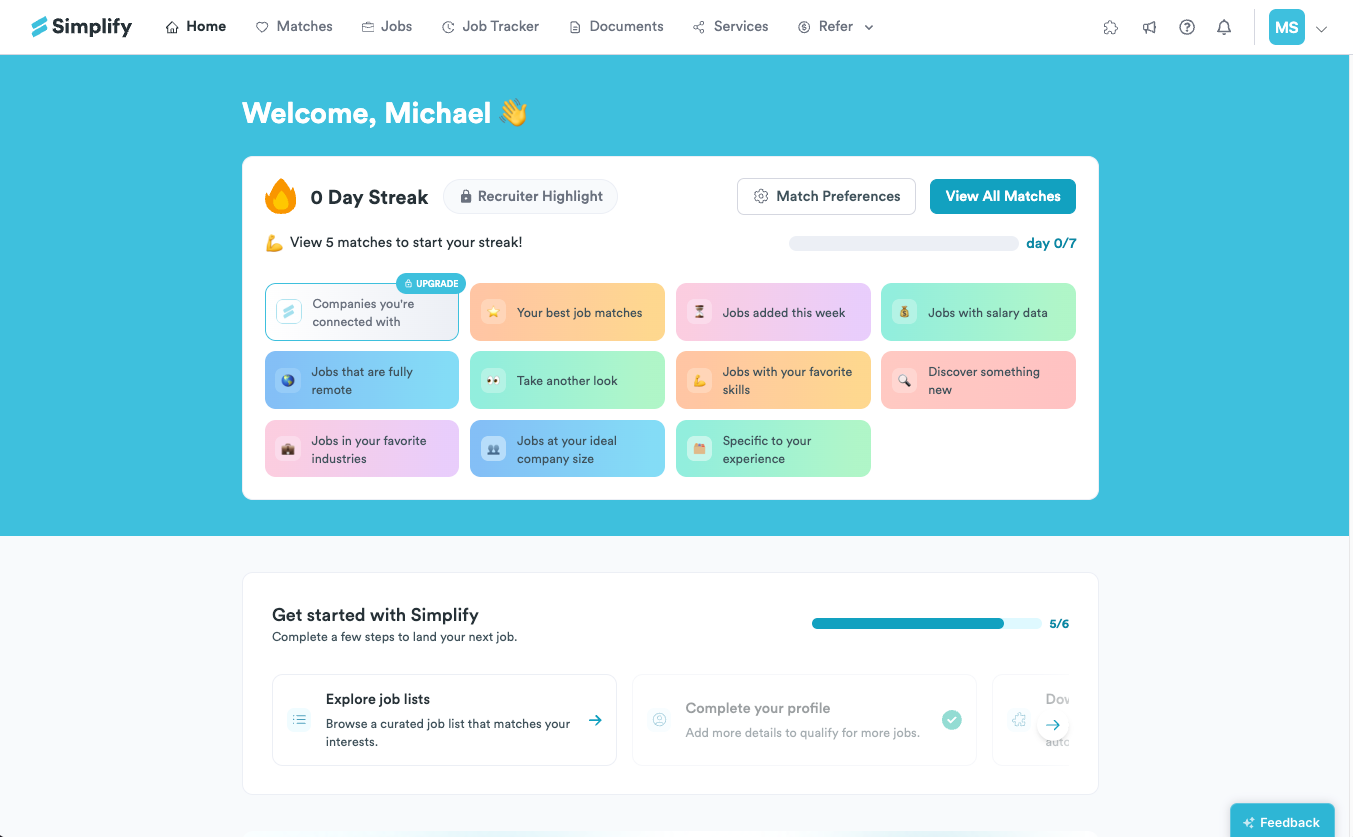
Popular match groups let you explore a specific part of your recommendations, such as jobs added this week or jobs with salary information. Open a group from your dashboard, then review, save, or apply to the jobs inside it.
Open a match group
Open your dashboard and find the popular job groups. They may also be offered after your daily Matches.
Choose a group that reflects what you want to explore.
Read the jobs in the group and use the usual save, hide, and application controls.
What the groups are useful for
Groups are preselected views around a particular interest. Depending on the options shown, you can explore recent postings, remote jobs, roles with salary data, skills or industries, and companies where you may have connections. The company-connections tools require Simplify+.
We built these views so you do not have to recreate a filter combination whenever you want to explore a common priority. They complement your regular recommendations and the Job Board search, rather than replacing either.
A group’s label describes the view, not a guarantee about every detail. For example, remote jobs can still require residence in a country, and company sponsorship history does not guarantee sponsorship for a particular role. Read the full posting.
Check why a job appears
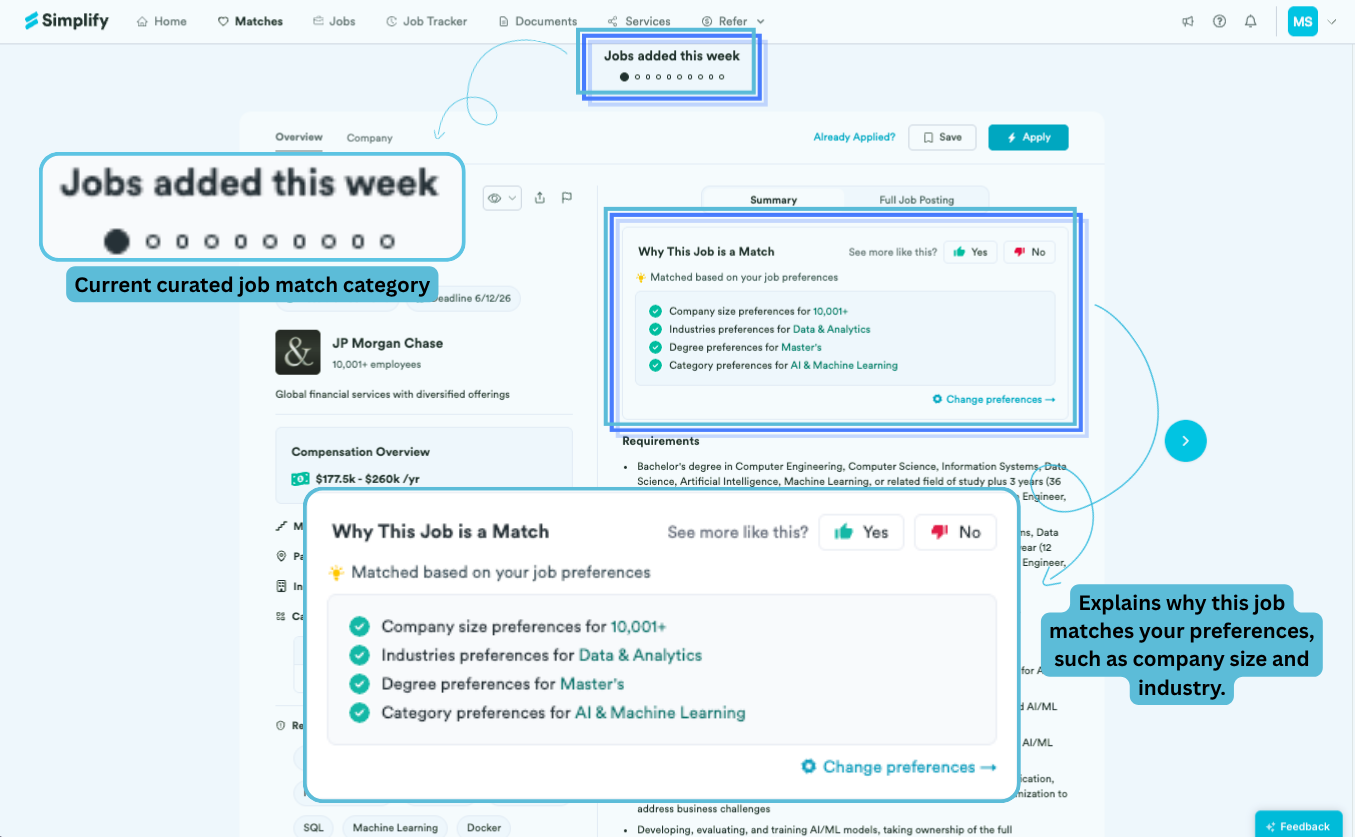
Use Why This Job is a Match to see the relevant preference or background details. If the job is outside your intended search, follow Change preferences or edit Match Preferences from the dashboard.
To narrow a set of jobs with more specific criteria, use the Job Board and save the resulting search. Saving a search keeps the criteria; bookmarking a job saves the individual posting to Job Tracker.
Related articles
Was this helpful?
Still need help? Share an idea