Viewing Jobs on Simplify’s Job Board
Our Job Board brings role information, company context, fit signals, and application actions into one view so each application is better informed.
Last updated 2 days ago
About the Job Board
Simplify's Job Board is built to help you apply more intentionally, so each application you submit is backed by better context and stronger preparation.
When you open a job, the goal is not just to show you a job description. It is to give you enough context to decide:
whether the role is worth pursuing
how well you fit
what the company actually looks like
what you may want to adjust before applying
Most candidates end up piecing this information together themselves across company sites, LinkedIn, Glassdoor, sponsorship databases, and job descriptions. We try to bring that context into one place so each application can be more informed from the start.
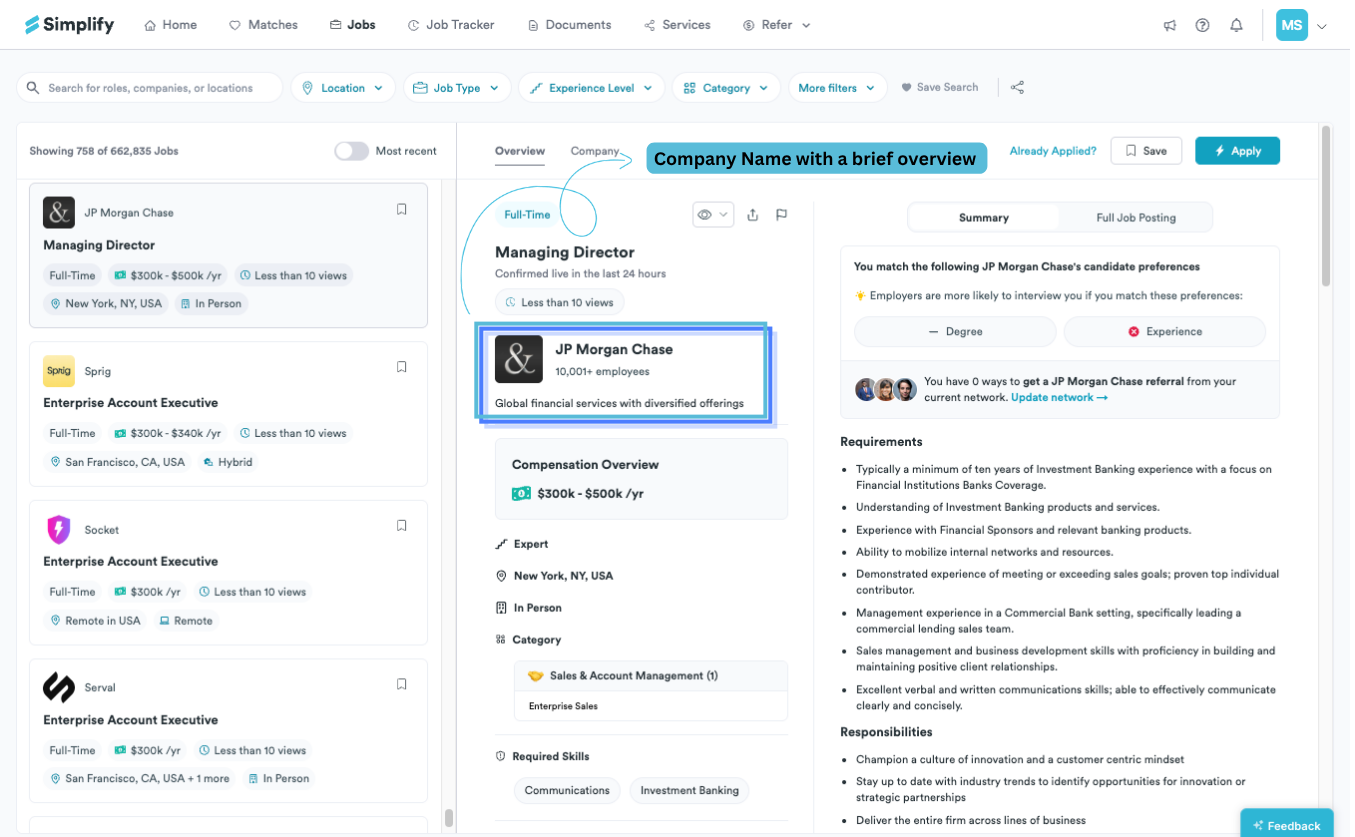
What you'll see in the job detail panel
The right-side panel combines role information, company context, fit signals, and application actions in one view.
At the top, you'll see:
whether the role was recently verified as live
quick actions like Apply, Save, Hide, and Already Applied
shortcuts into referrals and tracking workflows
Below that, the panel is split into a few core sections.
Company information
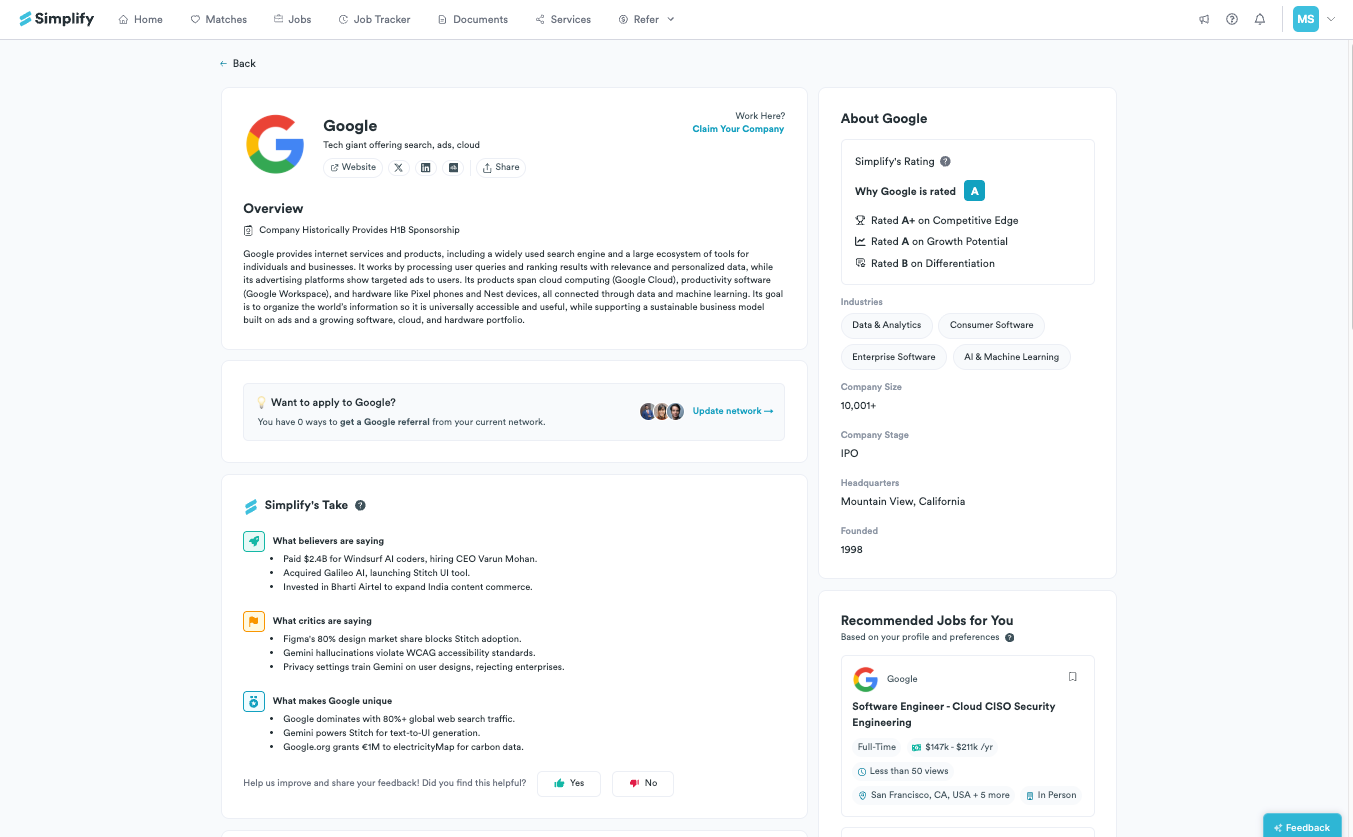
The Company tab gives broader context around the employer, including things like:
company description
employee count
funding and growth information
benefits
sponsorship history when available
This is especially useful for questions that usually do not appear clearly in the job description itself.
For example:
Does the company sponsor international candidates?
Are they actively growing?
What stage is the company at?
What kind of work environment or benefits do they offer?
✨ Why it matters: Applying well is not only about matching keywords. Strong applications are usually grounded in understanding the company and role you're applying to.
Job summary and structured requirements
The Overview tab breaks the role into structured sections like:
Requirements
Responsibilities
Required Skills
You can also switch between a shorter summary view and the full job description.
We organize jobs this way because most job descriptions are difficult to scan quickly. Structured sections make it easier to understand what the employer is actually prioritizing and what you may want to emphasize in your application.
How well you match the role
Simplify also compares the role against your profile and current resume.
This includes:
candidate preference matching
keyword matching against the JD
missing skills or terms from your resume
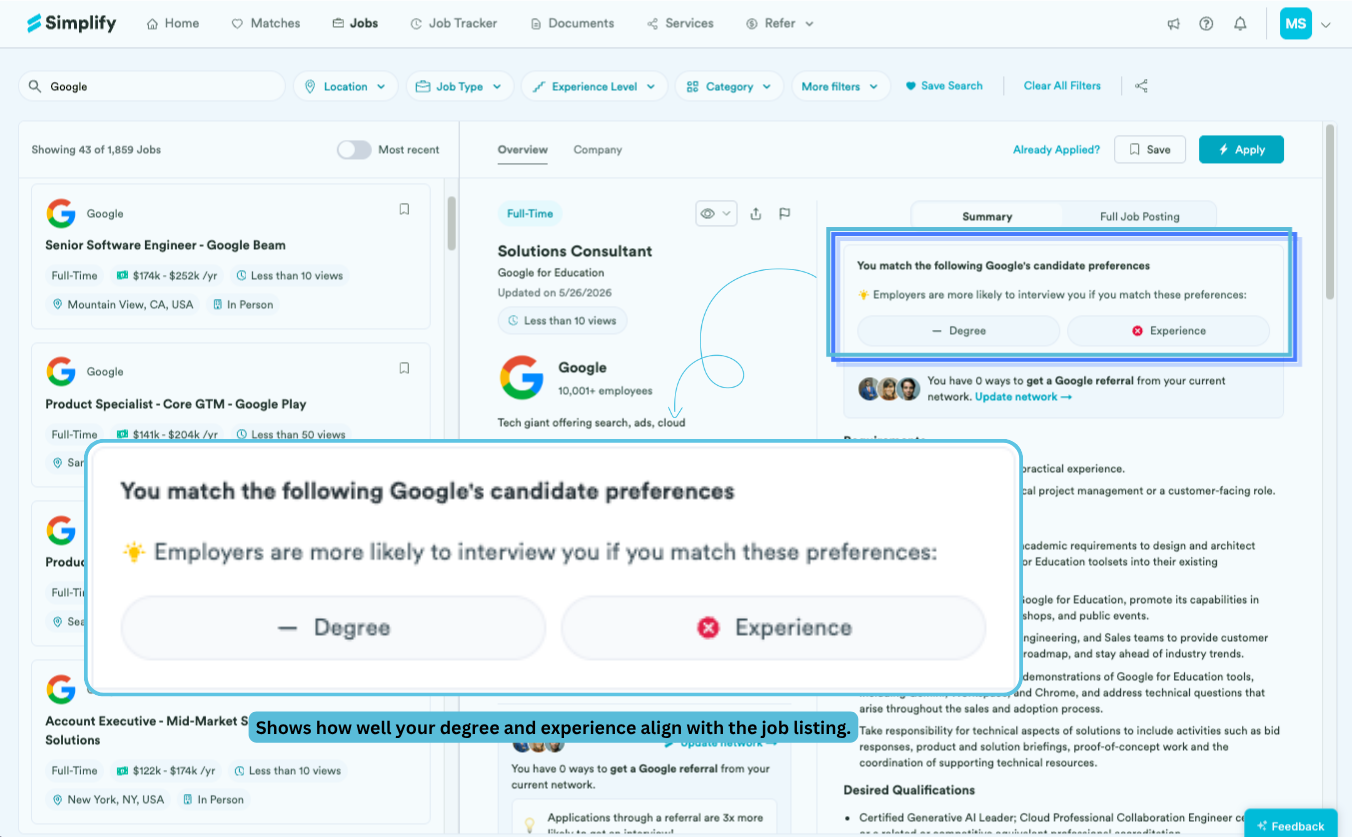
We showcase these signals to help you decide where tailoring your resume or application could make a difference. If your resume is missing important terms from the posting, you can improve alignment through the Resume Builder or by using Simplify Copilot with Using Copilot to Autofill Applications.
Job analytics
Some jobs also include additional analytics for Simplify+ users, including signals around:
application volume
competitiveness
historical hiring patterns for similar roles
These signals can help you prioritize where to spend time, especially when managing multiple applications at once.
Apply, save, or track the role
Once you've reviewed the role, you have a few options:
Apply opens the company application page
Save adds the role to your Job Tracker
Hide removes jobs or companies you no longer want to see
Already Applied helps you track applications submitted outside Simplify
If you have Simplify Copilot installed, it can autofill repeated application fields using your profile. You still review everything before submitting.
For more about using Copilot: Using Copilot to Autofill Applications
Using the Job Board with Copilot
We often see candidates get the most out of Simplify when they use the Job Board and Copilot together by researching roles first, then tailoring and completing applications with that context in mind.
The job view helps you understand the role well, like what the company values, which skills matter most, and how your current resume matches the posting.
From there, Copilot can use that context alongside your Simplify profile to help tailor and autofill applications more efficiently.
🔑 Keep in mind: Because your profile, resumes, applications, and saved jobs all live in the same system, you can move from researching a role to tailoring your application to tracking the opportunity without rebuilding context at each step.
Was this helpful?
Still need help? Share an idea