Searching and Filtering Jobs on Simplify
Use search and filters on the Job Board to narrow millions of listings into a focused set that reflects the roles, locations, and strategy you're targeting.
Last updated 2 days ago
Simplify’s Job Board
Simplify's Job Board helps you browse across millions of job listings while staying connected to the rest of your job search in one place.
Search and filters are designed to help you narrow a very large set of opportunities into a list that actually reflects what you want:
the kinds of roles you are targeting
where you want to work
your experience level
your application strategy
the jobs you still want to review
You do not need to configure every filter immediately. Most users start with a few simple constraints, then refine their searches as they learn what kinds of roles they are interested in.
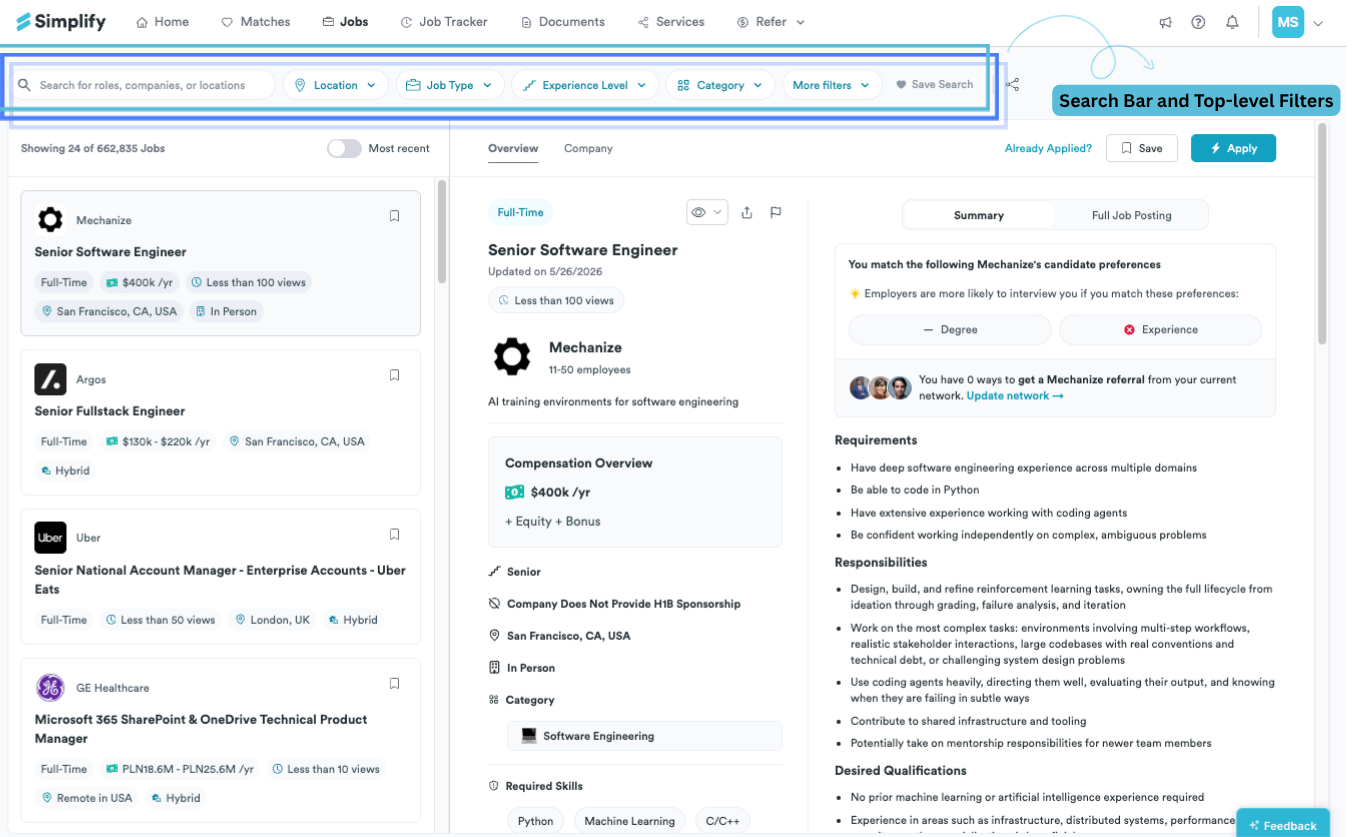
Using search
The search bar is the fastest way to narrow the Job Board to a role, company, keyword, or location.
You can search for:
job titles
companies
locations
remote work terms
keywords related to the kind of work you want to do
Search updates results immediately and works alongside your filters.
For example, you might search for:
"product manager"
"New York"
"remote"
"machine learning"
a specific company name
The search functionality is meant to feel convenient so you can look up keywords quickly instead of spending time rebuilding filters every time you explore a different direction.
Using filters
Filters help turn a very large feed into a highly specific, focused set of opportunities.
The top-level filters include:
Location
Job Type
Experience Level
Category
More Filters
As you apply filters, the total number of matching jobs updates automatically so you can quickly understand whether your search is broad, narrow, or overly restrictive.
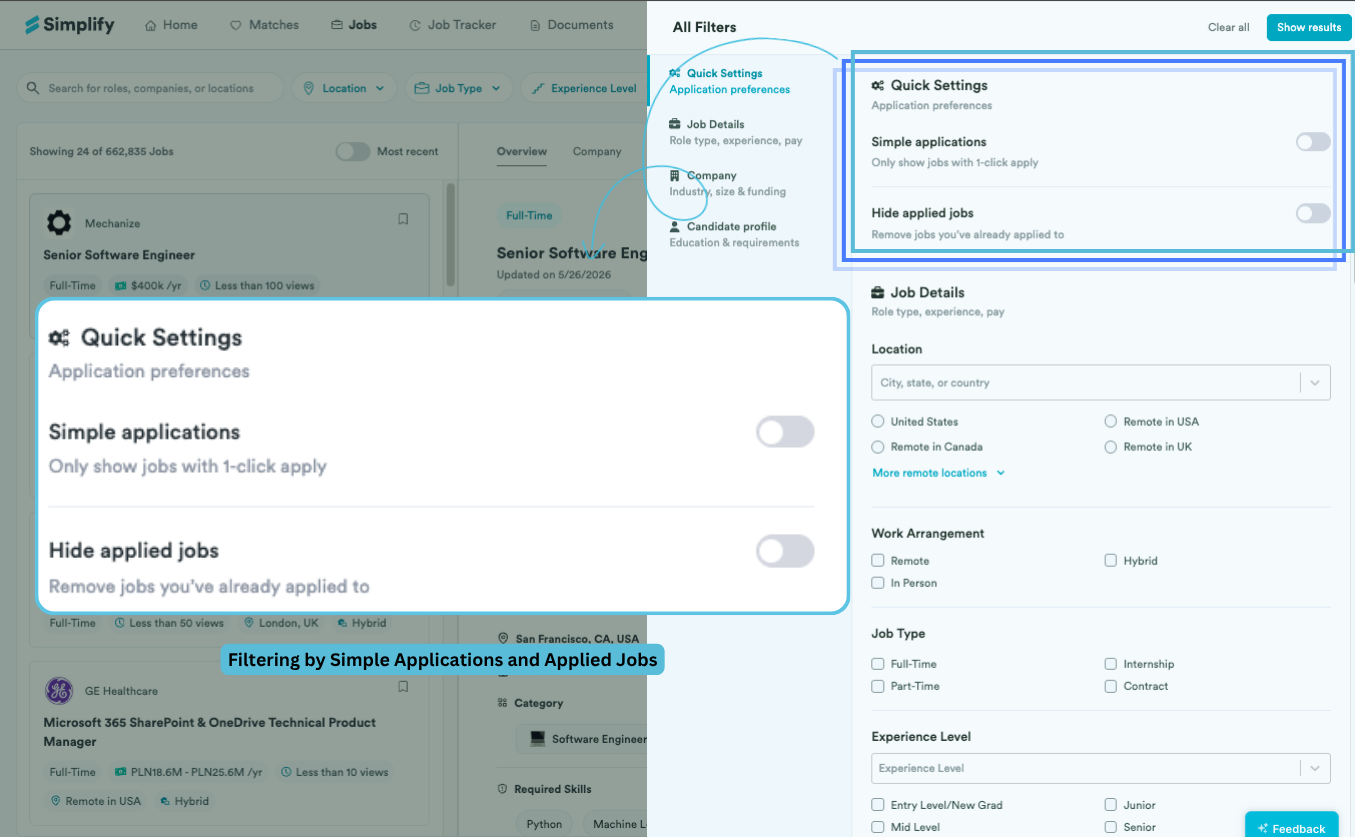
Most users do not need every filter at once. A few well-chosen filters are usually enough to make searches meaningfully better.
For many people, the most useful starting point is:
choosing a location preference
setting an experience level
hiding jobs they already applied to
enabling Simple Applications if they want a faster application workflow
Tips for yielding better search results
Most users do not start with a perfect search strategy. Job searches usually become more focused over time as you learn:
which titles companies actually use
which locations are realistic
what compensation ranges look like in the market
which kinds of roles are getting traction
A few habits tend to make searches feel substantially more manageable and more productive.
Sort by most recent
New job listings usually receive the most recruiter attention in their first couple of days, and we consistently see stronger outcomes from candidates who apply early.
Sorting by most recent helps surface newly opened roles before they become buried under hundreds or thousands of applications. Prioritize fresh opportunities while they are still actively moving through early recruiting stages.
Many users pair:
Sort by Most Recent
Experience Level
Location
Simple Applications
to create a high-signal search they can check regularly throughout the week.
Use Simple Applications when you want to move quickly
This filter surfaces jobs that support Simplify Copilot's faster application flow.
Simplify Copilot is Simplify's browser extension for filling out repeated application fields using your Simplify profile.
You still review everything on the company's application page before submitting.
We built Copilot around one of the most repetitive parts of the application process: re-entering the same information across dozens of applications. It helps reduce repetitive work so you can spend more time evaluating roles, tailoring resumes, and preparing thoughtful applications where it matters.
💡 Tip: When paired with recent-job sorting, Simple Applications can make it much easier to stay on top of new opportunities without turning applications into a full-time administrative task.
Start broad, then narrow over time
Many users begin with:
location
remote preferences
experience level
Then refine searches later using salary, company preferences, or more specific keywords.
This usually works better than starting with highly restrictive filters immediately.
❗ Heads up: Compensation transparency varies a lot across companies and regions. Starting with a very narrow salary filter too early can hide roles that may still be worth exploring.
Searches tend to improve as you learn more about:
the market
hiring patterns
role naming conventions
where interviews are actually converting
Saving searches
Once you find a combination of searches and filters you want to revisit, you can save the search using the heart icon on the Job Board.
Saved searches let you create separate job search views instead of trying to manage everything in one feed.
For example, you might maintain different searches for:
remote software engineering internships
entry-level product roles
full-time data jobs in New York
jobs with Simple Applications enabled
roles above a specific salary range
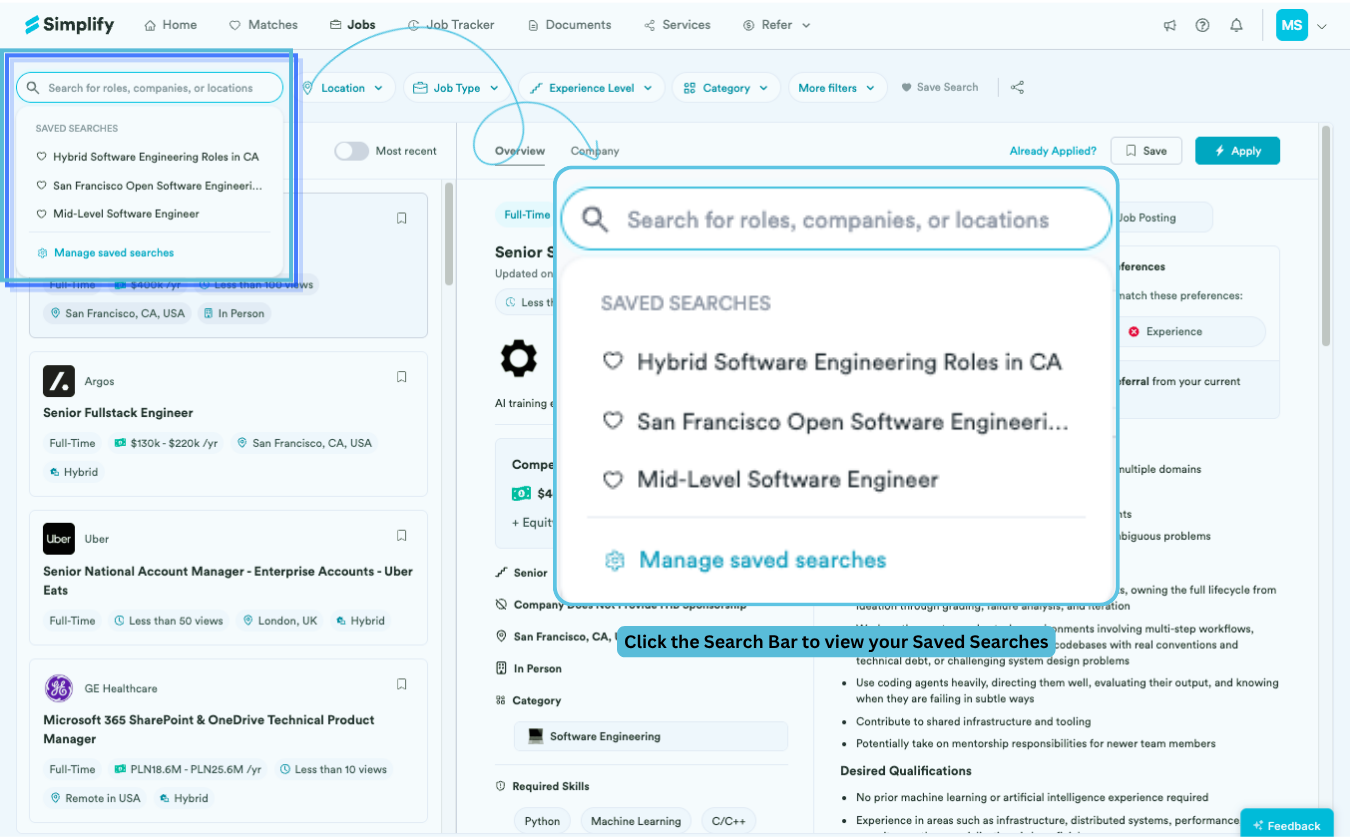
This becomes more useful over time as your search expands across:
multiple locations
different role types
internships and full-time roles
different industries
different application strategies
We designed saved searches because most real job searches are not linear. People often explore several paths at once, compare markets, or shift priorities during the process. Separate saved views make that easier to manage without rebuilding filters every session.
Sharing your job searches
You can also share saved searches with other people.
Shared searches open as live filtered job views, so anyone else with the link can browse the same curated set of opportunities, even if they do not have Simplify accounts.
This is especially useful for sharing:
internship lists
recruiting pipelines
curated role collections
location-specific opportunities
role-specific job feeds
Because these are live searches rather than static screenshots or spreadsheets, the results can continue updating as new jobs are added.
Was this helpful?
Still need help? Share an idea