Using Popular Match Groups
Popular Match Groups give you additional ways to discover relevant opportunities without needing to build filters or search through the full Job Board yourself.
Last updated 2 days ago
About Popular Match Groups
Our Popular Match Groups help you explore more opportunities beyond your daily Job Matches without needing to manually search through our full Job Board.
Each group is a pre-filtered collection of jobs organized around a specific theme or preference. The goal is to make it easier to quickly review focused sets of opportunities that may already align with what you care about most in your search.
For many users, these groups become a useful middle ground between their daily Matches and manually filtering through their Job Board.
Why Popular Match Groups exist
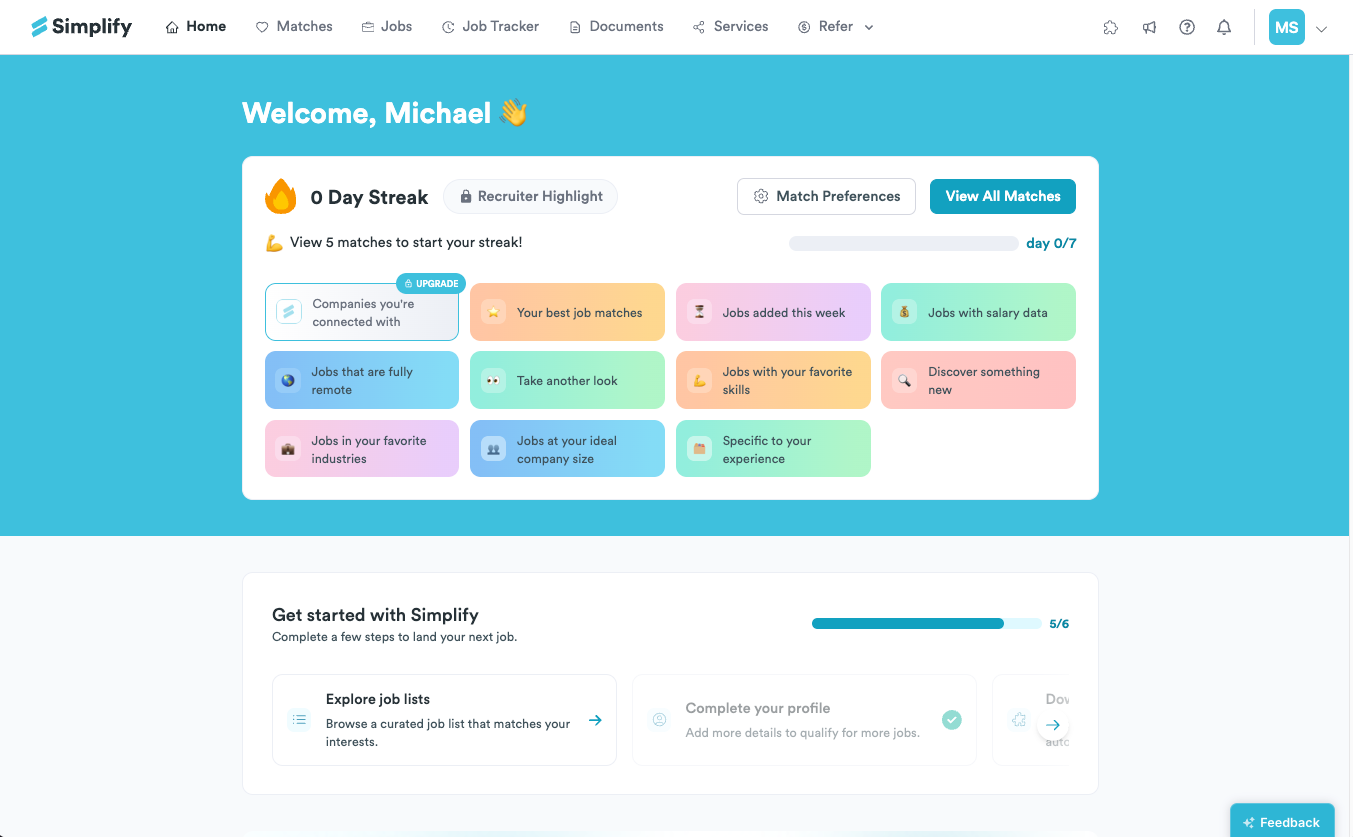
Popular Match Groups expand your search by surfacing additional opportunities that still feel focused and relevant. Instead of building filters from scratch, you can jump directly into collections that are already organized around common priorities most job seekers care about.
That includes things like:
fully remote roles
jobs with salary data
H1B sponsorship opportunities
jobs tied to your skills or interests
recently added postings
companies where you have connections
Some curations are especially useful for specific kinds of searches. For example:
international candidates may want to focus on sponsorship-related recommendations
users trying to move quickly may prioritize recently added roles
salary-conscious job seekers may prefer opportunities with compensation data already available
These lists are meant to complement your daily Matches by giving you additional ways to explore relevant opportunities without requiring extra setup.
How to use Popular Match Groups
Popular Match Groups are available directly from your dashboard and after you complete your daily Matches.
Opening one of these curated lists brings you into the same experience used throughout Job Matches, including the "Why This Job is a Match" panel, Simplify Copilot support during applications, and automatic tracking through the Job Tracker.
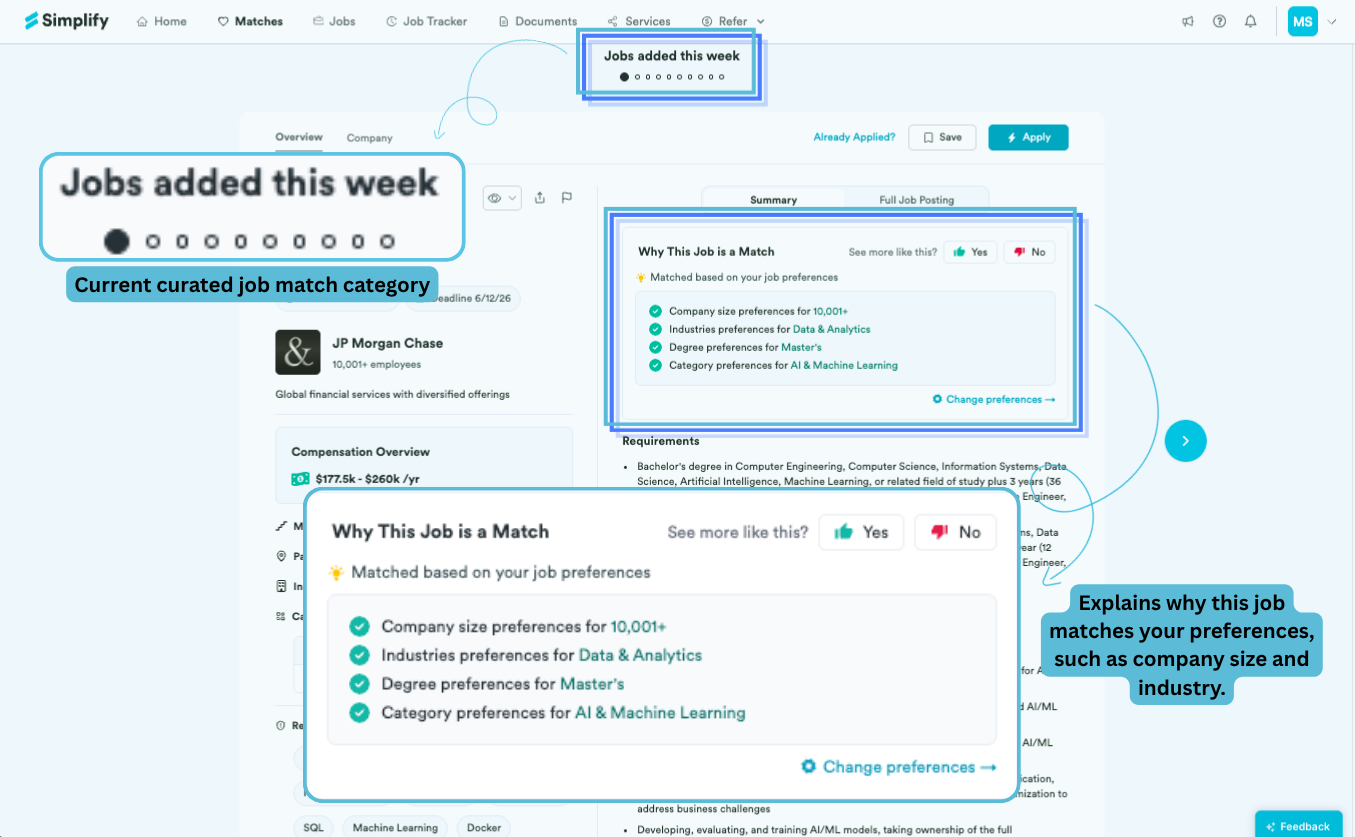
✨ Why it matters: Because these collections are already organized around a specific priority or preference, they can be a faster way to review relevant opportunities without manually filtering the full Job Board yourself.
Choosing the right curated lists for your search
Different lists are useful at different stages of a search.
Some users use them to broaden their search beyond daily Matches. Others use them to focus on a specific priority like remote work, sponsorship, compensation visibility, or roles connected to their existing network.
📝 Note: These recommendations also evolve over time as new jobs are added and your preferences change, so they work best alongside an up-to-date profile and Match Preferences setup.
Was this helpful?
Still need help? Share an idea