Job Matches vs. Job Board
Choose personalized recommendations or search the Job Board with your own filters.
Last updated 19 days ago
Use Job Matches for personalized recommendations based on your profile and preferences. Use the Job Board when you want to search and filter jobs yourself. Both let you read postings, save jobs to Job Tracker, and start an application.
Choose how you want to find jobs
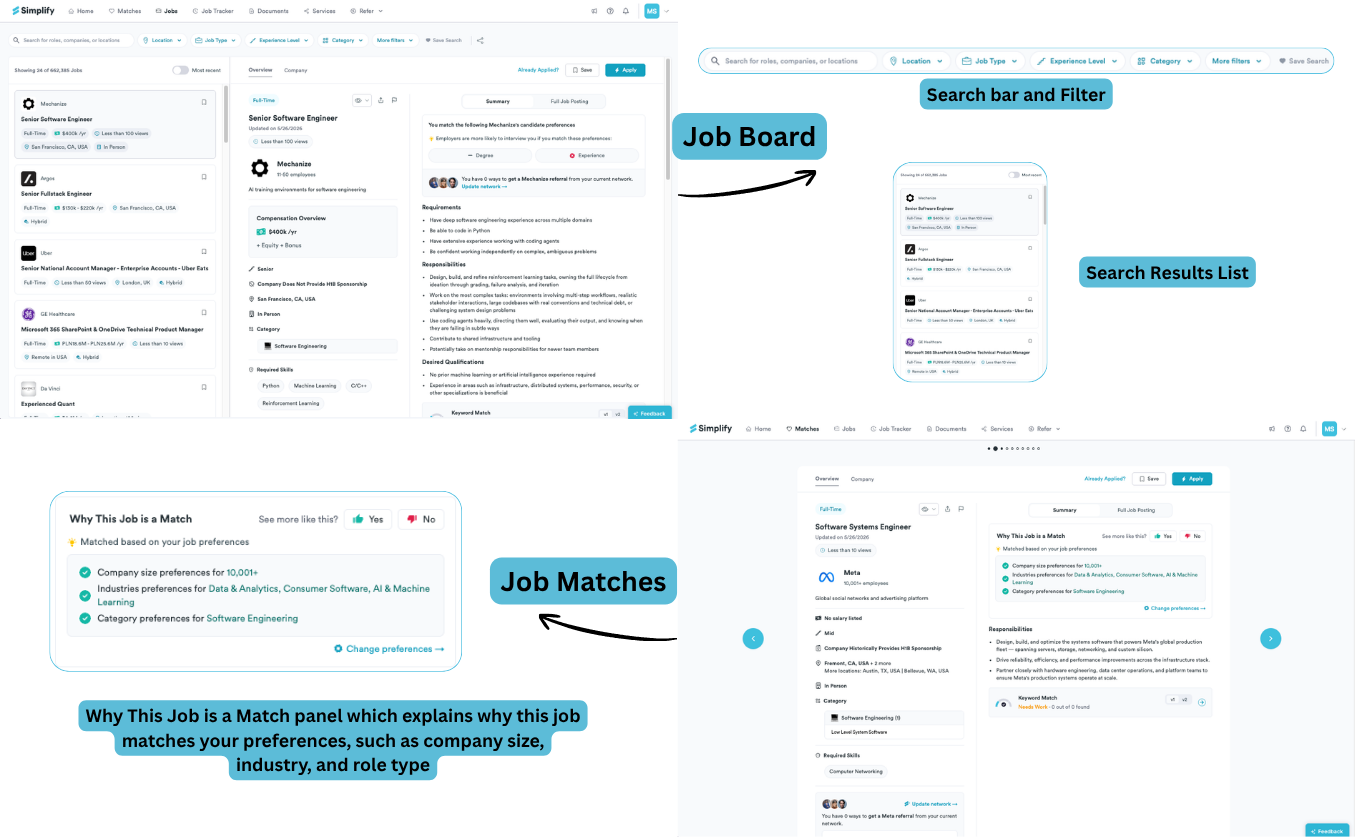
Use both during the same search
For example, you might review Matches for product roles in your preferred locations, then use the Job Board to look for a specific company or an internship category. Changing that temporary search does not mean you have changed your saved Match Preferences.
From either view, open the job to read the full posting, save it to Job Tracker, or start an application. Apply opens the employer’s form; Copilot can fill supported fields and you submit it. Autopilot, where offered with Simplify+, submits automatically without a review step.
If you are not seeing relevant jobs
In Matches, check the profile and preferences that produced the recommendation. On the Job Board, remove a restrictive filter or try another job title. Location, experience, and salary constraints can narrow a search to very few jobs. Always check the employer’s current requirements before applying.
Related articles
Was this helpful?
Still need help? Share an idea