Autofill Skills on Job Application
💡 Skills autofill is disabled by default but can be enabled quickly in the Copilot popup. This is especially useful for Workday applications.
Last updated 4 months ago
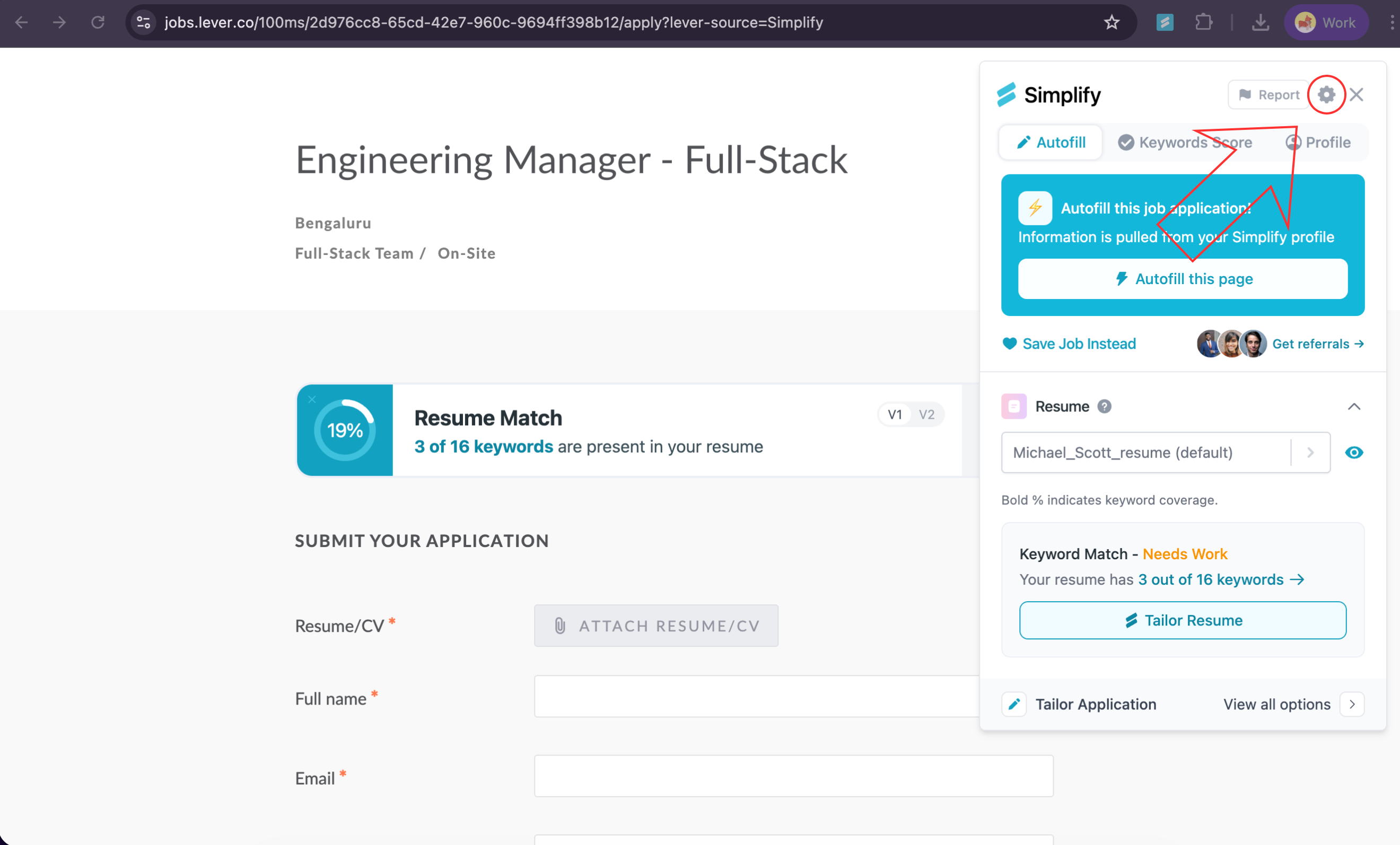
On the extension popup, click the gear icon in the top right corner to open Settings.
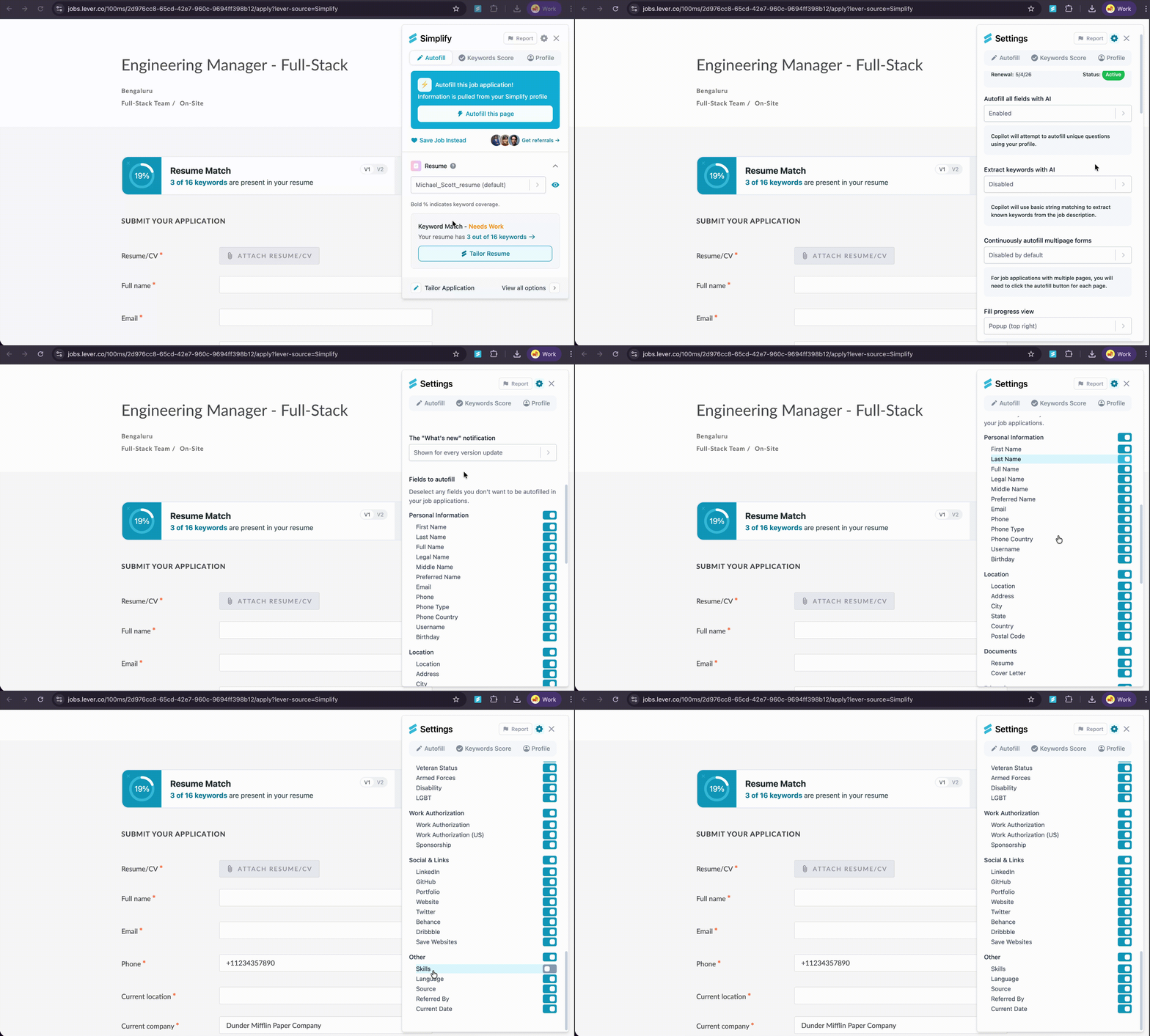
At the very bottom of that list, in the section labeled Other, find Skills and switch the toggle to On.
Click the 🖋️ Autofill tab in the extension popup.
Trigger autofill by selecting Autofill this page. Copilot will fill the Skills field automatically when it appears.