How to Change Your Password
Last updated 8 months ago
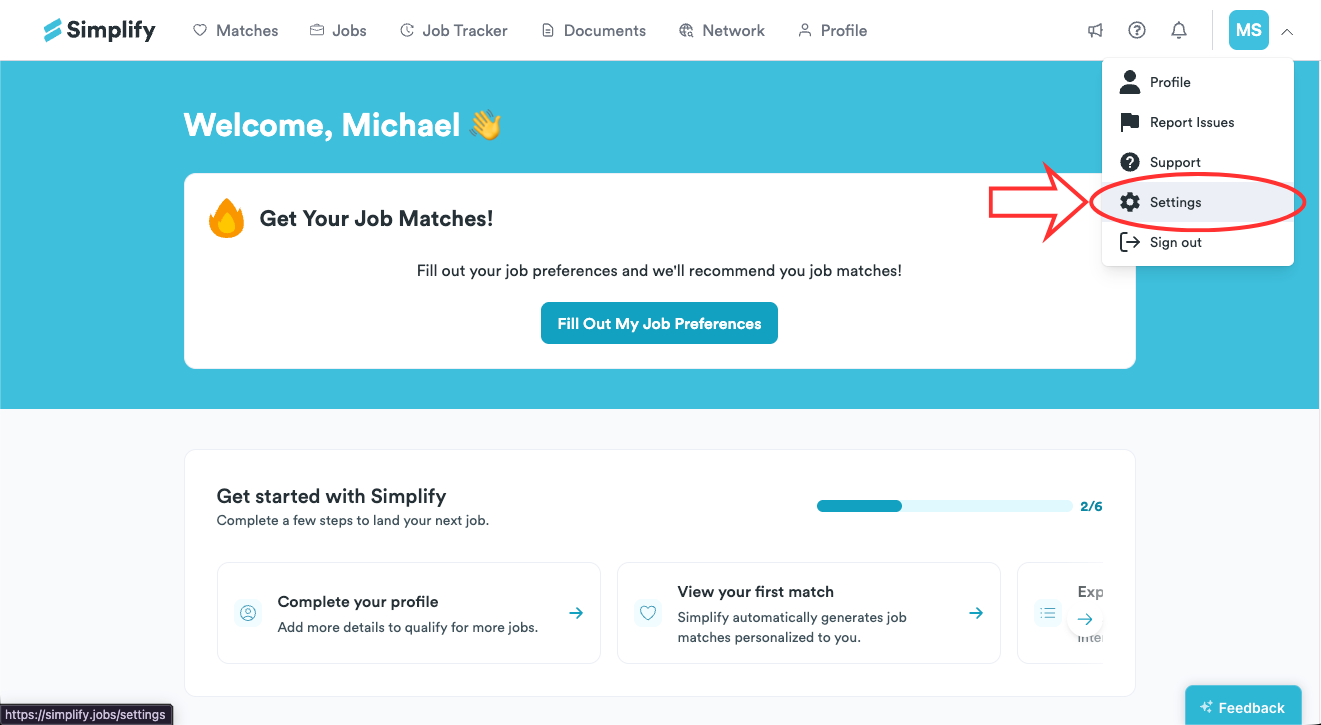
Go to Settings by following this link or navigating from Simplify's top-right menu.
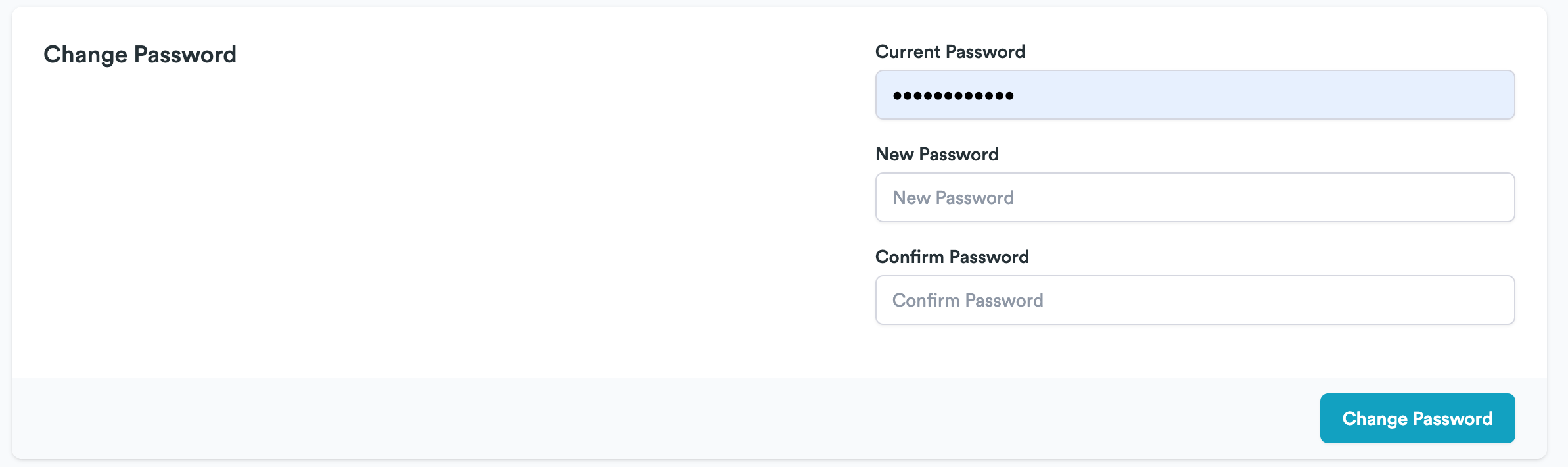
Enter your current and new passwords. Confirm the new password.
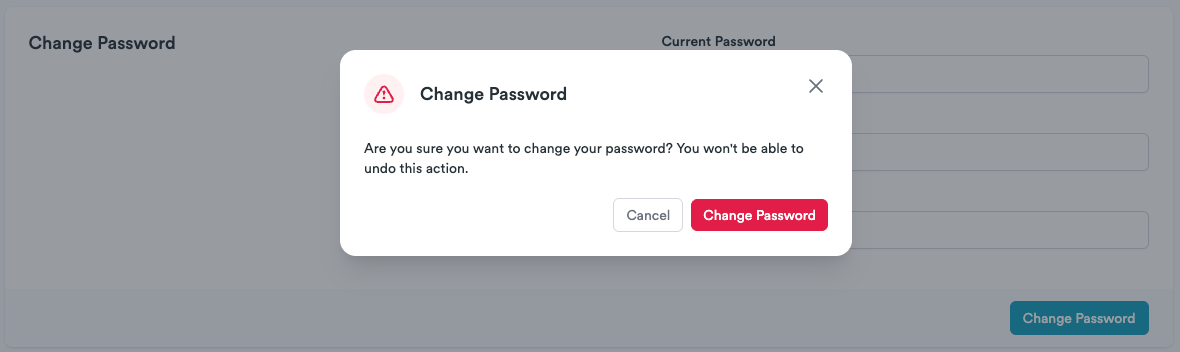
Confirm password change, and you should be good to go!
❓ Need More Help?
If you’re running into issues or have questions before taking this step, feel free to email us at support@simplify.jobs or leave feedback on any Simplify page. We’re here to help.
Was this helpful?
Still need help? Share an idea